AI logo generatorSandbox, from sourcesucceeded

Open-source AI logo generator with styles, colors, brand kits and a bring-your-own-key flow. Run from its repository in the DeepQA sandbox.

Tested byDeepQA TeamfromNutlope/logocreatorat 268916bonSep 20, 2026

Run #1model gemini-balanced (vertex)took 8m

11 of 12 scenarios passed, 1 failed, 1 low functional issue after the audit.

Share on X
Nutlope/logocreator in the browser during the run

By the numbers

11 of 12
scenarios passed, 1 failed
174
browser actions
34
screenshots
149
model calls
7.4
minutes
12
scenarios
11
passed
1
failed
0
blocked
1
issues
low1

Walkthrough

Every scenario DeepQA drove in the browser, in plan order, with the 30 screenshots it captured along the way. A passing scenario is evidence too.

  1. S1
    Missing API key generation handling

    2 steps, 3 screenshots

    pass
    S1-1.png
    S1 · Missing API key generation handling
    S1-4.png
    S1 · Missing API key generation handling
    S1-7.png
    S1 · Missing API key generation handling
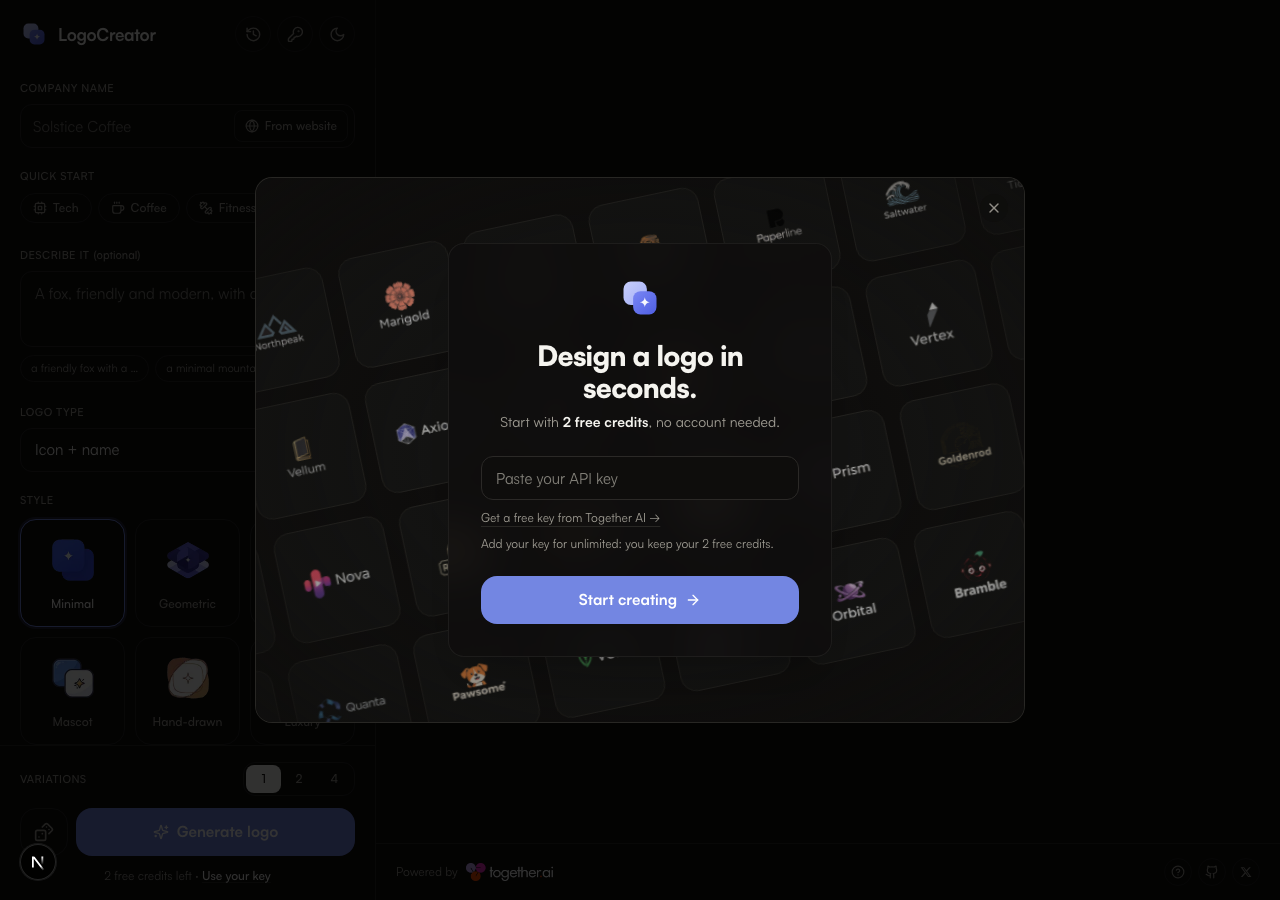
    • A dialog asking to agree to a registration or a purchase ("Design a logo in seconds.") covered the page on load. It was left open: the run agrees to neither.
    • Entered 'Test Corp' into the Company name textbox.
    • Clicked 'Generate logo' without an API key configured and observed the notification 'Couldn't generate: No API key available.' displayed on screen.
    • Loaded the application, closed the initial onboarding modal dialog, and entered 'Test Corp' as the company name.
    • Clicked the 'Generate logo' button without providing a Together AI API key.
    • The application displayed the expected notification: 'Couldn't generate: No API key available.' without crashing or failing silently.
  2. S2
    Company name required field validation

    2 steps, 2 screenshots

    pass
    S2-2.png
    S2 · Company name required field validation
    S2-5.png
    S2 · Company name required field validation
    • Cleared the Company name textbox to ensure it is empty before submission.
    • Clicked Generate logo with empty Company name; form submission was blocked by required field validation without consuming credits or generating a logo.
    • The Company name input is marked as a required form field.
    • When attempting to submit the form with an empty Company name, submission is prevented by required field validation without calling the generation API or deducting credits.
  3. S3
    Save and remove Together AI API key

    8 steps, 1 screenshot

    pass
    S3-2.png
    S3 · Save and remove Together AI API key
    • Opened the 'Together AI key' dialog and observed strict validation preventing invalid keys such as 'sk-fake' with the message "That doesn't look like an API key".
    • Entered a validly formatted Together AI API key and successfully saved it, observing confirmation toast 'API key saved' and the generator switching status to 'Using your key · ~$0.05 / logo'.
    • Reopened the Together AI key modal where the stored key was present and the 'Remove' button became available to clear the key from storage.
  4. S4
    Feeling lucky shortcut without API key

    1 step, 3 screenshots

    pass
    S4-1.png
    S4 · Feeling lucky shortcut without API key
    S4-3.png
    S4 · Feeling lucky shortcut without API key
    S4-5.png
    S4 · Feeling lucky shortcut without API key
    • Clicked Feeling lucky button; application showed 'Generating…' and a notification 'Feeling lucky: Rolling surprise styles with an AI-picked color.'.
    • The application handled the missing API key cleanly: it displayed 'Generation failed.' status and reverted the form to ready state without crashing or breaking.
    • Clicked 'Feeling lucky: random style and AI-picked color' button without an API key configured.
    • Application initiated generation with a notification 'Feeling lucky Rolling surprise styles with an AI-picked color.' and disabled controls during the attempt.
    • After backend returned error due to missing API key, status updated to 'Generation failed.' and controls were re-enabled without unhandled exceptions or crashing.
  5. S5
    Advanced settings expansion and Monochrome toggle

    3 steps, 3 screenshots

    pass
    S5-1.png
    S5 · Advanced settings expansion and Monochrome toggle
    S5-3.png
    S5 · Advanced settings expansion and Monochrome toggle
    S5-5.png
    S5 · Advanced settings expansion and Monochrome toggle
    • Expanded the Advanced(optional) accordion to reveal Monochrome switch, Detail options, and Upload reference logo button.
    • Clicked the Monochrome switch, and it toggled to the active state.
    • Clicking the 'Advanced(optional)' accordion expanded the section to reveal Detail controls, Monochrome switch, and Upload reference logo button.
    • Clicking the Monochrome switch updated its toggle state to active as expected.
  6. S6
    Visual style and color selection updates

    4 steps, 2 screenshots

    pass
    S6-1.png
    S6 · Visual style and color selection updates
    S6-6.png
    S6 · Visual style and color selection updates
    • Loaded the logo creator page with default form controls.
    • Changing the logo type in the combobox successfully updated the option and recalculated the estimated generation cost.
    • Selecting a brand color option (Blue) and a background color option (Black) updated the selection state properly without resetting other form fields.
    • Form inputs and selections remained coherent and visually responsive throughout the configuration.
  7. S7
    Logo history empty state and dismissal

    3 steps, 2 screenshots

    pass
    S7-2.png
    S7 · Logo history empty state and dismissal
    S7-4.png
    S7 · Logo history empty state and dismissal
    • Clicked the 'Logo history' button and observed the modal opening with heading 'Your logo history', '0 logos saved on this device.', and empty state message 'No logos yet - Generate a logo and it\'ll be saved here automatically, only on this device.'
    • Pressed the Escape key and verified that the logo history modal closed immediately, returning focus and view to the main page.
    • The 'Logo history' modal opens cleanly with an empty state indicating '0 logos saved on this device.' and 'No logos yet'.
    • Pressing Escape successfully dismisses the modal and restores the main page view without errors.
  8. S8
    Theme toggle state persistence

    2 steps, 4 screenshots

    pass
    S8-1.png
    S8 · Theme toggle state persistence
    S8-3.png
    S8 · Theme toggle state persistence
    S8-5.png
    S8 · Theme toggle state persistence
    S8-7.png
    S8 · Theme toggle state persistence
    • Initial page loaded with dark theme and 'Switch to light mode' button visible.
    • Clicked 'Switch to light mode' button; theme switched to light mode and button label changed to 'Switch to dark mode'.
    • Reloaded the page after switching back to dark mode; dark mode persisted with 'Switch to light mode' button displayed.
    • Theme toggle switched the theme from dark to light mode cleanly.
    • Reloading the page preserved the selected light theme state.
    • Switching back to dark mode and reloading also preserved the dark theme state correctly.
  9. S9
    Variations selector updates

    1 step, 3 screenshots

    pass
    S9-2.png
    S9 · Variations selector updates
    S9-4.png
    S9 · Variations selector updates
    S9-7.png
    S9 · Variations selector updates
    • Selected 4 variations in the radio group; the button text updated to 'Generate 4 logos' and the cost estimate updated accordingly.
    • Clicking option '4' in the variations selector updates the selection and changes the submit button label to 'Generate 4 logos' with the cost updating to '~$0.20 / set'.
  10. S10
    From website button interaction

    1 step, 2 screenshots

    pass
    S10-1.png
    S10 · From website button interaction
    S10-3.png
    S10 · From website button interaction
    • Loaded LogoCreator home page with 'From website' button visible next to Company name field.
    • Clicked 'From website' button, which revealed an inline input section titled 'Start from your website' with a 'Your website URL' textbox, Import button, and Cancel button.
    • Clicking 'From website' replaces the company name input with an inline 'Start from your website' form containing a 'Your website URL' text input, an 'Import' button, an 'Upload a logo instead' option, and a 'Cancel' button.
  11. S11
    What's this informational popover

    1 step, 3 screenshots

    pass
    S11-1.png
    S11 · What's this informational popover
    S11-3.png
    S11 · What's this informational popover
    S11-5.png
    S11 · What's this informational popover
    • Clicking 'What\'s this?' opens an informational modal dialog titled 'Design a logo in seconds.' explaining free credits and Together AI API key usage.
    • The 'What\'s this?' button in the footer was clicked.
    • An informational dialog titled 'Design a logo in seconds.' opened with details explaining free credits, key configuration, and a link to get a Together AI key.
    • The dialog closed cleanly when the Close button was clicked.
  12. S12
    Company name whitespace-only validation

    2 steps, 2 screenshots

    fail
    S12-2.png
    S12 · Company name whitespace-only validation
    S12-6.png
    S12 · Company name whitespace-only validation
    • Entered whitespace into Company name textbox and clicked Generate logo; the application treated whitespace as valid and attempted logo generation, resulting in an API error instead of a required field validation error.
    • Navigated to the home page and verified initial state with the required Company name field.
    • Filled the Company name field with multiple spaces and clicked Generate logo.
    • The application did not trigger HTML5 or custom required validation and instead submitted the generation request, resulting in an API error.

Issues

Findings that survived the Critic's audit. Security-class issues stay summary-only until the maintainers ship a fix.

lowconfirmed ✓functionalF1 · S12

Company name field accepts whitespace-only input without validation

The evidence clearly shows the form accepts whitespace-only input and proceeds to submit, which is an application validation defect independent of the subsequent 401 API error caused by the missing key. The page reported 1 console error during the scenario.

Expected

The application should reject whitespace-only input with a validation error for the required Company name field and prevent form submission.

Actual

The form treats whitespace-only input as a valid company name, submits the logo generation request, and fails on the API key check ("Couldn't generate Your API key is invalid.") rather than validating the required field.

Repro · 3 steps
  1. Navigate to http://localhost:3000/
  2. Enter multiple spaces into the 'Company name' textbox
  3. Click the 'Generate logo' button

Environment limitations

These failures came from the test environment, not from the application: a credential the sandbox does not hold, a demo nobody may write to, a resource it cannot reach. They are not counted as issues.

  • S1 could not exercise this: API request fails with 401 Unauthorized during logo generation. The API request fails with a 401 Unauthorized error due to the sandbox lacking a configured API key. The audit recorded the test environment as the cause, so it is not counted as an issue.
  • S4 could not exercise this: Feeling lucky shortcut API request fails with 401 Unauthorized. The API request fails with a 401 Unauthorized error because a valid API key is missing from the environment. The audit recorded the test environment as the cause, so it is not counted as an issue.

Critic audit

An adversarial second pass over every finding before it reaches the report.

1
findings reviewed
0
re-verified live
0
withdrawn
  • F1confirmed ✓

    The evidence clearly shows the form accepts whitespace-only input and proceeds to submit, which is an application validation defect independent of the subsequent 401 API error caused by the missing key.

  • Multiple scenarios resulted in 401 Unauthorized console errors because the sandbox environment lacks a valid Together AI API key, limiting end-to-end coverage for successful logo generation.

Report

QA report: Nutlope/logocreator at 268916b

The application is functional across core UI workflows, with one low-severity issue allowing whitespace-only company names to bypass required input validation.

Testing covered 12 scenarios evaluating form validation, Together AI API key management, style and color selectors, advanced settings toggles, theme persistence, and informational modals. Eleven scenarios passed without issue.

The single confirmed defect occurs when submitting a company name consisting solely of whitespace characters. Rather than rejecting the submission at the form validation layer, the interface accepts the input and proceeds to make a generation request.

Because the test environment did not have a valid Together AI API key configured, generation requests returned 401 Unauthorized responses. The run successfully verified error handling for missing and invalid keys, but end-to-end generation of rendered logos could not be exercised.

Run summary
MetricCount
Scenarios executed12
Passed11
Failed1
Blocked0
Findings raised1
Issues after the audit1
Withdrawn by the audit0
Critical / high / medium / low0 / 0 / 0 / 1

Target: http://localhost:3000 · Testing level: deep_feature · Stack: node / pnpm (next)

Issues
Low severity
F1 · Company name field accepts whitespace-only input without validation

Severity: low · Type: functional · Verdict: confirmed · Scenario: S12

The evidence clearly shows the form accepts whitespace-only input and proceeds to submit, which is an application validation defect independent of the subsequent 401 API error caused by the missing key. The page reported 1 console error during the scenario.

Expected: The application should reject whitespace-only input with a validation error for the required Company name field and prevent form submission.

Actual: The form treats whitespace-only input as a valid company name, submits the logo generation request, and fails on the API key check ("Couldn't generate Your API key is invalid.") rather than validating the required field.

Steps to reproduce:

  1. Navigate to http://localhost:3000/
  2. Enter multiple spaces into the 'Company name' textbox
  3. Click the 'Generate logo' button

Evidence: screenshots/S12-6.png

Environment limitations

These failures came from the test environment, not from the application: a credential the sandbox does not hold, a demo nobody may write to, a resource it cannot reach. They are not counted as issues. They record what this run could not exercise.

  • S1 could not exercise this: API request fails with 401 Unauthorized during logo generation. The API request fails with a 401 Unauthorized error due to the sandbox lacking a configured API key. The audit recorded the test environment as the cause, so it is not counted as an issue.
  • S4 could not exercise this: Feeling lucky shortcut API request fails with 401 Unauthorized. The API request fails with a 401 Unauthorized error because a valid API key is missing from the environment. The audit recorded the test environment as the cause, so it is not counted as an issue.
Scenario results
ScenarioPriorityResultIssues
S1 Missing API key generation handlinghighpassnone
S2 Company name required field validationhighpassnone
S3 Save and remove Together AI API keyhighpassnone
S4 Feeling lucky shortcut without API keymediumpassnone
S5 Advanced settings expansion and Monochrome togglemediumpassnone
S6 Visual style and color selection updatesmediumpassnone
S7 Logo history empty state and dismissalmediumpassnone
S8 Theme toggle state persistencemediumpassnone
S9 Variations selector updatesmediumpassnone
S10 From website button interactionlowpassnone
S11 What's this informational popoverlowpassnone
S12 Company name whitespace-only validationlowfailF1
The audit

The Critic reviewed 1 finding and re-verified 0 of them live in the browser, replaying the reported steps on a fresh page.

  • Multiple scenarios resulted in 401 Unauthorized console errors because the sandbox environment lacks a valid Together AI API key, limiting end-to-end coverage for successful logo generation.
What to fix first
  1. Trim whitespace when checking whether the company name field is populated prior to initiating generation requests (Issue F1).
Coverage and caveats

In scope: Logo generation form validation; Configuration UI state (Advanced settings, Variations); API key modal lifecycle and state handling; Logo history viewing; Theme toggling persistence.

Not covered: Successful logo generation via Together AI; Logo history filled state.

  • We cannot test successful logo generation or the filled history state because they depend on a valid external Together AI API key.
  • The 'Design a logo in seconds' dialog on load does not block interaction with the main page, or can be implicitly closed by clicking outside it.
By the numbers
MetricValue
Scenarios11 passed, 1 failed, 0 blocked of 12 (30 planned steps)
Browser actions174 (42 clicks, 14 inputs, 15 navigations, 103 snapshots)
Screenshots34 (4 explore, 30 scenario, 0 critic), 29 captioned
Coverage1 pages, 2 forms, 4 flows, 1 console errors
Audit1 findings, 0 re-verified live, 1 confirmed, 0 promoted, 0 withdrawn
Model calls149
Tokens802,983 input, 7,573 output, 15,990 thinking
Time7 min
StageCallsInputOutputThinkingSeconds
explore30180,5901,7161,60487
plan13,5461,8114,89151
test116612,4323,3055,881271
critique14,7705223,26228
report11,6452193525

Run log

stagecallstokenstime
Explore30183.9k1m 27s
Plan110.2k51s
Test116621.6k4m 31s
Critique18.6k28s
Report12.2k5s
Total149826.5k7m 22s
Intake
Explore
Plan
Test
Critique
Report
  • 02:44:02Zexploreexplore started
  • 02:51:35ZexploreExplored / (52 controls, 1 forms)
  • 02:51:35ZexploreA dialog asking to agree to a registration or a purchase ("Design a logo in seconds.") covered the page on load. It was left open: the run agrees to neither.
  • 02:51:35ZexploreMapped 1 pages, 2 forms, 4 flows in 30 turns.
  • 02:51:35Zexploreexplore completed in 87s.
  • 02:51:35Zplanplan started
  • 02:51:35ZplanPlanned 12 scenarios (3 high, 6 medium, 3 low).
  • 02:51:35Zplanplan completed in 51s.
  • 02:51:35Ztesttest started
  • 02:51:35ZtestS1 executed (pass)
  • 02:51:35ZtestS2 executed (pass)
  • 02:51:35ZtestS3 executed (pass)
  • 02:51:35ZtestS4 executed (pass)
  • 02:51:35ZtestS5 executed (pass)
  • 02:51:35ZtestS6 executed (pass)
  • 02:51:35ZtestS7 executed (pass)
  • 02:51:35ZtestS8 executed (pass)
  • 02:51:35ZtestS9 executed (pass)
  • 02:51:35ZtestS10 executed (pass)
  • 02:51:35ZtestS11 executed (pass)
  • 02:51:35ZtestS12 executed (fail), 1 finding
  • 02:51:35ZtestExecuted 12 scenarios: 11 passed, 1 failed, 0 blocked, 1 finding.
  • 02:51:35Ztesttest completed in 271s.
  • 02:51:35Zcritiquecritique started
  • 02:51:35ZcritiqueReviewed 1 findings; 2 possible defects spotted in passed scenarios.
  • 02:51:35ZcritiqueAudit complete: 1 confirmed, 0 withdrawn, 0 promoted, 0 re-verified live.
  • 02:51:35Zcritique2 failures came from the test environment rather than the application. They are reported as environment limitations, not issues.
  • 02:51:35Zcritiquecritique completed in 28s.
  • 02:51:35Zreportreport started
  • 02:51:35ZreportReported 1 issue (0 critical, 0 high, 0 medium, 1 low) from 1 finding.
  • 02:51:35Zreportreport completed in 5s.

Put an agent team on your next pull request.

Connect a repo, dispatch a Run, and read an audited, evidence-backed report the same day.