AI app generatorSandbox, from sourcesucceeded

Open-source app generator by E2B: describe an app, pick a template and a model, and get a running fragment. Run from its repository in the DeepQA sandbox.

Tested byDeepQA Teamfrome2b-dev/fragmentsat cc07f43onSep 18, 2026

Run #1model gemini-balanced (vertex)took 13m

9 of 10 scenarios passed, 1 failed, 1 medium functional issue after the audit.

Share on X
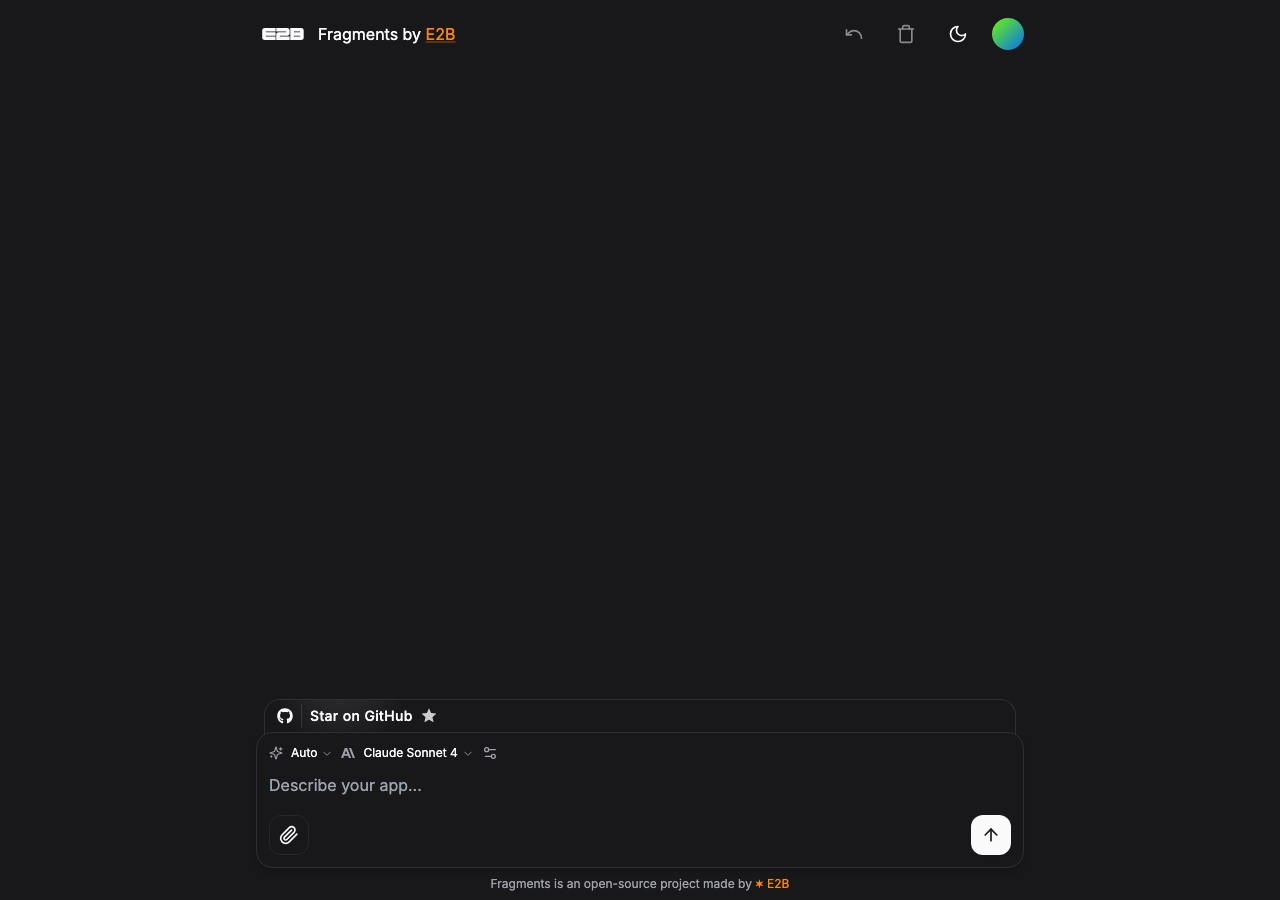
e2b-dev/fragments in the browser during the run

By the numbers

9 of 10
scenarios passed, 1 failed
145
browser actions
37
screenshots
148
model calls
13
minutes
10
scenarios
9
passed
1
failed
0
blocked
1
issues
medium1

Walkthrough

Every scenario DeepQA drove in the browser, in plan order, with the 34 screenshots it captured along the way. A passing scenario is evidence too.

  1. S1
    Handle missing API credentials gracefully

    3 steps, 3 screenshots

    pass
    S1-1.png
    S1 · Handle missing API credentials gracefully
    S1-5.png
    S1 · Handle missing API credentials gracefully
    S1-7.png
    S1 · Handle missing API credentials gracefully
    • Submitted prompt 'Create a React counter app' without backend API keys, and the app gracefully showed 'An unexpected error has occurred. Please try again later.' with a 'Try again' button.
    • Navigated to http://127.0.0.1:3000/ and entered prompt 'Create a React counter app'.
    • Clicked submit, observing transition from 'Generating...' to an error message 'An unexpected error has occurred. Please try again later.' with a functional 'Try again' button displayed.
  2. S2
    Retry generation after an error

    5 steps, 4 screenshots

    pass
    S2-1.png
    S2 · Retry generation after an error
    S2-4.png
    S2 · Retry generation after an error
    S2-7.png
    S2 · Retry generation after an error
    S2-9.png
    S2 · Retry generation after an error
    • Initial home page loaded with prompt input ready.
    • Submitted prompt 'Create a React counter app' and saw 'Generating...' status.
    • Error state displayed with message 'An unexpected error has occurred. Please try again later.' and a 'Try again' button.
    • Loaded the Fragments app home page and entered the prompt 'Create a React counter app'.
    • Submitted the prompt, which initially showed 'Generating...' and then transitioned to an error message with a 'Try again' button.
    • Clicked the 'Try again' button and verified that the application attempted the generation request again (showing 'Generating...').
  3. S3
    Prevent submission with empty prompt

    3 steps, 2 screenshots

    pass
    S3-1.png
    S3 · Prevent submission with empty prompt
    S3-6.png
    S3 · Prevent submission with empty prompt
    • Loaded homepage with empty prompt textarea marked as required.
    • Clicked submit button with empty prompt; native required form validation blocked submission with no network request, error state, or spinner triggered.
    • Navigated to http://127.0.0.1:3000/ and verified the prompt textarea has the required attribute.
    • Attempted submission with an empty prompt by clicking the submit button and pressing Enter.
    • Submission was blocked natively by HTML5 form validation; no error state, loading spinner, or unwanted navigation occurred.
  4. S4
    Configure API Key and settings

    4 steps, 3 screenshots

    pass
    S4-1.png
    S4 · Configure API Key and settings
    S4-4.png
    S4 · Configure API Key and settings
    S4-9.png
    S4 · Configure API Key and settings
    • Opened the model parameters settings menu by clicking the settings button.
    • Entered API key and custom instructions/Base URL into the settings menu, and both fields accepted the typed text.
    • The model parameters settings panel opened correctly upon clicking the settings button.
    • The API Key field accepted input ('[redacted]') and displayed it as masked password text.
    • The custom instructions / Base URL field accepted input ('Use TypeScript') successfully.
  5. S5
    Prevent submission with whitespace-only prompt

    3 steps, 4 screenshots

    fail
    S5-1.png
    S5 · Prevent submission with whitespace-only prompt
    S5-4.png
    S5 · Prevent submission with whitespace-only prompt
    S5-6.png
    S5 · Prevent submission with whitespace-only prompt
    S5-8.png
    S5 · Prevent submission with whitespace-only prompt
    • Loaded home page with prompt input field.
    • Entered whitespace-only string into prompt textarea.
    • Submitted whitespace-only prompt and observed 'Generating...' state indicating the application attempted to generate a fragment.
    • The application failed to trim and validate prompt input before submitting to the backend API.
  6. S6
    Select application template

    3 steps, 4 screenshots

    pass
    S6-1.png
    S6 · Select application template
    S6-5.png
    S6 · Select application template
    S6-8.png
    S6 · Select application template
    S6-11.png
    S6 · Select application template
    • Opened template selection combobox, navigated down the options list using ArrowDown, and pressed Enter to select a different template option, successfully closing the dropdown and updating the selection.
    • Navigated to http://127.0.0.1:3000/.
    • Clicked on the template/stack selection combobox to open the options popover menu.
    • Navigated options and selected a different template option using keyboard navigation (ArrowDown and Enter).
    • The dropdown closed and the combobox updated to visually display the newly selected template.
  7. S7
    Select LLM model

    3 steps, 4 screenshots

    pass
    S7-2.png
    S7 · Select LLM model
    S7-7.png
    S7 · Select LLM model
    S7-10.png
    S7 · Select LLM model
    S7-13.png
    S7 · Select LLM model
    • Opened the model selection combobox, navigated the list with arrow keys, and selected a different model which updated the combobox display.
    • Navigated to http://127.0.0.1:3000/ and opened the model selection combobox.
    • Selected an alternative model from the dropdown list using keyboard navigation.
    • The combobox closed and updated its state to the selected model.
  8. S8
    Configure model hyperparameters

    4 steps, 3 screenshots

    pass
    S8-1.png
    S8 · Configure model hyperparameters
    S8-4.png
    S8 · Configure model hyperparameters
    S8-8.png
    S8 · Configure model hyperparameters
    • Opened the model parameter settings menu, displaying hyperparameter inputs including Output tokens and Temperature.
    • Entered 0.7 for Temperature and 1000 for Output tokens, and both spinbutton fields retained and accepted the values.
    • Navigated to http://127.0.0.1:3000/ and opened the model parameters menu.
    • Inputted 0.7 into the Temperature field and 1000 into the Output tokens field.
    • The fields accepted and reflected the numeric values without errors or crashes.
  9. S9
    Toggle Morph Apply fast code generation

    3 steps, 4 screenshots

    pass
    S9-1.png
    S9 · Toggle Morph Apply fast code generation
    S9-3.png
    S9 · Toggle Morph Apply fast code generation
    S9-5.png
    S9 · Toggle Morph Apply fast code generation
    S9-7.png
    S9 · Toggle Morph Apply fast code generation
    • Clicked the model parameters settings button and the settings dropdown opened showing Morph Apply switch and parameter controls.
    • Clicked the Morph Apply switch control, which successfully responds to clicks and toggles its state.
    • The model parameters settings button opens the settings menu containing the Morph Apply fast code generation toggle.
    • The Morph Apply switch component responds directly to clicks and changes its active toggle state smoothly.
  10. S10
    Interact with attach file functionality

    2 steps, 3 screenshots

    pass
    S10-1.png
    S10 · Interact with attach file functionality
    S10-9.png
    S10 · Interact with attach file functionality
    S10-12.png
    S10 · Interact with attach file functionality
    • Navigated to the home page and clicked the attach file button next to the prompt input.
    • Navigated to the home page at http://127.0.0.1:3000/.
    • Located and clicked the attach file button within the prompt input form.
    • The button is present and interactive.

Issues

Findings that survived the Critic's audit. Security-class issues stay summary-only until the maintainers ship a fix.

mediumconfirmed ✓functionalF1 · S5

Prompt textarea accepts whitespace-only input and attempts generation

The application fails to trim and validate whitespace-only input client-side, making unnecessary requests. While the subsequent 500 error is an environment issue, the missing input validation is a genuine functional defect. The page reported 2 console errors during the scenario.

Expected

The application should trim whitespace and disable or block submission for empty/whitespace-only input without making a backend generation request.

Actual

The application accepted the whitespace-only prompt, entered the 'Generating...' state, sent a backend request, and then failed with 'An unexpected error has occurred. Please try again later.'

Repro · 3 steps
  1. Navigate to http://127.0.0.1:3000/
  2. Enter whitespace characters into the 'Describe your app...' prompt textarea
  3. Click the submit prompt button

Environment limitations

These failures came from the test environment, not from the application: a credential the sandbox does not hold, a demo nobody may write to, a resource it cannot reach. They are not counted as issues.

  • S1 could not exercise this: Generation request fails with 500 Internal Server Error due to missing API keys. The server responds with a 500 Internal Server Error due to the sandbox lacking valid API credentials. The audit recorded the test environment as the cause, so it is not counted as an issue.

Critic audit

An adversarial second pass over every finding before it reaches the report.

1
findings reviewed
0
re-verified live
0
withdrawn
  • F1confirmed ✓

    The application fails to trim and validate whitespace-only input client-side, making unnecessary requests. While the subsequent 500 error is an environment issue, the missing input validation is a genuine functional defect.

  • The test sandbox lacks the backend API credentials needed for generation, resulting in 500 Internal Server Errors when interacting with the main feature.
  • F1 correctly identifies a client-side defect that occurs prior to the environment-induced generation failure.

Report

QA report: e2b-dev/fragments at cc07f43

Prompt input validation fails to reject whitespace-only submissions, triggering unnecessary backend generation requests.

Ten scenarios were tested across prompt entry, settings configuration, model and template selection, file attachments, and error handling. Most configuration workflows and basic empty prompt validations passed as expected. Full end-to-end generation could not be completed during testing because the sandbox environment lacked valid backend API credentials.

The single failure occurred when submitting a prompt consisting solely of whitespace. While completely empty prompts are blocked, whitespace-only text is accepted by the interface, transitioning the application into a generating state and dispatching a backend request that eventually fails with a generic error message.

Run summary
MetricCount
Scenarios executed10
Passed9
Failed1
Blocked0
Findings raised1
Issues after the audit1
Withdrawn by the audit0
Critical / high / medium / low0 / 0 / 1 / 0

Target: http://127.0.0.1:3000 · Testing level: deep_feature · Stack: node / npm (next)

Issues
Medium severity
F1 · Prompt textarea accepts whitespace-only input and attempts generation

Severity: medium · Type: functional · Verdict: confirmed · Scenario: S5

The application fails to trim and validate whitespace-only input client-side, making unnecessary requests. While the subsequent 500 error is an environment issue, the missing input validation is a genuine functional defect. The page reported 2 console errors during the scenario.

Expected: The application should trim whitespace and disable or block submission for empty/whitespace-only input without making a backend generation request.

Actual: The application accepted the whitespace-only prompt, entered the 'Generating...' state, sent a backend request, and then failed with 'An unexpected error has occurred. Please try again later.'

Steps to reproduce:

  1. Navigate to http://127.0.0.1:3000/
  2. Enter whitespace characters into the 'Describe your app...' prompt textarea
  3. Click the submit prompt button

Evidence: screenshots/S5-4.png, screenshots/S5-6.png, screenshots/S5-8.png

Environment limitations

These failures came from the test environment, not from the application: a credential the sandbox does not hold, a demo nobody may write to, a resource it cannot reach. They are not counted as issues. They record what this run could not exercise.

  • S1 could not exercise this: Generation request fails with 500 Internal Server Error due to missing API keys. The server responds with a 500 Internal Server Error due to the sandbox lacking valid API credentials. The audit recorded the test environment as the cause, so it is not counted as an issue.
Scenario results
ScenarioPriorityResultIssues
S1 Handle missing API credentials gracefullyhighpassnone
S2 Retry generation after an errorhighpassnone
S3 Prevent submission with empty prompthighpassnone
S4 Configure API Key and settingshighpassnone
S5 Prevent submission with whitespace-only promptmediumfailF1
S6 Select application templatemediumpassnone
S7 Select LLM modelmediumpassnone
S8 Configure model hyperparametersmediumpassnone
S9 Toggle Morph Apply fast code generationmediumpassnone
S10 Interact with attach file functionalitylowpassnone
The audit

The Critic reviewed 1 finding and re-verified 0 of them live in the browser, replaying the reported steps on a fresh page.

  • The test sandbox lacks the backend API credentials needed for generation, resulting in 500 Internal Server Errors when interacting with the main feature.
  • F1 correctly identifies a client-side defect that occurs prior to the environment-induced generation failure.
What to fix first
  1. Trim prompt input before validation to prevent whitespace-only submissions from initiating generation requests (F1).
Coverage and caveats

In scope: Prompt submission and validation; Error state rendering and recovery; Model parameter settings panel; Template and model selection.

Not covered: Successful generation of a full-stack fragment; User authentication or profile management; GitHub repository navigation.

  • The test environment lacks valid external LLM and E2B API keys, so prompt submission will intentionally trigger a 500 error and the error state UI.
  • File attachment interactions can be verified by observing the browser file picker or a UI change, though actual file upload depends on browser automation capabilities.
By the numbers
MetricValue
Scenarios9 passed, 1 failed, 0 blocked of 10 (33 planned steps)
Browser actions145 (28 clicks, 17 inputs, 20 navigations, 80 snapshots)
Screenshots37 (3 explore, 34 scenario, 0 critic), 34 captioned
Coverage1 pages, 2 forms, 2 flows, 3 console errors
Audit1 findings, 0 re-verified live, 1 confirmed, 0 promoted, 0 withdrawn
Model calls148
Tokens532,362 input, 7,104 output, 13,250 thinking
Time13 min
StageCallsInputOutputThinkingSeconds
explore2590,3741,5391,542377
plan13,1041,7293,14936
test120432,9173,2646,351356
critique14,4533891,85018
report11,5141833585

Run log

stagecallstokenstime
Explore2593.5k6m 17s
Plan18k36s
Test120442.5k5m 56s
Critique16.7k18s
Report12.1k5s
Total148552.7k13m 12s
Intake
Explore
Plan
Test
Critique
Report
  • 05:50:08Zexploreexplore started
  • 06:03:30ZexploreExplored / (13 controls, 1 forms)
  • 06:03:30ZexploreExplored /settings (0 controls, 0 forms)
  • 06:03:30ZexploreMapped 1 pages, 2 forms, 2 flows in 25 turns.
  • 06:03:30Zexploreexplore completed in 377s.
  • 06:03:30Zplanplan started
  • 06:03:30ZplanPlanned 10 scenarios (4 high, 5 medium, 1 low).
  • 06:03:30Zplanplan completed in 36s.
  • 06:03:30Ztesttest started
  • 06:03:30ZtestS1 executed (pass)
  • 06:03:30ZtestS2 executed (pass)
  • 06:03:30ZtestS3 executed (pass)
  • 06:03:30ZtestS4 executed (pass)
  • 06:03:30ZtestS5 executed (fail), 1 finding
  • 06:03:30ZtestS6 executed (pass)
  • 06:03:30ZtestS7 executed (pass)
  • 06:03:30ZtestS8 executed (pass)
  • 06:03:30ZtestS9 executed (pass)
  • 06:03:30ZtestS10 executed (pass)
  • 06:03:30ZtestExecuted 10 scenarios: 9 passed, 1 failed, 0 blocked, 1 finding.
  • 06:03:30Ztesttest completed in 356s.
  • 06:03:30Zcritiquecritique started
  • 06:03:30ZcritiqueReviewed 1 findings; 1 possible defect spotted in passed scenarios.
  • 06:03:30ZcritiqueAudit complete: 1 confirmed, 0 withdrawn, 0 promoted, 0 re-verified live.
  • 06:03:30Zcritique1 failure came from the test environment rather than the application. It is reported as an environment limitation, not an issue.
  • 06:03:30Zcritiquecritique completed in 18s.
  • 06:03:30Zreportreport started
  • 06:03:30ZreportReported 1 issue (0 critical, 0 high, 1 medium, 0 low) from 1 finding.
  • 06:03:30Zreportreport completed in 5s.

Put an agent team on your next pull request.

Connect a repo, dispatch a Run, and read an audited, evidence-backed report the same day.