Hosted appAI answer engineHosted, in placesucceeded

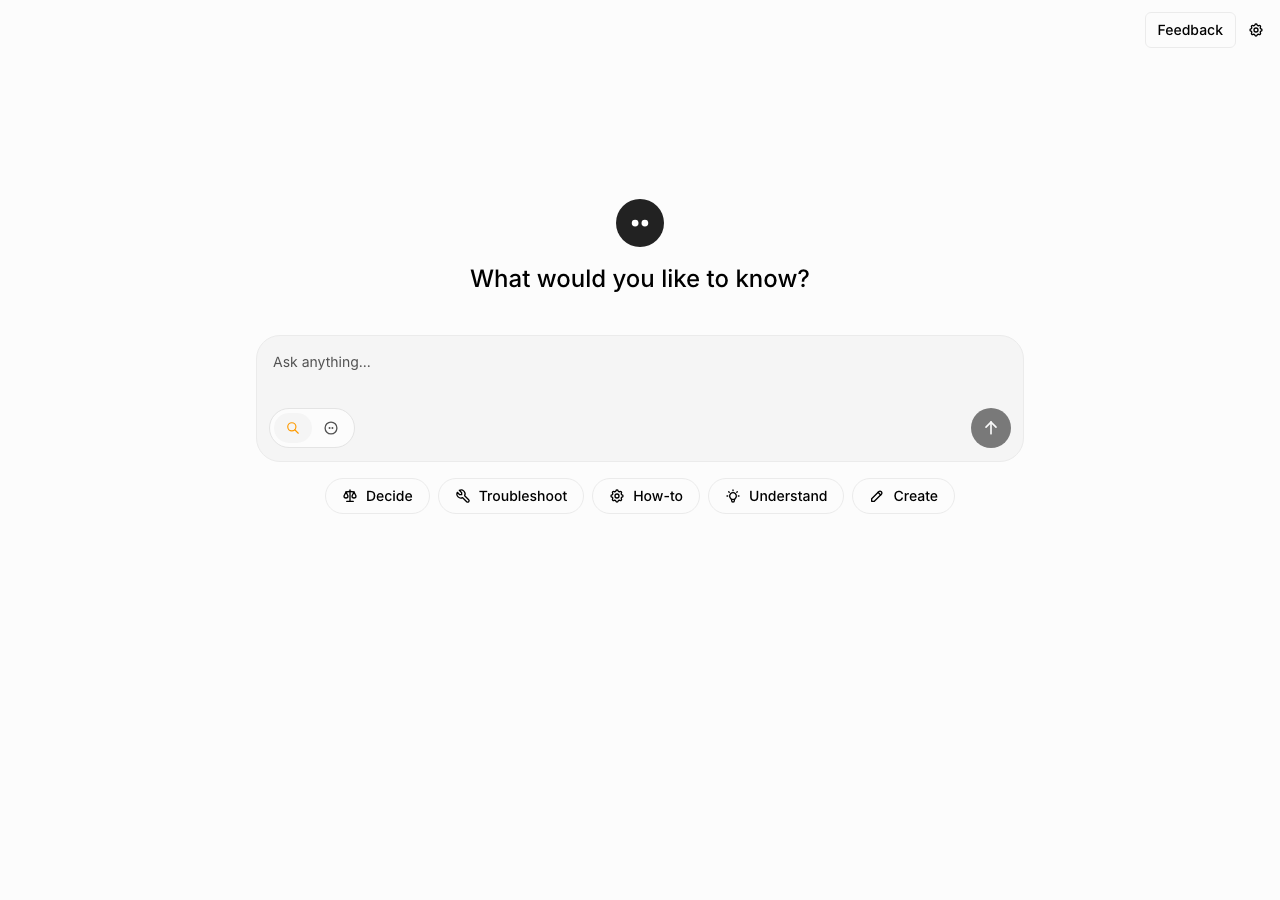
Open-source AI answer engine with a guest mode. Tested in place on its hosted instance.

Tested in place byDeepQA Teamatchat.morphic.shonSep 18, 2026

Run #1model gemini-balanced (vertex)took 7m

All 11 scenarios passed, no issues after the audit.

Share on X
Morphic in the browser during the run

By the numbers

11 of 11
scenarios passed
115
browser actions
32
screenshots
128
model calls
6.6
minutes
11
scenarios
11
passed
0
failed
0
blocked
0
issues

Walkthrough

Every scenario DeepQA drove in the browser, in plan order, with the 28 screenshots it captured along the way. A passing scenario is evidence too.

  1. S1
    Search query requires authentication

    3 steps, 2 screenshots

    pass
    S1-1.png
    S1 · Search query requires authentication
    S1-5.png
    S1 · Search query requires authentication
    • Submitted query 'What is Morphic?' and observed 'Continue with Morphic' sign-in prompt modal displayed with Sign Up and Sign In links.
    • The 'Continue with Morphic' sign-in prompt modal appeared immediately upon submitting the search query 'What is Morphic?', prompting the user to sign in or sign up before continuing.
  2. S2
    Suggestion chips require authentication

    2 steps, 3 screenshots

    pass
    S2-1.png
    S2 · Suggestion chips require authentication
    S2-3.png
    S2 · Suggestion chips require authentication
    S2-6.png
    S2 · Suggestion chips require authentication
    • Clicked the Troubleshoot suggestion chip; the input field was populated with 'Troubleshoot' and the submit button became active, with no sign-in prompt modal displayed immediately.
    • Submitted the query and the 'Continue with Morphic' sign-in prompt modal was displayed with Sign Up and Sign In options.
    • Loaded the homepage at https://chat.morphic.sh/ with suggestion chips visible.
    • Clicking the 'Troubleshoot' chip populated the search input with 'Troubleshoot'.
    • Submitting the form displayed the 'Continue with Morphic' modal dialog requesting sign-in to continue.
  3. S3
    Adaptive mode requires authentication

    2 steps, 2 screenshots

    pass
    S3-1.png
    S3 · Adaptive mode requires authentication
    S3-4.png
    S3 · Adaptive mode requires authentication
    • Navigated to home page and observed Adaptive mode button in the search form.
    • Clicked on Adaptive mode button and observed the 'Continue with Morphic' sign-in prompt modal prompting the user to Sign In or Sign Up.
    • Clicking 'Adaptive mode' when unauthenticated displays a 'Continue with Morphic' modal dialog explaining that Adaptive mode requires an account while Quick mode remains available without one.
    • The modal provides links to 'Sign Up' (/auth/sign-up) and 'Sign In' (/auth/login), as well as a Close button.
  4. S4
    Submit feedback

    4 steps, 4 screenshots

    pass
    S4-1.png
    S4 · Submit feedback
    S4-4.png
    S4 · Submit feedback
    S4-8.png
    S4 · Submit feedback
    S4-11.png
    S4 · Submit feedback
    • Opened the Give feedback dialog from the home page header.
    • Entered 'Looks good' into the feedback field and selected a sentiment rating, enabling the Submit button.
    • Submitted feedback successfully; the modal closed and a toast notification 'Thank you for your feedback!' appeared.
    • Navigated to the home page and clicked the Feedback button to open the Give feedback modal.
    • Filled in feedback text, selected a rating option to enable Submit, and submitted the form.
    • The modal closed and displayed a confirmation toast with 'Thank you for your feedback!'.
  5. S5
    Login form requires credentials

    3 steps, 2 screenshots

    pass
    S5-2.png
    S5 · Login form requires credentials
    S5-4.png
    S5 · Login form requires credentials
    • Navigated to the login page at /auth/login with empty Email and Password fields.
    • Clicked Sign In with empty fields; form submission was blocked by required field validation without submitting empty credentials or reloading the page.
    • The login form inputs for Email and Password have HTML5 'required' attributes and block form submission when empty, remaining on /auth/login without reloading or transmitting empty credentials.
  6. S6
    Cancel feedback submission

    3 steps, 3 screenshots

    pass
    S6-1.png
    S6 · Cancel feedback submission
    S6-4.png
    S6 · Cancel feedback submission
    S6-7.png
    S6 · Cancel feedback submission
    • Opened the Give feedback modal showing feedback textbox, reaction buttons, Cancel, Submit, and Close buttons.
    • Clicked Cancel button in the Give feedback modal and verified that the dialog closed completely without submitting.
    • Navigated to https://chat.morphic.sh/ and clicked the 'Feedback' button in the top banner.
    • The 'Give feedback' modal dialog opened properly with feedback options, textarea, Submit, and Cancel buttons.
    • Clicked the 'Cancel' button in the dialog.
    • Verified that the feedback dialog closed immediately and the main page remained intact without any errors or submissions.
  7. S7
    Login form validates email format

    4 steps, 3 screenshots

    pass
    S7-2.png
    S7 · Login form validates email format
    S7-6.png
    S7 · Login form validates email format
    S7-8.png
    S7 · Login form validates email format
    • Navigated to the login page at /auth/login.
    • Attempted to submit the login form with an invalid email address ('invalid-email'); HTML5 email validation on input type=email prevented form submission.
    • The login form uses type='email' required on the Email field, blocking form submission on invalid email format ('invalid-email').
    • No network submission was triggered with the invalid email format, remaining on /auth/login.
  8. S8
    Sign Up form requires fields

    3 steps, 2 screenshots

    pass
    S8-2.png
    S8 · Sign Up form requires fields
    S8-4.png
    S8 · Sign Up form requires fields
    • Navigated to /auth/sign-up page displaying email, password, and repeat password fields marked as required.
    • Clicked Sign Up with empty fields; HTML5 form validation blocked submission and kept the user on /auth/sign-up.
    • The Sign Up form at /auth/sign-up marks Email, Password, and Repeat Password fields as required, and submitting empty credentials is blocked by form validation without submitting to the server.
  9. S9
    Forgot password form requires email

    3 steps, 2 screenshots

    pass
    S9-2.png
    S9 · Forgot password form requires email
    S9-4.png
    S9 · Forgot password form requires email
    • Navigated to the Forgot Password page with an empty required Email field.
    • Clicked 'Send reset email' with empty Email field; form validation blocked submission and kept the user on the reset page.
    • Navigated to /auth/forgot-password where the email field is marked required.
    • Attempting to submit the form without entering an email blocks submission via HTML5 form validation.
  10. S10
    Navigate between auth flows

    4 steps, 3 screenshots

    pass
    S10-2.png
    S10 · Navigate between auth flows
    S10-5.png
    S10 · Navigate between auth flows
    S10-8.png
    S10 · Navigate between auth flows
    • Navigated to /auth/login and observed the login form with Forgot password link.
    • Clicked 'Forgot password?' and successfully navigated to /auth/forgot-password with the password reset form.
    • Clicked 'Login' link on the reset password page and successfully navigated back to /auth/login.
    • Navigated from /auth/login to /auth/forgot-password via the 'Forgot password?' link.
    • Observed the password reset page with email input and 'Send reset email' button.
    • Navigated back to /auth/login via the 'Login' link on the reset page.
  11. S11
    Open side menu

    2 steps, 2 screenshots

    pass
    S11-1.png
    S11 · Open side menu
    S11-3.png
    S11 · Open side menu
    • Clicked the 'Open menu' button and observed the side/dropdown menu open with options Sign In, Theme, and Links.
    • The 'Open menu' button expands the menu correctly, revealing menu items 'Sign In', 'Theme', and 'Links'.

Issues

No finding survived the audit. Nothing to fix from this run.

Environment limitations

These failures came from the test environment, not from the application: a credential the sandbox does not hold, a demo nobody may write to, a resource it cannot reach. They are not counted as issues.

  • S1 could not exercise this: Unauthenticated search query results in 401 console error. The search request fails with a 401 Unauthorized status, triggering a sign-in modal and halting the core functional flow. The audit recorded the test environment as the cause, so it is not counted as an issue.

Critic audit

An adversarial second pass over every finding before it reaches the report.

0
findings reviewed
0
re-verified live
0
withdrawn
    • The test run successfully validated that unauthenticated users are gated by sign-in modals when attempting to search or use adaptive mode.
    • The 401 console errors are flagged as environment limitations because the test sandbox lacked the credentials needed to execute the core search pathways.

    Report

    QA report: external/chat.morphic.sh at hosted

    All eleven test scenarios passed with no defects identified in unauthenticated access and authentication flows.

    Testing covered the unauthenticated landing experience, navigation between authentication dialogs, form validation for login and registration, feedback submission, and side menu interactions. Across all eleven executed scenarios, user interface controls behaved as expected and input validation operated correctly.

    The test environment did not possess authenticated user credentials, limiting execution to verifying that core search queries, suggestion chips, and adaptive mode prompts are properly gated behind sign-in modals. Authenticated search execution, conversational flows, and backend retrieval remain untested by this run due to these credential constraints.

    From the perspective of public-facing onboarding and authentication boundary integrity, the application is stable and functions without error.

    Run summary
    MetricCount
    Scenarios executed11
    Passed11
    Failed0
    Blocked0
    Findings raised0
    Issues after the audit0
    Withdrawn by the audit0
    Critical / high / medium / low0 / 0 / 0 / 0

    Target: https://chat.morphic.sh · Testing level: deep_feature · Stack: unknown

    Issues

    No issues survived the audit.

    Environment limitations

    These failures came from the test environment, not from the application: a credential the sandbox does not hold, a demo nobody may write to, a resource it cannot reach. They are not counted as issues. They record what this run could not exercise.

    • S1 could not exercise this: Unauthenticated search query results in 401 console error. The search request fails with a 401 Unauthorized status, triggering a sign-in modal and halting the core functional flow. The audit recorded the test environment as the cause, so it is not counted as an issue.
    Scenario results
    ScenarioPriorityResultIssues
    S1 Search query requires authenticationhighpassnone
    S2 Suggestion chips require authenticationhighpassnone
    S3 Adaptive mode requires authenticationhighpassnone
    S4 Submit feedbackhighpassnone
    S5 Login form requires credentialshighpassnone
    S6 Cancel feedback submissionmediumpassnone
    S7 Login form validates email formatmediumpassnone
    S8 Sign Up form requires fieldsmediumpassnone
    S9 Forgot password form requires emailmediumpassnone
    S10 Navigate between auth flowsmediumpassnone
    S11 Open side menulowpassnone
    The audit

    The Critic reviewed 0 findings and re-verified 0 of them live in the browser, replaying the reported steps on a fresh page.

    • The test run successfully validated that unauthenticated users are gated by sign-in modals when attempting to search or use adaptive mode.
    • The 401 console errors are flagged as environment limitations because the test sandbox lacked the credentials needed to execute the core search pathways.
    Coverage and caveats

    In scope: Unauthenticated search and mode gatekeeper; Feedback modal functionality; Client-side validation on authentication forms; Navigation flows between authentication views.

    Not covered: Executing an actual search or accessing chat (needs an account, out of scope for a hosted run); Successful login, sign up, or password reset (needs an account, out of scope for a hosted run); Navigate from Sign Up to Home (creating an account or an order on a hosted target is out of scope).

    • Testing is limited to the unauthenticated application surface and login walls.
    • Submit buttons on the authentication forms exist and can be triggered by standard means.
    By the numbers
    MetricValue
    Scenarios11 passed, 0 failed, 0 blocked of 11 (33 planned steps)
    Browser actions115 (25 clicks, 6 inputs, 19 navigations, 65 snapshots)
    Screenshots32 (4 explore, 28 scenario, 0 critic), 28 captioned
    Coverage4 pages, 5 forms, 3 flows, 1 console errors
    Audit0 findings, 0 re-verified live, 0 confirmed, 0 promoted, 0 withdrawn
    Model calls128
    Tokens435,008 input, 6,675 output, 10,834 thinking
    Time7 min
    StageCallsInputOutputThinkingSeconds
    explore2893,0761,8271,20279
    plan13,7661,7683,36237
    test97332,7172,6383,891255
    critique14,0322652,16520
    report11,4171772145

    Run log

    stagecallstokenstime
    Explore2896.1k1m 19s
    Plan18.9k37s
    Test97339.2k4m 15s
    Critique16.5k20s
    Report11.8k5s
    Total128452.5k6m 36s
    Intake
    Explore
    Plan
    Test
    Critique
    Report
    • 05:58:47Zexploreexplore started
    • 06:05:23ZexploreExplored / (11 controls, 1 forms)
    • 06:05:23ZexploreExplored /auth/login (9 controls, 1 forms)
    • 06:05:23ZexploreExplored /auth/forgot-password (4 controls, 1 forms)
    • 06:05:23ZexploreExplored /auth/sign-up (9 controls, 1 forms)
    • 06:05:23ZexploreMapped 4 pages, 5 forms, 3 flows in 28 turns.
    • 06:05:23Zexploreexplore completed in 79s.
    • 06:05:23Zplanplan started
    • 06:05:23ZplanDropped 1 scenario that would have created an account or an order on this hosted target.
    • 06:05:23ZplanPlanned 11 scenarios (5 high, 5 medium, 1 low).
    • 06:05:23Zplanplan completed in 37s.
    • 06:05:23Ztesttest started
    • 06:05:23ZtestS1 executed (pass)
    • 06:05:23ZtestS2 executed (pass)
    • 06:05:23ZtestS3 executed (pass)
    • 06:05:23ZtestS4 executed (pass)
    • 06:05:23ZtestS5 executed (pass)
    • 06:05:23ZtestS6 executed (pass)
    • 06:05:23ZtestS7 executed (pass)
    • 06:05:23ZtestS8 executed (pass)
    • 06:05:23ZtestS9 executed (pass)
    • 06:05:23ZtestS10 executed (pass)
    • 06:05:23ZtestS11 executed (pass)
    • 06:05:23ZtestExecuted 11 scenarios: 11 passed, 0 failed, 0 blocked, 0 findings.
    • 06:05:23Ztesttest completed in 255s.
    • 06:05:23Zcritiquecritique started
    • 06:05:23ZcritiqueReviewed 0 findings; 1 possible defect spotted in passed scenarios.
    • 06:05:23ZcritiqueAudit complete: 0 confirmed, 0 withdrawn, 0 promoted, 0 re-verified live.
    • 06:05:23Zcritique1 failure came from the test environment rather than the application. It is reported as an environment limitation, not an issue.
    • 06:05:23Zcritiquecritique completed in 20s.
    • 06:05:23Zreportreport started
    • 06:05:23ZreportReported 0 issues (0 critical, 0 high, 0 medium, 0 low) from 0 findings.
    • 06:05:23Zreportreport completed in 5s.

    Put an agent team on your next pull request.

    Connect a repo, dispatch a Run, and read an audited, evidence-backed report the same day.