Hosted appAgent feedback toolHosted, in placesucceeded

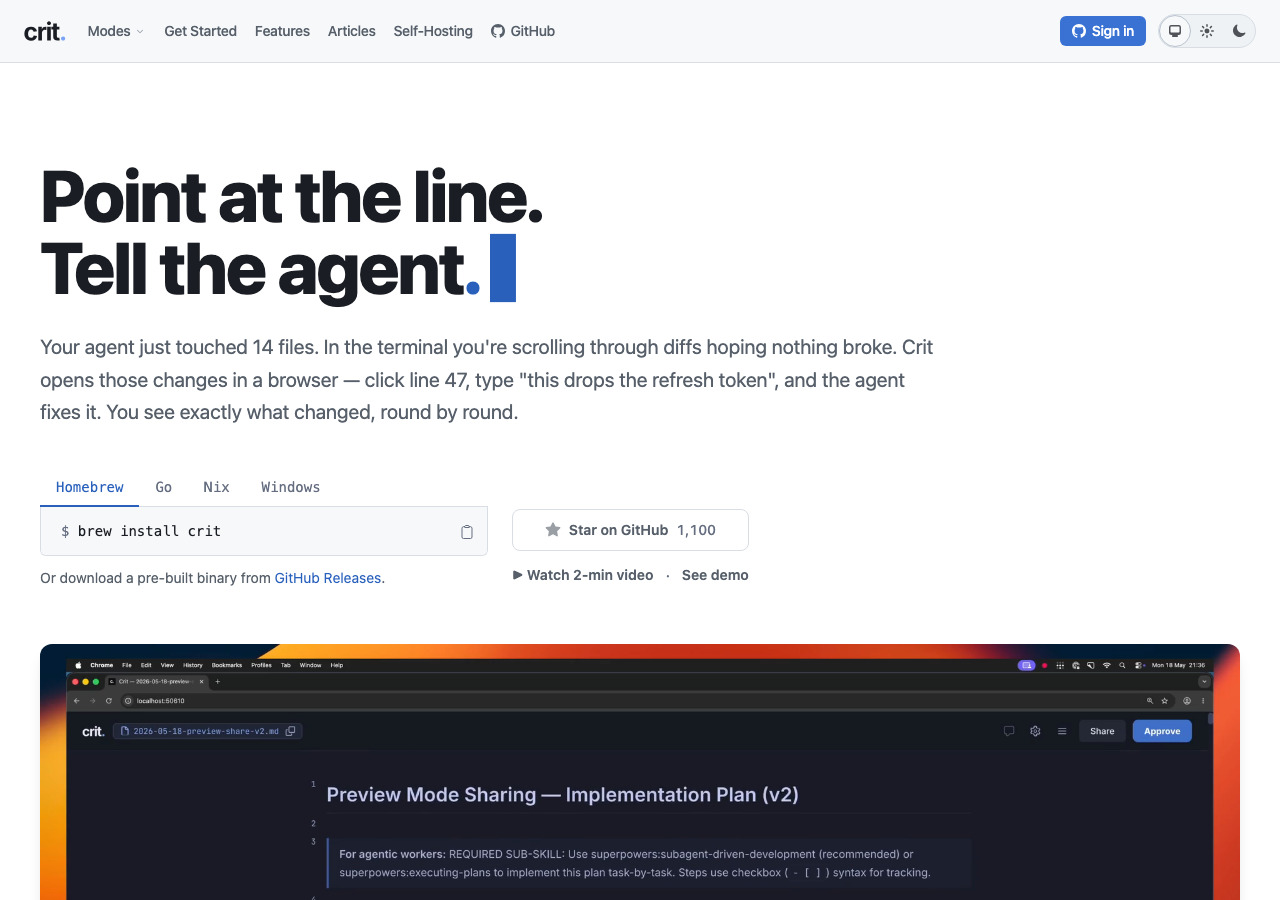
Open-source review tool for coding agents: comment on lines, reply in threads and turn the review into an agent prompt. The public site carries an interactive review demo. Tested in place without signing in.

Tested in place byDeepQA Teamatcrit.mdonSep 20, 2026

Run #1model gemini-balanced (vertex)took 10m

11 of 12 scenarios passed, 1 failed, 1 medium UX issue after the audit.

Share on X
Crit in the browser during the run

By the numbers

11 of 12
scenarios passed, 1 failed
166
browser actions
40
screenshots
156
model calls
10
minutes
12
scenarios
11
passed
1
failed
0
blocked
1
issues
medium1

Walkthrough

Every scenario DeepQA drove in the browser, in plan order, with the 36 screenshots it captured along the way. A passing scenario is evidence too.

  1. S1
    Load interactive review demo

    2 steps, 1 screenshot

    pass
    S1-3.png
    S1 · Load interactive review demo
    • Loaded interactive review demo at /r/7-sgkoX6s9kY34bAchqih, which correctly displays the markdown document with line numbers, inline comments from users (@sam, @alex, @dana, @morgan, @ravi, @crit-bot), and suggested change diffs.
    • The interactive markdown review demo loaded successfully at https://crit.md/r/7-sgkoX6s9kY34bAchqih with document content 'how-to-use-crit.md'.
    • Inline comments, threaded replies, and suggestion diff blocks (e.g. proposed replacement diffs by @dana and @morgan) rendered properly along with line numbers and table of contents.
  2. S2
    Navigate comments via controls

    4 steps, 3 screenshots

    pass
    S2-3.png
    S2 · Navigate comments via controls
    S2-5.png
    S2 · Navigate comments via controls
    S2-7.png
    S2 · Navigate comments via controls
    • Navigated to the shared review document and observed loaded content with comments and comment navigation controls (Previous/Next comment buttons).
    • Clicked 'Next comment' button; viewport scrolled and focused to the next comment thread in the document.
    • Clicked 'Previous comment' button; viewport scrolled and focused back to the previous comment in the review.
    • The shared review document at /r/7-sgkoX6s9kY34bAchqih loaded with existing comment threads and navigation controls.
    • Clicking the Next comment control scrolled the viewport and focused to subsequent comments in sequence.
    • Clicking the Previous comment control scrolled the viewport back to preceding comments smoothly.
  3. S3
    Toggle table of contents

    2 steps, 4 screenshots

    pass
    S3-3.png
    S3 · Toggle table of contents
    S3-5.png
    S3 · Toggle table of contents
    S3-7.png
    S3 · Toggle table of contents
    S3-9.png
    S3 · Toggle table of contents
    • Navigated to demo review page where the Table of contents sidebar is initially open.
    • Clicked the Table of contents toggle button and verified that the Table of contents sidebar collapsed.
    • Clicked the Table of contents toggle button again and verified that the Table of contents sidebar expanded with all section links visible.
    • Clicked 'Close table of contents' button within the TOC sidebar and confirmed the TOC panel collapsed again.
    • Successfully navigated to the demo review page where the Table of Contents sidebar was initially open.
    • Clicking the Table of contents toggle button collapsed the Table of Contents sidebar.
    • Clicking the Table of contents toggle button again re-expanded the Table of Contents sidebar with all section navigation links displayed.
    • Clicking the 'Close table of contents' button within the sidebar also collapsed the panel as expected.
  4. S4
    Set user name for session

    4 steps, 4 screenshots

    pass
    S4-2.png
    S4 · Set user name for session
    S4-4.png
    S4 · Set user name for session
    S4-8.png
    S4 · Set user name for session
    S4-11.png
    S4 · Set user name for session
    • Navigated to review demo page where 'Set your name' button is visible in header.
    • Clicked 'Set your name' button, revealing an inline form with 'Your name' input and 'Save' button.
    • After saving the name 'QA Tester', the header updated from 'Set your name' button to a button showing 'QA Tester'.
    • The 'Set your name' control in the header successfully expanded an input field.
    • Entering 'QA Tester' and submitting updated the header identity badge to 'QA Tester' and saved the session identity.
  5. S5
    Reject empty comment reply

    4 steps, 3 screenshots

    pass
    S5-2.png
    S5 · Reject empty comment reply
    S5-5.png
    S5 · Reject empty comment reply
    S5-9.png
    S5 · Reject empty comment reply
    • Navigated to the document review page at /r/7-sgkoX6s9kY34bAchqih.
    • Located inline comment reply form on line 24 comment and left the 'Write a reply…' field completely empty.
    • Attempted to submit an empty reply via the Reply button and Enter key; the application rejected the submission without posting an empty reply or crashing.
    • Navigated to https://crit.md/r/7-sgkoX6s9kY34bAchqih where the review document and inline comment threads loaded successfully.
    • Focused the inline comment reply input field under an existing comment thread while keeping the text area empty.
    • Clicked the 'Reply' button and pressed Enter while the reply input was empty.
    • Observed that no empty comment reply was created or submitted to the thread, the comment count remained unchanged, and the application did not crash or malfunction.
  6. S6
    Submit valid comment reply

    4 steps, 3 screenshots

    pass
    S6-3.png
    S6 · Submit valid comment reply
    S6-6.png
    S6 · Submit valid comment reply
    S6-9.png
    S6 · Submit valid comment reply
    • Navigated to review document page at /r/7-sgkoX6s9kY34bAchqih and observed inline comment threads with reply inputs.
    • Submitted reply 'Looks good to me' to the comment on line 24; the reply immediately appeared in the thread authored by @QA Tester.
    • Successfully verified submitting a reply to an inline comment thread on https://crit.md/r/7-sgkoX6s9kY34bAchqih.
    • The reply text 'Looks good to me' appeared in the thread directly beneath the targeted comment without error.
  7. S7
    Generate agent prompt

    2 steps, 3 screenshots

    pass
    S7-2.png
    S7 · Generate agent prompt
    S7-5.png
    S7 · Generate agent prompt
    S7-7.png
    S7 · Generate agent prompt
    • Clicked 'Get prompt' which opened the 'Act on comments' dialog containing the generated agent prompt, and clicking 'Copy prompt' changed the button to '✓ Copied'.
    • Navigated to the shared review page at https://crit.md/r/7-sgkoX6s9kY34bAchqih.
    • Clicked the 'Get prompt' button in the toolbar, which displayed the 'Act on comments' dialog containing the actionable agent prompt instructions.
    • Clicked 'Copy prompt', which gave visual feedback confirming clipboard copy by switching the button label to '✓ Copied'.
  8. S8
    Switch installation platform tab

    3 steps, 2 screenshots

    pass
    S8-1.png
    S8 · Switch installation platform tab
    S8-3.png
    S8 · Switch installation platform tab
    • Initial home page shows installation platform tabs with Homebrew selected displaying 'brew install crit'.
    • Clicked the Windows tab, which updated the installation instructions to PowerShell command 'iwr https://github.com/tomasz-tomczyk/crit/releases/latest/download/crit-windows-amd64.exe -OutFile crit.exe' and Windows-specific setup instructions.
    • Navigated to landing page where Homebrew was selected by default showing 'brew install crit'.
    • Clicked the 'Windows' platform selector tab.
    • Verified the command snippet dynamically updated to the Windows PowerShell command 'iwr https://github.com/tomasz-tomczyk/crit/releases/latest/download/crit-windows-amd64.exe -OutFile crit.exe' along with Windows PATH instructions.
  9. S9
    Copy installation command

    3 steps, 3 screenshots

    fail
    S9-1.png
    S9 · Copy installation command
    S9-3.png
    S9 · Copy installation command
    S9-9.png
    S9 · Copy installation command
    • Clicked the 'Copy to clipboard' button on the homepage and observed that no visual indicator (such as 'Copied' or a checkmark) was shown.
    • Navigated to https://crit.md/ and located the code block with 'Copy to clipboard' button in the 'Connect your agent' section.
    • Clicked the 'Copy to clipboard' button and verified that the button label and surrounding UI do not display any confirmation state.
  10. S10
    Select agent integration

    2 steps, 3 screenshots

    pass
    S10-2.png
    S10 · Select agent integration
    S10-4.png
    S10 · Select agent integration
    S10-7.png
    S10 · Select agent integration
    • Navigated to /integrations where a grid of agent integrations is displayed including Claude Code, Cursor, GitHub Copilot, Codex, etc.
    • Clicked Claude Code integration and verified it opened /integrations/claude-code displaying setup commands (e.g. claude plugin marketplace add tomasz-tomczyk/crit, crit install claude-code) and slash command / skill documentation.
    • Clicked Cursor integration and verified it opened /integrations/cursor displaying Cursor-specific setup instructions (cd ~ && crit install cursor) and skills.
    • The integrations page lists supported agents accurately and clicking any agent card (tested Claude Code and Cursor) navigates to the agent-specific documentation page containing installation and setup instructions.
  11. S11
    Toggle application theme

    3 steps, 4 screenshots

    pass
    S11-1.png
    S11 · Toggle application theme
    S11-3.png
    S11 · Toggle application theme
    S11-5.png
    S11 · Toggle application theme
    S11-7.png
    S11 · Toggle application theme
    • Loaded homepage with theme options: System theme, Light theme, and Dark theme in the header.
    • Selected Dark theme option from the header theme switcher.
    • Selected Light theme option from the header theme switcher.
    • Navigated to https://crit.md/ and verified the theme switcher controls (System, Light, Dark) in the navigation header.
    • Switched theme from System/Light to Dark theme; the application immediately updated its visual presentation to dark mode styling.
    • Switched back to Light and System themes; the theme switcher toggled seamlessly without errors.
  12. S12
    Navigate to review mode guide

    3 steps, 3 screenshots

    pass
    S12-1.png
    S12 · Navigate to review mode guide
    S12-3.png
    S12 · Navigate to review mode guide
    S12-5.png
    S12 · Navigate to review mode guide
    • Clicked the Modes dropdown button in the primary navigation, opening links to all review modes including Preview.
    • Navigated to https://crit.md/modes/preview showing title 'Preview Mode - Crit' and heading 'Review the HTML your agent generated.' with complete guide content.
    • Successfully opened the Modes navigation menu on crit.md and navigated to the Preview Mode guide at /modes/preview.
    • The Preview Mode page rendered correctly with heading 'Review the HTML your agent generated.', how it works steps, and feature details.

Issues

Findings that survived the Critic's audit. Security-class issues stay summary-only until the maintainers ship a fix.

mediumconfirmed ✓uxF1 · S9

Copy to clipboard button provides no visual feedback upon clicking

The evidence supports the lack of visual feedback on the installation copy button (inconsistent with the 'Copy prompt' button in S7), though this cosmetic UX issue warrants a low severity rather than medium.

Expected

A temporary visual indicator such as 'Copied', a checkmark, or confirmation message should appear when clicking the Copy button.

Actual

No visual feedback is provided upon clicking; the button remains as 'Copy to clipboard' without a 'Copied' state, checkmark, or toast.

Repro · 3 steps
  1. Navigate to https://crit.md/
  2. Locate the 'Connect your agent' code snippet block
  3. Click the 'Copy to clipboard' button

Critic audit

An adversarial second pass over every finding before it reaches the report.

1
findings reviewed
0
re-verified live
0
withdrawn
  • F1confirmed ✓

    The evidence supports the lack of visual feedback on the installation copy button (inconsistent with the 'Copy prompt' button in S7), though this cosmetic UX issue warrants a low severity rather than medium.

  • Finding F1 captures a valid cosmetic inconsistency, but its severity should be downgraded to low.
  • The test execution achieved clean coverage of the core features, including demo navigation, comment interactions, and theme switching, with no environment or harness blocks.

Report

QA report: external/crit.md at hosted

The application is functional and stable across core workflows, with one medium usability issue involving missing visual feedback on clipboard copy actions.

Testing covered 12 scenarios across the application, evaluating interactive review demo features, comment navigation and submission, session user naming, table of contents toggling, agent prompt generation, platform tab switching, theme toggling, and documentation navigation.

Eleven scenarios passed without issue. The single failure occurred when copying an installation command, where the button lacked visual confirmation such as a label change, icon update, or toast notification to confirm that the text was copied.

The core interaction and navigation capabilities operate reliably, meaning the sole confirmed issue is a cosmetic and feedback defect that does not block core user journeys.

Run summary
MetricCount
Scenarios executed12
Passed11
Failed1
Blocked0
Findings raised1
Issues after the audit1
Withdrawn by the audit0
Critical / high / medium / low0 / 0 / 1 / 0

Target: https://crit.md · Testing level: deep_feature · Stack: unknown

Issues
Medium severity
F1 · Copy to clipboard button provides no visual feedback upon clicking

Severity: medium · Type: ux · Verdict: confirmed · Scenario: S9

The evidence supports the lack of visual feedback on the installation copy button (inconsistent with the 'Copy prompt' button in S7), though this cosmetic UX issue warrants a low severity rather than medium.

Expected: A temporary visual indicator such as 'Copied', a checkmark, or confirmation message should appear when clicking the Copy button.

Actual: No visual feedback is provided upon clicking; the button remains as 'Copy to clipboard' without a 'Copied' state, checkmark, or toast.

Steps to reproduce:

  1. Navigate to https://crit.md/
  2. Locate the 'Connect your agent' code snippet block
  3. Click the 'Copy to clipboard' button

Evidence: screenshots/S9-9.png

Scenario results
ScenarioPriorityResultIssues
S1 Load interactive review demohighpassnone
S2 Navigate comments via controlshighpassnone
S3 Toggle table of contentshighpassnone
S4 Set user name for sessionhighpassnone
S5 Reject empty comment replyhighpassnone
S6 Submit valid comment replyhighpassnone
S7 Generate agent prompthighpassnone
S8 Switch installation platform tabmediumpassnone
S9 Copy installation commandmediumfailF1
S10 Select agent integrationmediumpassnone
S11 Toggle application themelowpassnone
S12 Navigate to review mode guidelowpassnone
The audit

The Critic reviewed 1 finding and re-verified 0 of them live in the browser, replaying the reported steps on a fresh page.

  • Finding F1 captures a valid cosmetic inconsistency, but its severity should be downgraded to low.
  • The test execution achieved clean coverage of the core features, including demo navigation, comment interactions, and theme switching, with no environment or harness blocks.
What to fix first
  1. F1: Update the copy to clipboard button to provide immediate visual feedback, such as changing the label to 'Copied' or displaying a checkmark when clicked.
Coverage and caveats

In scope: Interactive web review viewer features and navigation; Inline comment threading and prompt generation; Landing page interactive elements (platform selectors, copy buttons); Theme switching and agent integration guides.

Not covered: GitHub OAuth Login, because it requires a third-party account which is out of scope for a hosted run..

  • Replying to the demo artifact may be blocked for unauthenticated users on the backend; displaying an auth prompt in this case is considered a success.
  • The 'Set your name' functionality relies on local/session storage rather than a backend profile since authentication is not required.
By the numbers
MetricValue
Scenarios11 passed, 1 failed, 0 blocked of 12 (36 planned steps)
Browser actions166 (27 clicks, 3 inputs, 42 navigations, 94 snapshots)
Screenshots40 (4 explore, 36 scenario, 0 critic), 36 captioned
Coverage15 pages, 2 forms, 3 flows, 0 console errors
Audit1 findings, 0 re-verified live, 1 confirmed, 0 promoted, 0 withdrawn
Model calls156
Tokens2,085,284 input, 8,625 output, 13,073 thinking
Time10 min
StageCallsInputOutputThinkingSeconds
explore27327,4222,318974110
plan14,4181,9151,78128
test1261,746,9313,9977,564438
critique15,0371812,43920
report11,4762143155

Run log

stagecallstokenstime
Explore27330.7k1m 50s
Plan18.1k28s
Test1261.8M7m 18s
Critique17.7k20s
Report12k5s
Total1562.1M10m 2s
Intake
Explore
Plan
Test
Critique
Report
  • 03:11:03Zexploreexplore started
  • 03:21:05ZexploreExplored / (83 controls, 0 forms)
  • 03:21:05ZexploreExplored /getting-started (51 controls, 0 forms)
  • 03:21:05ZexploreExplored /features (33 controls, 0 forms)
  • 03:21:05ZexploreExplored /articles (27 controls, 0 forms)
  • 03:21:05ZexploreExplored /self-hosting (18 controls, 0 forms)
  • 03:21:05ZexploreExplored /login (15 controls, 3 forms)
  • 03:21:05ZexploreExplored /r/7-sgkoX6s9kY34bAchqih (9 controls, 0 forms)
  • 03:21:05ZexploreExplored /modes/plans-docs (31 controls, 0 forms)
  • 03:21:05ZexploreExplored /modes/code (31 controls, 0 forms)
  • 03:21:05ZexploreExplored /modes/story (31 controls, 0 forms)
  • 03:21:05ZexploreExplored /modes/live (31 controls, 0 forms)
  • 03:21:05ZexploreExplored /modes/preview (31 controls, 0 forms)
  • 03:21:05ZexploreExplored /integrations (42 controls, 0 forms)
  • 03:21:05ZexploreExplored /changelog (82 controls, 0 forms)
  • 03:21:05ZexploreExplored /terms (28 controls, 0 forms)
  • 03:21:05ZexploreExplored /privacy (35 controls, 0 forms)
  • 03:21:05ZexploreMapped 15 pages, 2 forms, 3 flows in 27 turns.
  • 03:21:05Zexploreexplore completed in 110s.
  • 03:21:05Zplanplan started
  • 03:21:05ZplanPlanned 12 scenarios (7 high, 3 medium, 2 low).
  • 03:21:05Zplanplan completed in 28s.
  • 03:21:05Ztesttest started
  • 03:21:05ZtestS1 executed (pass)
  • 03:21:05ZtestS2 executed (pass)
  • 03:21:05ZtestS3 executed (pass)
  • 03:21:05ZtestS4 executed (pass)
  • 03:21:05ZtestS5 executed (pass)
  • 03:21:05ZtestS6 executed (pass)
  • 03:21:05ZtestS7 executed (pass)
  • 03:21:05ZtestS8 executed (pass)
  • 03:21:05ZtestS9 executed (fail), 1 finding
  • 03:21:05ZtestS10 executed (pass)
  • 03:21:05ZtestS11 executed (pass)
  • 03:21:05ZtestS12 executed (pass)
  • 03:21:05ZtestExecuted 12 scenarios: 11 passed, 1 failed, 0 blocked, 1 finding.
  • 03:21:05Ztesttest completed in 438s.
  • 03:21:05Zcritiquecritique started
  • 03:21:05ZcritiqueReviewed 1 findings; 0 possible defects spotted in passed scenarios.
  • 03:21:05ZcritiqueAudit complete: 1 confirmed, 0 withdrawn, 0 promoted, 0 re-verified live.
  • 03:21:05Zcritiquecritique completed in 20s.
  • 03:21:05Zreportreport started
  • 03:21:05ZreportReported 1 issue (0 critical, 0 high, 1 medium, 0 low) from 1 finding.
  • 03:21:05Zreportreport completed in 5s.

Put an agent team on your next pull request.

Connect a repo, dispatch a Run, and read an audited, evidence-backed report the same day.