Hosted appAI code searchHosted, in placesucceeded

Public demo of Sourcebot, an open-source code search and Ask AI tool across repositories: search, repository browsing, scoped chat and model choice. Tested in place without signing in.

Tested in place byDeepQA Teamatdemo.sourcebot.devonSep 20, 2026

Run #1model gemini-balanced (vertex)took 9m

8 of 12 scenarios passed, 2 failed, 2 blocked, 1 low functional issue after the audit.

Share on X
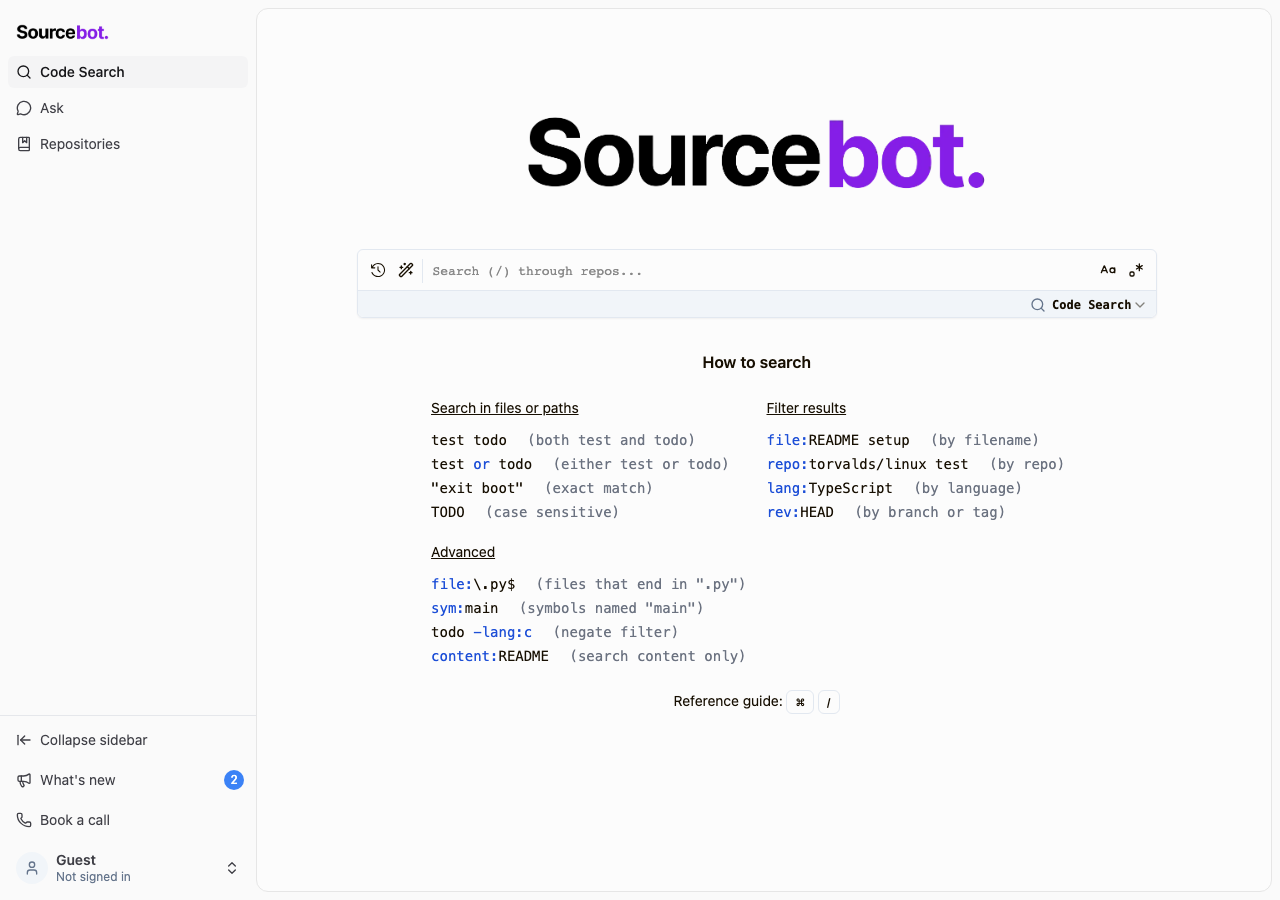
Sourcebot demo in the browser during the run

By the numbers

8 of 12
scenarios passed, 2 failed, 2 blocked
188
browser actions
35
screenshots
173
model calls
9.3
minutes
12
scenarios
8
passed
2
failed
2
blocked
1
issues
low1

Walkthrough

Every scenario DeepQA drove in the browser, in plan order, with the 30 screenshots it captured along the way. A passing scenario is evidence too.

  1. S1
    Search code across repositories

    3 steps, 4 screenshots

    pass
    S1-1.png
    S1 · Search code across repositories
    S1-3.png
    S1 · Search code across repositories
    S1-5.png
    S1 · Search code across repositories
    S1-7.png
    S1 · Search code across repositories
    • Entered 'lang:TypeScript' into the search input on the home page.
    • Search results loaded successfully on /search?query=lang%3ATypeScript showing 10000 matches across repositories.
    • Navigated to the home page at / and verified the search bar is present.
    • Entered query 'lang:TypeScript' and submitted the form.
    • URL successfully transitioned to /search?query=lang%3ATypeScript and displayed matching repository results with file paths, filters, and code previews.
  2. S2
    Filter indexed repositories

    2 steps, 2 screenshots

    pass
    S2-3.png
    S2 · Filter indexed repositories
    S2-6.png
    S2 · Filter indexed repositories
    • Navigated to the Repositories page (/repos) where 213 repositories are listed across 11 pages.
    • Entered 'adobe' into the search input; the repository list filtered in real time to show only 'adobe/skills' (Showing 1 - 1 of 1).
    • Navigated to /repos via sidebar navigation link.
    • Entered 'adobe' into the 'Search repositories...' input field.
    • The list updated immediately in real time, updating the query parameter to ?search=adobe and displaying 1 matching repository: 'adobe/skills'.
  3. S3
    Browse repository files

    4 steps, 3 screenshots

    pass
    S3-2.png
    S3 · Browse repository files
    S3-4.png
    S3 · Browse repository files
    S3-6.png
    S3 · Browse repository files
    • Navigated to the repositories page showing a list of synced repositories including adobe/skills.
    • Navigated to adobe/skills repository tree view showing the directory structure and commit history.
    • Navigated to README.md blob viewer, which successfully displayed the file contents with line count and code/blame views.
    • Navigating to /repos displays the list of indexed repositories.
    • Selecting 'adobe/skills' successfully loaded the tree viewer with directory hierarchy and commit history.
    • Clicking on 'README.md' opened the blob viewer at /browse/github.com/adobe/skills/-/blob/README.md displaying the file source, file metadata (478 lines, 26.8 KB), and blame information.
  4. S4
    Ask AI a question

    4 steps, 4 screenshots

    blocked
    S4-4.png
    S4 · Ask AI a question
    S4-6.png
    S4 · Ask AI a question
    S4-9.png
    S4 · Ask AI a question
    S4-11.png
    S4 · Ask AI a question
    • Navigated to /chat and observed the Ask Sourcebot tutorial dialog.
    • Dismissed the tutorial dialog to reveal the chat interface with model selector, repo selector, and prompt input.
    • Entered 'What does this repository do?' into the chat prompt input.
    • Submitting the chat prompt triggered a 'Sign in to continue' modal requiring GitHub or Google authentication.
    • Navigated to /chat and dismissed the initial tutorial walkthrough modal.
    • Entered 'What does this repository do?' into the chat prompt textarea.
    • Submitted the chat prompt, which triggered a sign-in wall modal titled 'Sign in to continue' with options 'Sign in with GitHub' and 'Sign in with Google'.
    • Per testing guidelines for hosted applications, third-party authentication and account creation are out of scope.
  5. S5
    Prevent empty search queries

    3 steps, 3 screenshots

    pass
    S5-1.png
    S5 · Prevent empty search queries
    S5-5.png
    S5 · Prevent empty search queries
    S5-8.png
    S5 · Prevent empty search queries
    • Navigated to the home page with an empty search input.
    • Submitting an empty search maintains the search helper view without crashing; whitespace search displays a clear parse error notification gracefully.
    • Navigated to the home page (/) and left the search input empty.
    • Pressed Enter on the empty search input; the application rendered the search helper screen without crashing or throwing server errors.
    • Tested submitting whitespace query which returned an in-app error message 'Failed to parse query' without crashing the application.
  6. S6
    Prevent empty chat prompts

    4 steps, 2 screenshots

    pass
    S6-3.png
    S6 · Prevent empty chat prompts
    S6-9.png
    S6 · Prevent empty chat prompts
    • On /chat, when the prompt textarea is empty or whitespace-only, the submit button is disabled and pressing Enter does not trigger submission.
    • Navigated to /chat.
    • Observed that the chat prompt textarea is empty by default and the submit button is in a disabled state.
    • Attempted to submit via Enter keypress and whitespace input; the submission was blocked and the button remained disabled.
  7. S7
    Select repository scope for chat

    4 steps, 3 screenshots

    pass
    S7-2.png
    S7 · Select repository scope for chat
    S7-4.png
    S7 · Select repository scope for chat
    S7-10.png
    S7 · Select repository scope for chat
    • Navigated to /chat and observed the chat interface with repository scope button showing 'All repositories'.
    • Clicked the repository scope selector and the 'Search scopes...' dialog opened listing available repositories.
    • Selected 'react/react' from the scope selector list, and the repository scope button label updated from 'All repositories' to 'react/react'.
    • Navigated to /chat and verified the repository scope selector initially displayed 'All repositories'.
    • Opened the repository scope selector popover and selected 'react/react'.
    • Observed the repository scope selector button successfully updated its visual label to 'react/react'.
  8. S8
    Open repository branch selector

    2 steps, 1 screenshot

    fail
    S8-3.png
    S8 · Open repository branch selector
    • Navigated to /browse/github.com/adobe/skills/-/tree/ and viewed repository file tree and commit history.
    • Navigated to https://demo.sourcebot.dev/browse/github.com/adobe/skills/-/tree/ which loaded repository files and commit history.
    • Attempted to interact with repository header buttons to locate and trigger the Branch Selector dropdown/modal.
    • The branch selector control in the repository tree view is either unrendered, hidden, or unresponsive, preventing switching branches or selecting commits via a branch dropdown.
  9. S9
    Change AI model in chat

    4 steps, 2 screenshots

    blocked
    S9-2.png
    S9 · Change AI model in chat
    S9-4.png
    S9 · Change AI model in chat
    • Navigated to /chat where the default model selector displays 'claude-opus-4-8'.
    • Opened the Model Selector popup showing search box and available models.
    • Navigated to /chat and observed the model selector initialized to 'claude-opus-4-8'.
    • Clicked the model selector to open the model picker dialog.
    • The model picker dialog opened and contained a search input and one model option: 'claude-opus-4-8'.
    • Filtering the search input confirmed that only 'claude-opus-4-8' is configured in this hosted environment, with no alternative models available to select.
  10. S10
    View chat onboarding walkthrough

    2 steps, 1 screenshot

    fail
    S10-2.png
    S10 · View chat onboarding walkthrough
    • Navigated to /chat in a fresh guest session and observed the chat interface without any interactive walkthrough dialog or tutorial overlay.
    • Navigated to /chat and inspected the page for any tutorial overlay, onboarding popup, or interactive guide.
    • The chat page loads with an empty chat prompt input, repository selector, model selector, and starter prompt buttons, but no walkthrough dialog is present.
  11. S11
    Open What's New dialog

    2 steps, 2 screenshots

    pass
    S11-3.png
    S11 · Open What's New dialog
    S11-6.png
    S11 · Open What's New dialog
    • Navigated to /chat and observed the chat interface with sidebar items including What's new.
    • Clicked the What's new button and verified that the What's New modal opened showing recent feature updates and version information.
    • Navigated to /chat and clicked 'What\'s new' button in the sidebar.
    • The 'What\'s New' dialog opened displaying 2 unread feature updates (Agent Skills and Sourcebot v5), mark all read button, and current version details (v5.1.13).
  12. S12
    Use global navigation links

    4 steps, 3 screenshots

    pass
    S12-1.png
    S12 · Use global navigation links
    S12-3.png
    S12 · Use global navigation links
    S12-5.png
    S12 · Use global navigation links
    • Loaded the home page with sidebar navigation links visible.
    • Clicked 'Ask' navigation link and confirmed navigation to /chat rendering the chat interface with model selector and prompt suggestions.
    • Clicked 'Repositories' navigation link and confirmed navigation to /repos rendering the repository list table.
    • Navigated from the home page (/) to the Ask page (/chat) and Repositories page (/repos) via the primary sidebar navigation links.
    • Both views mounted and rendered their primary interface controls without errors or broken links.

Issues

Findings that survived the Critic's audit. Security-class issues stay summary-only until the maintainers ship a fix.

lowpromoted ↑functionalF3 · S5

Whitespace-only search queries trigger a 400 Bad Request error

Surfaced by the audit of S5, which the Tester passed, and reproduced live: I entered a whitespace into the search box and pressed Enter on the home page. The application navigated to /search?query=%20 and displayed an error message: "❌ Search failed. Reason: Failed to parse query " " with message: No parse at 1". This confirms the whitespace query is submitted and fails instead of being handled client-side. The page reported 2 console errors during the scenario.

Expected

Whitespace queries should be prevented or handled client-side without submitting invalid requests that cause a 400 server error.

Actual

The application submits the whitespace query to the API, resulting in a 400 Bad Request and logging an error to the console.

Repro · 2 steps
  1. Navigate to the home page.
  2. Enter whitespace into the search input and submit.
mediumwithdrawnfunctionalF1 · S8

Repository branch selector is unresponsive or inaccessible on repository tree view

The claim is based on what the Tester assumed the page ought to do (have a branch selector) rather than an observation of a specific broken control.

Expected

A dropdown menu or modal displaying available branches and commits opens.

Actual

The branch selector button is unresponsive or hidden/inaccessible, failing to open a branch selection menu.

Repro · 2 steps
  1. Navigate to /browse/github.com/adobe/skills/-/tree/
  2. Attempt to click the Repository Branch Selector button in the header/navigation bar
lowwithdrawnuxF2 · S10

Chat onboarding walkthrough dialog or tutorial overlay does not render on initial visit

Scenario S4 directly contradicts this finding, as it successfully observed and dismissed the Ask Sourcebot tutorial dialog earlier in the run.

Expected

An initial interactive walkthrough dialog or tutorial overlay should be displayed to guide first-time visitors.

Actual

Navigating to /chat in a fresh session renders the chat interface with starter prompt buttons, but no interactive walkthrough dialog or tutorial overlay is displayed.

Repro · 2 steps
  1. Navigate to /chat in a fresh session
  2. Observe the chat interface for an onboarding walkthrough dialog or overlay

Critic audit

An adversarial second pass over every finding before it reaches the report.

2
findings reviewed
1
re-verified live
2
withdrawn
  • F1withdrawn

    The claim is based on what the Tester assumed the page ought to do (have a branch selector) rather than an observation of a specific broken control.

  • F2withdrawn

    Scenario S4 directly contradicts this finding, as it successfully observed and dismissed the Ask Sourcebot tutorial dialog earlier in the run.

  • F3promoted ↑

    Surfaced by the audit of S5, which the Tester passed, and reproduced live: I entered a whitespace into the search box and pressed Enter on the home page. The application navigated to /search?query=%20 and displayed an error message: "❌ Search failed. Reason: Failed to parse query " " with message: No parse at 1". This confirms the whitespace query is submitted and fails instead of being handled client-side.

  • S10's failure resulted from state persisting after S4 dismissed the tutorial dialog, which the Tester incorrectly logged as a defect.
  • S8 recorded a failure because the Tester could not find a feature they assumed should be present, rather than testing what was actually rendered.

Report

QA report: external/demo.sourcebot.dev at hosted

Core search and repository browsing workflows are functional, with one low-severity defect causing whitespace-only searches to trigger a 400 error.

Testing covered 12 scenarios across core features including cross-repository code search, file navigation, repository filtering, and chat UI settings. Two scenarios were blocked by environment constraints: asking AI queries required an authenticated account, and switching AI models could not be tested because only one model was available on the hosted instance.

A single low-severity functional defect was confirmed during the audit. Submitting a search query consisting entirely of whitespace passes client validation and triggers an unhandled 400 Bad Request error from the API. Two other reported issues regarding the branch selector and chat onboarding walkthrough were audited and withdrawn.

The application remains stable across its primary browsing and navigation paths. Resolving the client-side search input trimming will ensure clean error-free handling for edge-case query submissions.

Run summary
MetricCount
Scenarios executed12
Passed8
Failed2
Blocked2
Findings raised2
Issues after the audit1
Withdrawn by the audit2
Critical / high / medium / low0 / 0 / 0 / 1

Target: https://demo.sourcebot.dev · Testing level: deep_feature · Stack: unknown

Issues
Low severity
F3 · Whitespace-only search queries trigger a 400 Bad Request error

Severity: low · Type: functional · Verdict: promoted · Scenario: S5

Surfaced by the audit of S5, which the Tester passed, and reproduced live: I entered a whitespace into the search box and pressed Enter on the home page. The application navigated to /search?query=%20 and displayed an error message: "❌ Search failed. Reason: Failed to parse query " " with message: No parse at 1". This confirms the whitespace query is submitted and fails instead of being handled client-side. The page reported 2 console errors during the scenario.

Expected: Whitespace queries should be prevented or handled client-side without submitting invalid requests that cause a 400 server error.

Actual: The application submits the whitespace query to the API, resulting in a 400 Bad Request and logging an error to the console.

Steps to reproduce:

  1. Navigate to the home page.
  2. Enter whitespace into the search input and submit.

Evidence: screenshots/critic-M1-1.png

Withdrawn findings

The Critic re-examined these claims and found the evidence did not support them. They are kept here rather than deleted.

  • Repository branch selector is unresponsive or inaccessible on repository tree view (S8, medium): The claim is based on what the Tester assumed the page ought to do (have a branch selector) rather than an observation of a specific broken control.
  • Chat onboarding walkthrough dialog or tutorial overlay does not render on initial visit (S10, low): Scenario S4 directly contradicts this finding, as it successfully observed and dismissed the Ask Sourcebot tutorial dialog earlier in the run.
Scenario results
ScenarioPriorityResultIssues
S1 Search code across repositorieshighpassnone
S2 Filter indexed repositorieshighpassnone
S3 Browse repository fileshighpassnone
S4 Ask AI a questionhighblocked (needs an account, out of scope for a hosted run)none
S5 Prevent empty search queriesmediumpassF3
S6 Prevent empty chat promptsmediumpassnone
S7 Select repository scope for chatmediumpassnone
S8 Open repository branch selectormediumfailnone
S9 Change AI model in chatlowblocked (Only one model (claude-opus-4-8) is available in the model selector on this hosted instance, preventing selection of an alternate model.)none
S10 View chat onboarding walkthroughlowfailnone
S11 Open What's New dialoglowpassnone
S12 Use global navigation linkslowpassnone
The audit

The Critic reviewed 2 findings and re-verified 1 of them live in the browser, replaying the reported steps on a fresh page.

  • S10's failure resulted from state persisting after S4 dismissed the tutorial dialog, which the Tester incorrectly logged as a defect.
  • S8 recorded a failure because the Tester could not find a feature they assumed should be present, rather than testing what was actually rendered.
What to fix first
  1. Prevent whitespace-only search query submissions on the client side or handle them gracefully to avoid API 400 Bad Request errors (F3).
Coverage and caveats

In scope: Code search querying and results display; Repository list filtering and file tree browsing; AI chat assistant interactions, including prompt validation; AI chat configuration (repository scope and model selection).

Not covered: User authentication and sign-in (needs an account, out of scope for a hosted run).

  • The demo repositories (e.g., github.com/adobe/skills) are consistently available and indexed in the hosted environment.
  • Could not cover file attachment functionality in the chat due to the 12-scenario cap.
  • S4 could not be executed: needs an account, out of scope for a hosted run.
  • S9 could not be executed: Only one model (claude-opus-4-8) is available in the model selector on this hosted instance, preventing selection of an alternate model..
By the numbers
MetricValue
Scenarios8 passed, 2 failed, 2 blocked of 12 (38 planned steps)
Browser actions188 (43 clicks, 20 inputs, 21 navigations, 104 snapshots)
Screenshots35 (4 explore, 30 scenario, 1 critic), 30 captioned
Coverage6 pages, 3 forms, 3 flows, 0 console errors
Audit2 findings, 1 re-verified live, 0 confirmed, 1 promoted, 2 withdrawn
Model calls173
Tokens1,389,733 input, 8,621 output, 18,253 thinking
Time9 min
StageCallsInputOutputThinkingSeconds
explore30296,3621,8451,23682
plan13,7331,8444,12944
test1361,073,3743,9838,379376
critique514,5126963,99145
report11,7522535188

Run log

stagecallstokenstime
Explore30299.4k1m 22s
Plan19.7k44s
Test1361.1M6m 16s
Critique519.2k45s
Report12.5k8s
Total1731.4M9m 15s
Intake
Explore
Plan
Test
Critique
Report
  • 02:34:27Zexploreexplore started
  • 02:43:42ZexploreExplored / (27 controls, 0 forms)
  • 02:43:42ZexploreExplored /search (157 controls, 0 forms)
  • 02:43:42ZexploreExplored /repos (75 controls, 0 forms)
  • 02:43:42ZexploreExplored /browse/github.com/adobe/skills/-/tree/ (101 controls, 0 forms)
  • 02:43:42ZexploreExplored /browse/github.com/adobe/skills/-/blob/README.md (117 controls, 0 forms)
  • 02:43:42ZexploreExplored /chat (3 controls, 0 forms)
  • 02:43:42ZexploreMapped 6 pages, 3 forms, 3 flows in 30 turns.
  • 02:43:42Zexploreexplore completed in 82s.
  • 02:43:42Zplanplan started
  • 02:43:42ZplanPlanned 12 scenarios (4 high, 4 medium, 4 low).
  • 02:43:42Zplanplan completed in 44s.
  • 02:43:42Ztesttest started
  • 02:43:42ZtestS1 executed (pass)
  • 02:43:42ZtestS2 executed (pass)
  • 02:43:42ZtestS3 executed (pass)
  • 02:43:42ZtestS4 executed (blocked)
  • 02:43:42ZtestS5 executed (pass)
  • 02:43:42ZtestS6 executed (pass)
  • 02:43:42ZtestS7 executed (pass)
  • 02:43:42ZtestS8 executed (fail), 1 finding
  • 02:43:42ZtestS9 executed (blocked)
  • 02:43:42ZtestS10 executed (fail), 1 finding
  • 02:43:42ZtestS11 executed (pass)
  • 02:43:42ZtestS12 executed (pass)
  • 02:43:42ZtestExecuted 12 scenarios: 8 passed, 2 failed, 2 blocked, 2 findings.
  • 02:43:42Ztesttest completed in 376s.
  • 02:43:42Zcritiquecritique started
  • 02:43:42ZcritiqueReviewed 2 findings; 1 possible defect spotted in passed scenarios.
  • 02:43:42ZcritiqueRe-verified a possible defect in S5: reproduced.
  • 02:43:42ZcritiqueAudit complete: 0 confirmed, 2 withdrawn, 1 promoted, 1 re-verified live.
  • 02:43:42Zcritiquecritique completed in 45s.
  • 02:43:42Zreportreport started
  • 02:43:42ZreportReported 1 issue (0 critical, 0 high, 0 medium, 1 low) from 2 findings.
  • 02:43:42Zreportreport completed in 8s.

Put an agent team on your next pull request.

Connect a repo, dispatch a Run, and read an audited, evidence-backed report the same day.