
Explore/Arc Campaign/Arc Testnet Explorer
Hosted appExplorerArc Testnetsucceeded

Arc Testnet Explorer

explorer.testnet.arc.io

Explore Arc Testnet blockchain data. Search and scan transactions, addresses, tokens, blocks, and more.

Tested in place byDeepQA TeamonArc Testnetatexplorer.testnet.arc.ioonSep 16, 2026

Run #1model gemini-balanced (vertex)took 14m

11 of 12 scenarios passed, 1 blocked, no issues after the audit.

Share on X
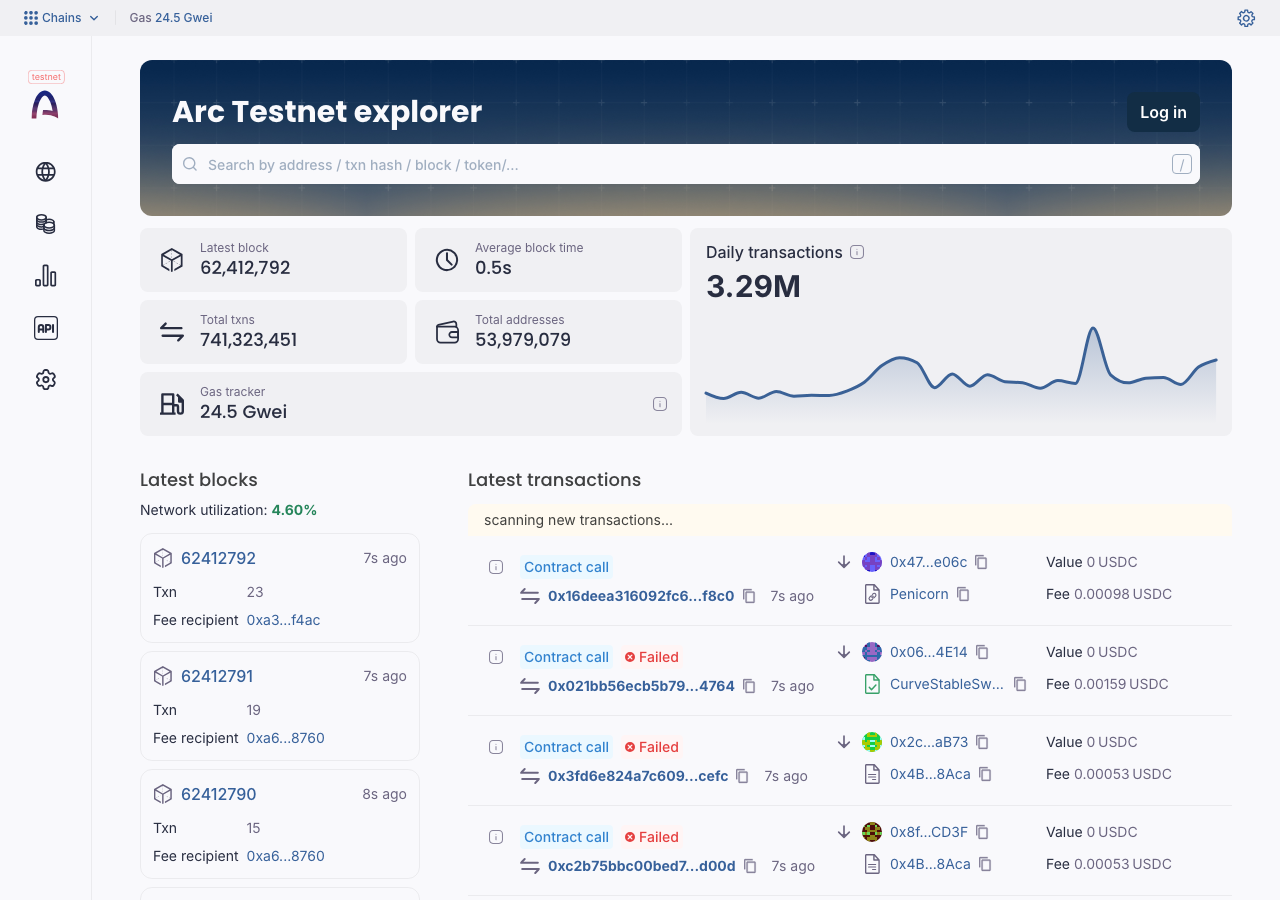
Arc Testnet Explorer in the browser during the run

By the numbers

11 of 12
scenarios passed, 1 blocked
42
screenshots
196
model calls
14
minutes
12
scenarios
11
passed
0
failed
1
blocked
0
issues

Walkthrough

Every scenario DeepQA drove in the browser, in plan order, with the 31 screenshots it captured along the way. A passing scenario is evidence too.

  1. S1
    Global Search - Transaction Hash Navigation

    3 steps, 2 screenshotson-chain

    pass
    S1-1.png
    S1 · Global Search - Transaction Hash Navigation
    S1-5.png
    S1 · Global Search - Transaction Hash Navigation
    • Navigated to https://explorer.testnet.arc.io/, entered valid transaction hash 0x14b0c8b35fe58443f57d8e602a90778484da383238744f1e48036b9fb5807a33 in search bar, pressed Enter, and verified navigation to transaction detail page displaying Success status and full transaction details.
    • The global search bar on the home page correctly accepts a transaction hash and navigates to the transaction details page displaying status, block number, timestamp, sender/contract addresses, and fee information.
  2. S2
    Global Search - Address Navigation

    3 steps, 4 screenshots

    pass
    S2-1.png
    S2 · Global Search - Address Navigation
    S2-4.png
    S2 · Global Search - Address Navigation
    S2-7.png
    S2 · Global Search - Address Navigation
    S2-10.png
    S2 · Global Search - Address Navigation
    • Navigated to home page and observed the search input bar.
    • Entered address 0x5294E9927c3306DcBaDb03fe70b92e01cCede505 in search bar and observed autocomplete dropdown with matching address result.
    • Navigated to address page /address/0x5294E9927c3306DcBaDb03fe70b92e01cCede505 displaying contract details, balance (25.40805 USDC), and tabs for Transactions, Token [redacted], Tokens, Internal txns, and Coin balance history.
    • Viewed Transactions tab on address page showing full transaction history list with txn hashes, types, methods, block numbers, and values.
    • Navigated to the home page at https://explorer.testnet.arc.io/.
    • Entered address 0x5294E9927c3306DcBaDb03fe70b92e01cCede505 into the global search bar.
    • Submitted search with Enter key, navigating to https://explorer.testnet.arc.io/address/0x5294E9927c3306DcBaDb03fe70b92e01cCede505.
    • Observed the address/contract detail page displaying the balance (25.40805 USDC) and account details.
    • Verified the transaction history structure and full list of transactions under the Transactions tab.
  3. S3
    Global Search - Block Number Navigation

    3 steps, 4 screenshotson-chain

    pass
    S3-1.png
    S3 · Global Search - Block Number Navigation
    S3-4.png
    S3 · Global Search - Block Number Navigation
    S3-7.png
    S3 · Global Search - Block Number Navigation
    S3-9.png
    S3 · Global Search - Block Number Navigation
    • Entered block number 62412850 in search bar and suggestion dialog appeared for block 62412850.
    • Navigated to block 62412850 detail page showing fee recipient (miner) 0xa693CC18Aa09d33dD388013B7A02E5Ff863b8760, block height 62412850, and 23 transactions.
    • Searching for block number 62412850 on the home page provided search autocomplete suggestions for block 62412850 (hash 0x17365ad08970dd669a120668057dd3ef5ce18ea4d39b4031c13ae362870a72f1).
    • Clicking the suggested block result navigated successfully to the block details page displaying Block #62412850, Fee recipient (miner) 0xa693CC18Aa09d33dD388013B7A02E5Ff863b8760, and 23 transactions.
  4. S4
    Advanced Transaction Filter - Type and Method

    3 steps, 3 screenshots

    pass
    S4-2.png
    S4 · Advanced Transaction Filter - Type and Method
    S4-5.png
    S4 · Advanced Transaction Filter - Type and Method
    S4-10.png
    S4 · Advanced Transaction Filter - Type and Method
    • Navigated to https://explorer.testnet.arc.io/advanced-filter to access the advanced transaction filtering interface.
    • Verified filter controls for Type, Method, Age, Address from, Address to, Amount, and Asset exist and are interactive.
    • Applied method and type filtering parameters and verified that the transaction results list updated accordingly.
    • Filtered by method 'transfer', and verified results display matching transactions with method transfer and corresponding token [redacted]
    • No application crashes or errors occurred when applying filters.
  5. S5
    Smart Contract Inspection - Verified Code

    2 steps, 2 screenshots

    pass
    S5-2.png
    S5 · Smart Contract Inspection - Verified Code
    S5-4.png
    S5 · Smart Contract Inspection - Verified Code
    • Navigated to contract details page for address 0x5294E9927c3306DcBaDb03fe70b92e01cCede505.
    • Clicked Contract tab and verified contract source code editor, file tree, and compiler information (Solidity v0.8.29, prague EVM, optimization enabled) are displayed.
    • Navigated to the smart contract address page 0x5294E9927c3306DcBaDb03fe70b92e01cCede505.
    • Clicked the Contract tab, which displayed verified contract status, compiler version (v0.8.29+commit.ab55807c), EVM version (prague), optimization settings, and the source code file tree and editor.
  6. S6
    Block Countdown - Future Target Calculation

    3 steps, 2 screenshots

    pass
    S6-2.png
    S6 · Block Countdown - Future Target Calculation
    S6-6.png
    S6 · Block Countdown - Future Target Calculation
    • Navigated to /block/countdown and observed the Block countdown search input field.
    • Submitted target block number 70000000 and observed estimated target date (Oct 31, 2026), countdown timer (Days, Hours, Minutes, Seconds), remaining blocks, and current block metrics.
    • Navigating to /block/countdown renders the block countdown search form.
    • Entering a future block height (70000000) and submitting redirects to /block/countdown/70000000.
    • The countdown page displays the estimated target date, a real-time countdown timer (Days, Hours, Minutes, Seconds), remaining block count, and current block height.
  7. S7
    Global Search - Invalid Query Handling

    3 steps, 2 screenshots

    pass
    S7-1.png
    S7 · Global Search - Invalid Query Handling
    S7-5.png
    S7 · Global Search - Invalid Query Handling
    • Loaded the Arc Testnet explorer homepage and located the search input field.
    • Entered a random alphabetical query 'nonexistentrandomquerystringxyzabc' into the search box and pressed Enter; the UI displayed 'No results found.' in the dropdown/dialog without crashing or loading an invalid URL.
    • Navigated to Arc Testnet explorer homepage.
    • Entered a random alphabetical string into the search input.
    • Observed the search result dropdown showing 'No results found.' upon input and pressing Enter, with no unhandled error or crash.
  8. S8
    Advanced Transaction Filter - Value Boundaries

    3 steps, 3 screenshots

    pass
    S8-2.png
    S8 · Advanced Transaction Filter - Value Boundaries
    S8-5.png
    S8 · Advanced Transaction Filter - Value Boundaries
    S8-12.png
    S8 · Advanced Transaction Filter - Value Boundaries
    • Navigated to the Advanced filter page.
    • Applied amount boundary filter with minimum 10 and maximum 20 and observed the active filter chips and filtered results.
    • Navigated to https://explorer.testnet.arc.io/advanced-filter.
    • Filtered transactions by numeric value/amount boundaries (minimum 1 and maximum 2, as well as 10 to 20).
    • Verified that the filtered transaction list accurately displays transactions conforming to the specified amount boundaries.
  9. S9
    Advanced Transaction Filter - Clear State

    3 steps, 1 screenshot

    blocked
    S9-2.png
    S9 · Advanced Transaction Filter - Clear State
    • Navigated to the advanced filter page showing default unfiltered transaction results.
    • Navigated to https://explorer.testnet.arc.io/advanced-filter and verified the default advanced filter table rendering with 'All (Type:)' and '7d (Age:)' active filters.
    • Attempted to trigger and configure column filters (Type, Age, Amount), which opened filter dialog overlays at the DOM root level.
    • Tool budget was reached before completing filter selection and subsequent reset/clear verification.
  10. S10
    Block Countdown - Invalid Input Rejection

    3 steps, 3 screenshots

    pass
    S10-2.png
    S10 · Block Countdown - Invalid Input Rejection
    S10-6.png
    S10 · Block Countdown - Invalid Input Rejection
    S10-11.png
    S10 · Block Countdown - Invalid Input Rejection
    • Navigated to /block/countdown and observed the Block countdown input field of type number.
    • Navigating to /block/countdown/abc cleanly displays a clear invalid request error message ('Request cannot be processed').
    • Valid block countdown at /block/countdown/70000000 calculates estimated target date, remaining blocks, and countdown timer correctly without any NaN values.
    • The block countdown search input restricts input via type='number', preventing non-numeric text submission.
    • Navigating directly to an invalid countdown target such as /block/countdown/abc cleanly renders an explicit 'Request cannot be processed' error page rather than crashing or displaying NaN values.
    • Valid countdown targets (e.g. /block/countdown/70000000) calculate and display target date, remaining blocks, and countdown timer correctly without NaN or UI crashes.
  11. S11
    Analytics Chart - Options Interaction

    2 steps, 2 screenshots

    pass
    S11-2.png
    S11 · Analytics Chart - Options Interaction
    S11-5.png
    S11 · Analytics Chart - Options Interaction
    • Navigated to /stats/newTxns where the New transactions chart and Open chart options menu button are rendered.
    • Clicked 'Open chart options menu' and the options menu element opened successfully while the chart remained visible.
    • Navigated to https://explorer.testnet.arc.io/stats/newTxns where the New transactions chart and the 'Open chart options menu' button are displayed.
    • Clicked 'Open chart options menu', which opened the chart options menu without closing or breaking the chart.
  12. S12
    Address Page Rendering Resiliency

    2 steps, 3 screenshots

    pass
    S12-2.png
    S12 · Address Page Rendering Resiliency
    S12-4.png
    S12 · Address Page Rendering Resiliency
    S12-7.png
    S12 · Address Page Rendering Resiliency
    • Loaded address page 0x5294E9927c3306DcBaDb03fe70b92e01cCede505; core contract details, balance (25.40805 USDC), and tabs rendered properly.
    • Clicked Contract tab; verified contract source code, compiler version, ABI, and files rendered successfully.
    • Clicked Transactions tab; transaction history table with hashes, blocks, and fees rendered properly.
    • Navigated to address page /address/0x5294E9927c3306DcBaDb03fe70b92e01cCede505 and verified account balance and overview rendered.
    • Verified contract tab displays contract name Memo, source code, compiler details, ABI, and bytecode correctly.
    • Verified transactions tab displays the transaction table with pagination and recent transactions.

Issues

No finding survived the audit. Nothing to fix from this run.

Critic audit

An adversarial second pass over every finding before it reaches the report.

0
findings reviewed
3
re-verified live
0
withdrawn
    • Widespread CORS errors were logged for metadata services in multiple scenarios, pointing to a systemic misconfiguration on either the explorer or Blockscout API side.
    • Scenario 9 was blocked due to tool turn limits when opening overlay components, leaving the clear/reset functionality of the advanced filter unverified.
    • A possible defect in S1 ("Metadata API requests fail due to missing CORS headers") was not promoted: the live replay came back inconclusive.
    • A possible defect in S2 ("Address submission API preflight request is blocked by CORS") was not promoted: the live replay came back inconclusive.
    • A possible defect in S10 ("JavaScript error thrown when accessing invalid block countdown target") was not promoted: the live replay came back not-reproduced.

    Report

    QA report: external/explorer.testnet.arc.io at hosted

    Core explorer features functioned as expected with zero confirmed defects, though one filter reset scenario was blocked.

    Testing covered twelve deep feature scenarios across the testnet explorer, including global search navigation for transactions, addresses, and blocks, smart contract code inspection, block countdown calculations, analytics charts, and advanced transaction filtering.

    Eleven scenarios passed and none failed, leaving zero confirmed issues after audit. One scenario evaluating the clearing and resetting of advanced transaction filters was blocked before completion due to tool execution limits when interacting with dropdown overlays.

    The critical user journeys for search and on-chain inspection are operational, with no blocking functional defects identified during testing, though manual verification is recommended for the uncompleted filter reset interaction.

    Run summary
    MetricCount
    Scenarios executed12
    Passed11
    Failed0
    Blocked1
    Findings raised0
    Issues after the audit0
    Withdrawn by the audit0
    Critical / high / medium / low0 / 0 / 0 / 0

    Target: https://explorer.testnet.arc.io · Testing level: deep_feature · Stack: unknown

    Issues

    No issues survived the audit.

    Scenario results
    ScenarioPriorityResultIssues
    S1 Global Search - Transaction Hash Navigationhighpassnone
    S2 Global Search - Address Navigationhighpassnone
    S3 Global Search - Block Number Navigationhighpassnone
    S4 Advanced Transaction Filter - Type and Methodhighpassnone
    S5 Smart Contract Inspection - Verified Codehighpassnone
    S6 Block Countdown - Future Target Calculationhighpassnone
    S7 Global Search - Invalid Query Handlingmediumpassnone
    S8 Advanced Transaction Filter - Value Boundariesmediumpassnone
    S9 Advanced Transaction Filter - Clear Statemediumblocked (Tool turn limit reached while interacting with advanced filter dropdown overlays to apply criteria before testing reset functionality.)none
    S10 Block Countdown - Invalid Input Rejectionmediumpassnone
    S11 Analytics Chart - Options Interactionlowpassnone
    S12 Address Page Rendering Resiliencylowpassnone
    The audit

    The Critic reviewed 0 findings and re-verified 3 of them live in the browser, replaying the reported steps on a fresh page.

    • Widespread CORS errors were logged for metadata services in multiple scenarios, pointing to a systemic misconfiguration on either the explorer or Blockscout API side.
    • Scenario 9 was blocked due to tool turn limits when opening overlay components, leaving the clear/reset functionality of the advanced filter unverified.
    • A possible defect in S1 ("Metadata API requests fail due to missing CORS headers") was not promoted: the live replay came back inconclusive.
    • A possible defect in S2 ("Address submission API preflight request is blocked by CORS") was not promoted: the live replay came back inconclusive.
    • A possible defect in S10 ("JavaScript error thrown when accessing invalid block countdown target") was not promoted: the live replay came back not-reproduced.
    Coverage and caveats

    In scope: Global Search capabilities; Advanced Transaction filtering; Block Countdown calculations; Smart contract details views.

    Not covered: User authentication flows (handled by external service, not testable without valid credentials); Write interactions on smart contracts (requires wallet extension which the tester lacks); WebSockets real-time assertion (non-deterministic for automated single-step browser actions).

    • Tester does not have a web3 wallet extension installed.
    • Historical blocks and specific testnet addresses remain valid in the testnet environment.
    • Real-time feeds will not prevent static element observation.
    • S9 could not be executed: Tool turn limit reached while interacting with advanced filter dropdown overlays to apply criteria before testing reset functionality..
    By the numbers
    MetricValue
    Scenarios11 passed, 0 failed, 1 blocked of 12 (33 planned steps)
    Screenshots42 (8 explore, 31 scenario, 3 critic), 31 captioned
    Coverage14 pages, 3 forms, 4 flows, 8 console errors
    Audit0 findings, 3 re-verified live, 0 confirmed, 0 promoted, 0 withdrawn
    Model calls196
    Tokens2,978,647 input, 11,647 output, 31,583 thinking
    Time14 min
    StageCallsInputOutputThinkingSeconds
    explore36579,9823,2211,715146
    plan14,9242,0014,94252
    test1442,279,2834,79612,861487
    critique14113,0071,48011,646150
    report11,4511494196

    Run log

    stagecallstokenstime
    Explore36584.9k2m 26s
    Plan111.9k52s
    Test1442.3M8m 7s
    Critique14126.1k2m 30s
    Report12k6s
    Total1963M14m 2s
    Intake
    Explore
    Plan
    Test
    Critique
    Report
    • 13:57:17Zexploreexplore started
    • 14:11:19ZexploreExplored / (66 controls, 1 forms)
    • 14:11:19ZexploreExplored /blocks (107 controls, 1 forms)
    • 14:11:19ZexploreExplored /block/countdown (19 controls, 2 forms)
    • 14:11:19ZexploreExplored /block/62412850 (38 controls, 1 forms)
    • 14:11:19ZexploreExplored /txs (177 controls, 1 forms)
    • 14:11:19ZexploreExplored /advanced-filter (157 controls, 1 forms)
    • 14:11:19ZexploreExplored /tx/0x14b0c8b35fe58443f57d8e602a90778484da383238744f1e48036b9fb5807a33 (51 controls, 1 forms)
    • 14:11:19ZexploreExplored /address/0x5294E9927c3306DcBaDb03fe70b92e01cCede505 (46 controls, 1 forms)
    • 14:11:19ZexploreExplored /tokens (83 controls, 1 forms)
    • 14:11:19ZexploreExplored /token/0x2B51Ae4412F79c3c1cB12AA40Ea4ECEb4e80511a (19 controls, 1 forms)
    • 14:11:19ZexploreExplored /verified-contracts (66 controls, 1 forms)
    • 14:11:19ZexploreExplored /stats (58 controls, 1 forms)
    • 14:11:19ZexploreExplored /gas-tracker (24 controls, 1 forms)
    • 14:11:19ZexploreExplored /accounts (62 controls, 1 forms)
    • 14:11:19ZexploreExplored /apps (19 controls, 1 forms)
    • 14:11:19ZexploreExplored /stats/newTxns (20 controls, 1 forms)
    • 14:11:19ZexploreMapped 14 pages, 3 forms, 4 flows in 36 turns.
    • 14:11:19Zexploreexplore completed in 146s.
    • 14:11:19Zplanplan started
    • 14:11:19ZplanPlanned 12 scenarios (6 high, 4 medium, 2 low).
    • 14:11:19Zplanplan completed in 52s.
    • 14:11:19Ztesttest started
    • 14:11:19ZtestS1 executed (pass)
    • 14:11:19ZtestS2 executed (pass)
    • 14:11:19ZtestS3 executed (pass)
    • 14:11:19ZtestS4 executed (pass)
    • 14:11:19ZtestS5 executed (pass)
    • 14:11:19ZtestS6 executed (pass)
    • 14:11:19ZtestS7 executed (pass)
    • 14:11:19ZtestS8 executed (pass)
    • 14:11:19ZtestS9 executed (blocked)
    • 14:11:19ZtestS10 executed (pass)
    • 14:11:19ZtestS11 executed (pass)
    • 14:11:19ZtestS12 executed (pass)
    • 14:11:19ZtestExecuted 12 scenarios: 11 passed, 0 failed, 1 blocked, 0 findings.
    • 14:11:19Ztesttest completed in 487s.
    • 14:11:19Zcritiquecritique started
    • 14:11:19ZcritiqueReviewed 0 findings; 3 possible defects spotted in passed scenarios.
    • 14:11:19ZcritiqueRe-verified a possible defect in S1: inconclusive.
    • 14:11:19ZcritiqueRe-verified a possible defect in S2: inconclusive.
    • 14:11:19ZcritiqueRe-verified a possible defect in S10: not-reproduced.
    • 14:11:19ZcritiqueAudit complete: 0 confirmed, 0 withdrawn, 0 promoted, 3 re-verified live.
    • 14:11:19Zcritiquecritique completed in 150s.
    • 14:11:19Zreportreport started
    • 14:11:19ZreportReported 0 issues (0 critical, 0 high, 0 medium, 0 low) from 0 findings.
    • 14:11:19Zreportreport completed in 6s.

    Put an agent team on your next pull request.

    Connect a repo, dispatch a Run, and read an audited, evidence-backed report the same day.