Explore/Sui Campaign/Mysten Multisig Toolkit
Hosted appWallet and toolingSui Testnet ↗succeeded

Official Mysten Labs toolkit for Sui multisig addresses, offline signing, signature combination and analysis, and transaction execution. Tested in place on Sui Testnet.

Tested in place byDeepQA TeamonSui Testnetatmultisig-toolkit.mystenlabs.com/onSep 27, 2026

Run #1model gemini-balanced (vertex)took 8m

All 12 scenarios passed, 1 low UX issue after the audit.

Share on X
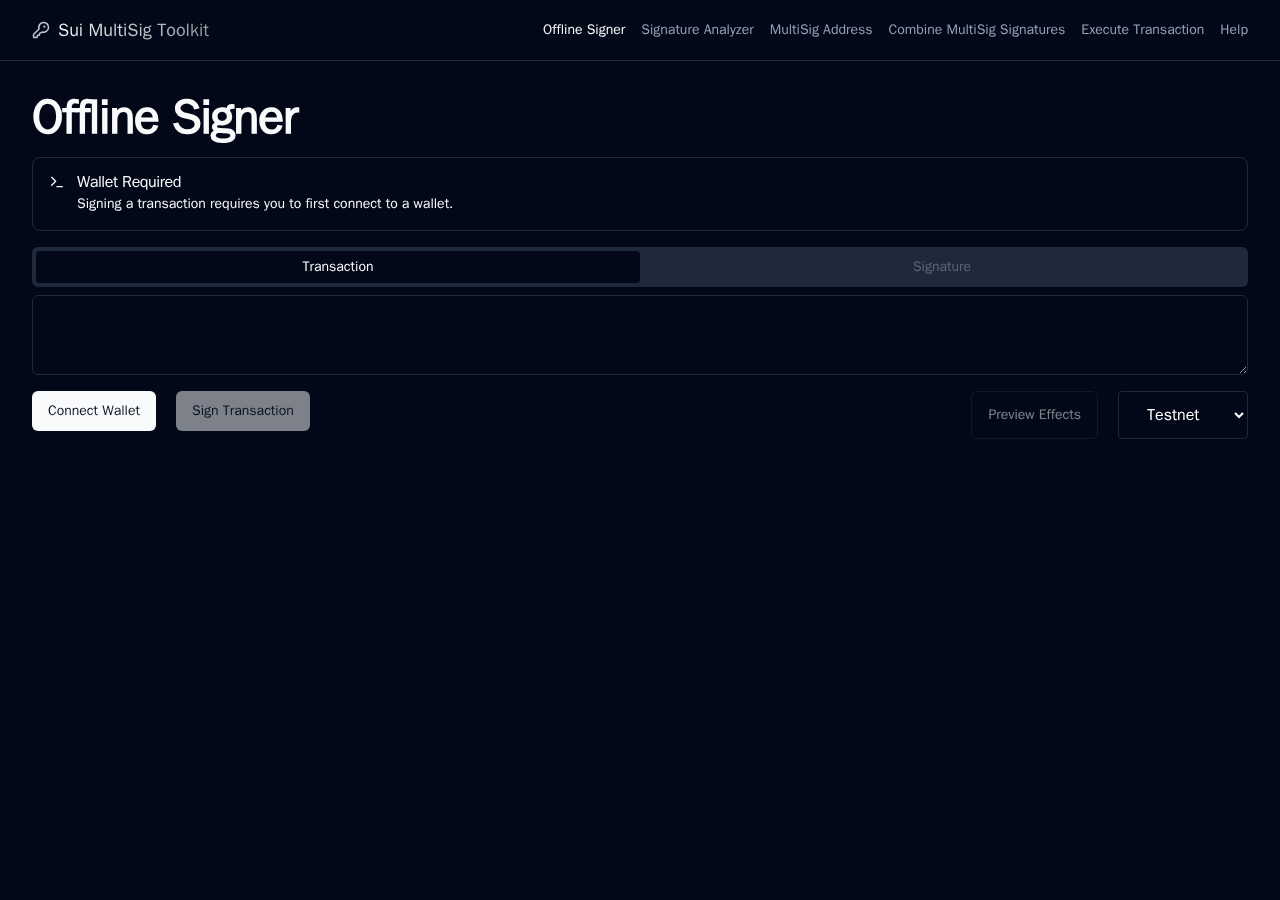
Mysten Multisig Toolkit in the browser during the run

By the numbers

12 of 12
scenarios passed
189
browser actions
39
screenshots
191
model calls
8.2
minutes
12
scenarios
12
passed
0
failed
0
blocked
1
issues
low1

Walkthrough

Every scenario DeepQA drove in the browser, in plan order, with the 34 screenshots it captured along the way. A passing scenario is evidence too.

  1. S1
    Offline Signer - Connect and Sign

    4 steps, 3 screenshots

    pass
    S1-3.png
    S1, Offline Signer - Connect and Sign
    S1-6.png
    S1, Offline Signer - Connect and Sign
    S1-9.png
    S1, Offline Signer - Connect and Sign
    • A dialog ("Warning") covered the page on load, and neither its own controls nor the Escape key closed it, so what follows happened with it open.
    • Switched the network selector to testnet on the Offline Signer page.
    • Opened wallet picker dialog displaying DeepQA Test Wallet.
    • DeepQA Test Wallet connected successfully to the Offline Signer page.
    • Navigated to https://multisig-toolkit.mystenlabs.com/offline-signer and dismissed the initial warning modal.
    • Switched network selector dropdown from mainnet to testnet.
    • Clicked Connect Wallet button and selected DeepQA Test Wallet from the modal list.
    • DeepQA Test Wallet connected successfully, displaying the connected account and enabling form inputs.
    • Entered a base64 transaction string into the Transaction Bytes input, enabling the 'Sign Transaction' button and calculating the Ledger Transaction Hash.
  2. S2
    Offline Signer - Preview Invalid Bytes

    4 steps, 1 screenshot

    pass
    S2-6.png
    S2, Offline Signer - Preview Invalid Bytes
    • Entered invalid_non_base64_string into Transaction Bytes and clicked Preview Effects, which displayed an Error message 'Failed to execute 'atob' on 'Window': The string to be decoded is not correctly encoded.' and 'Error computing hash'.
    • Navigated to /offline-signer and selected 'testnet' in the network selector dropdown.
    • Entered 'invalid_non_base64_string' into the Transaction Bytes input field.
    • Clicked 'Preview Effects' button.
    • The application gracefully caught and displayed the decoding error ('Failed to execute 'atob' on 'Window': The string to be decoded is not correctly encoded.') and 'Error computing hash' without crashing.
  3. S3
    MultiSig Address - Create

    5 steps, 3 screenshotson-chain

    pass
    S3-2.png
    S3, MultiSig Address - Create
    S3-7.png
    S3, MultiSig Address - Create
    S3-9.png
    S3, MultiSig Address - Create
    • Navigated to MultiSig Address page showing public key input, weight, and threshold fields.
    • Clicked 'Create MultiSig Address' and observed derived Sui MultiSig Address 0x955a4ccc5dc9c9e3fca308490733f4eb7b697e26c153e11d9f2ed031fe2ca4f5 displayed.
    • Navigated to /multisig-address.
    • Entered a valid Sui public key (ABr818VXt+6PLPRoA7QnsHBfRpKJdWZPjt7ppiTl6Fkq), weight 1, and threshold 1.
    • Clicked 'Create MultiSig Address' button.
    • Successfully verified that the derived Sui MultiSig Address (0x955a4ccc5dc9c9e3fca308490733f4eb7b697e26c153e11d9f2ed031fe2ca4f5) was computed and displayed without errors.
  4. S4
    Combine Signatures - Aggregate

    6 steps, 3 screenshotson-chain

    pass
    S4-2.png
    S4, Combine Signatures - Aggregate
    S4-8.png
    S4, Combine Signatures - Aggregate
    S4-10.png
    S4, Combine Signatures - Aggregate
    • Navigated to MultiSig Combined Signature Creator page with test public keys, weights, and signature samples displayed.
    • Entered sample public key, weight 1, sample signature, and threshold 1 into the Combine Signatures form.
    • Clicked 'Combine signatures' and observed that the aggregated MultiSig address and combined signature string were generated and displayed properly.
    • MultiSig Combined Signature Creator correctly accepted the public key, weight, base64 signature, and threshold.
    • Upon clicking 'Combine signatures', the app successfully computed and displayed the Sui MultiSig Address (0xbb0ac834e948982fcdc00d8ea8716b479c1874d8f0dddf201f9d87b3d1701941) and the Sui MultiSig Combined signature string.
  5. S5
    Signature Analyzer - Decode

    3 steps, 2 screenshotson-chain

    pass
    S5-2.png
    S5, Signature Analyzer - Decode
    S5-8.png
    S5, Signature Analyzer - Decode
    • Navigated to /signature-analyzer and prepared test serialized signature for analysis.
    • Submitted a valid serialized signature to Signature Analyzer and verified successful decoding into scheme ED25519, public key, Sui address, and signature breakdown.
    • Navigated to /signature-analyzer.
    • Inputted a valid 97-byte base64-encoded serialized ED25519 signature into the 'Signature Bytes (base64 encoded)' field.
    • Clicked 'Analyze Signature' and observed successful breakdown: scheme (ED25519), signature public key, Sui format public key, derived Sui address (0x6f0fa4dfead22269e90aca62d63947541408feb856ddc41b446ff2e6367b720f), and signature bytes.
  6. S6
    Execute Transaction - Broadcast

    5 steps, 3 screenshots

    pass
    S6-2.png
    S6, Execute Transaction - Broadcast
    S6-7.png
    S6, Execute Transaction - Broadcast
    S6-10.png
    S6, Execute Transaction - Broadcast
    • Navigated to Execute Transaction page, selected testnet, entered base64 transaction and signature bytes, clicked Broadcast Transaction, and observed RPC Error feedback displayed.
    • Switched network selector on Execute Transaction page to 'testnet'.
    • Entered valid base64 strings for Transaction Bytes and Signature Bytes.
    • Clicked 'Broadcast Transaction', which disabled the button while initiating RPC call and displayed error feedback banner ('Error: Failed to fetch').
  7. S7
    MultiSig Address - Multiple PubKeys

    5 steps, 4 screenshotson-chain

    pass
    S7-2.png
    S7, MultiSig Address - Multiple PubKeys
    S7-4.png
    S7, MultiSig Address - Multiple PubKeys
    S7-11.png
    S7, MultiSig Address - Multiple PubKeys
    S7-13.png
    S7, MultiSig Address - Multiple PubKeys
    • Navigated to MultiSig Address Creator page with one initial public key input row.
    • Entered two public keys with weight 1 each and set threshold to 2.
    • Navigated to the MultiSig Address Creator page (/multisig-address).
    • Clicked 'New PubKey' button to dynamically add a second public key input row.
    • Entered two public keys ('ABr818VXt+6PLPRoA7QnsHBfRpKJdWZPjt7ppiTl6Fkq' and 'ANRdB4M6Hj73R+gRM4N6zUPNidLuatB9uccOzHBc/0bP') with weight 1 for each.
    • Set the MultiSig threshold to 2.
    • Clicked 'Create MultiSig Address' button and observed the successfully computed address '0x9134bd58a25a6b48811d1c65770dd1d01e113931ed35c13f1a3c26ed7eccf9bc' displayed under 'Sui MultiSig Address'.
  8. S8
    MultiSig Address - Empty Public Key

    5 steps, 3 screenshots

    pass
    S8-2.png
    S8, MultiSig Address - Empty Public Key
    S8-5.png
    S8, MultiSig Address - Empty Public Key
    S8-8.png
    S8, MultiSig Address - Empty Public Key
    • Navigated to MultiSig Address page where the form has fields for Sui Public Key, Weight, and threshold.
    • Left Public Key empty, set Weight to 1, and set threshold to 1.
    • Clicked 'Create MultiSig Address' with empty Public Key; the form blocked submission via HTML5 validation / did not generate an address or crash.
    • Navigated to https://multisig-toolkit.mystenlabs.com/multisig-address.
    • Left the Public Key field empty, set Weight to 1, and verified Threshold is 1.
    • Clicked 'Create MultiSig Address'; the application rejected the submission (HTML5 required field validation prevented submission of the empty public key) without crashing and without generating an address.
  9. S9
    Combine Signatures - Reusable URL

    4 steps, 4 screenshots

    pass
    S9-2.png
    S9, Combine Signatures - Reusable URL
    S9-9.png
    S9, Combine Signatures - Reusable URL
    S9-11.png
    S9, Combine Signatures - Reusable URL
    S9-13.png
    S9, Combine Signatures - Reusable URL
    • Navigated to the Combine MultiSig Signatures page.
    • Clicked 'Combine signatures' and verified the MultiSig address and combined signature were generated.
    • Navigated to /combine-signatures.
    • Entered public key ACaY7TW0MnPu+fr/Z2qH5YRybHsj80qfwfqiuduT4czi, weight 1, signature, and threshold 1.
    • Clicked 'Combine signatures' and observed successful generation of Sui MultiSig address and combined signature.
    • Clicked 'Generate reusable URL' and verified that a reusable URL containing the configuration query parameters was generated and copied to clipboard.
  10. S10
    Combine Signatures - Required Threshold

    4 steps, 3 screenshots

    pass
    S10-2.png
    S10, Combine Signatures - Required Threshold
    S10-7.png
    S10, Combine Signatures - Required Threshold
    S10-12.png
    S10, Combine Signatures - Required Threshold
    • Navigated to Combine MultiSig Signatures page.
    • With threshold empty, clicking 'Combine signatures' does not process the form, HTML form validation halts submission for the required threshold field.
    • Navigated to the Combine MultiSig Signatures tool.
    • Entered Public Key, Weight, and Signature into the form.
    • Cleared the threshold input field to test empty threshold validation.
    • Clicked 'Combine signatures' and observed that the form was not processed, as required threshold validation prevented submission.
  11. S11
    Signature Analyzer - Invalid Base64

    3 steps, 3 screenshots

    pass
    S11-2.png
    S11, Signature Analyzer - Invalid Base64
    S11-4.png
    S11, Signature Analyzer - Invalid Base64
    S11-7.png
    S11, Signature Analyzer - Invalid Base64
    • Navigated to Signature Analyzer page.
    • Entered invalid base64 string 'invalid_string!@#' into the Signature Bytes field.
    • Clicked Analyze Signature; an error message 'Failed to execute \'atob\' on \'Window\': The string to be decoded is not correctly encoded.' was displayed under an Error heading.
    • Signature analyzer correctly rejects invalid base64 input and displays an error message indicating decoding failed.
  12. S12
    Execute Transaction - Empty Fields

    4 steps, 2 screenshots

    pass
    S12-4.png
    S12, Execute Transaction - Empty Fields
    S12-7.png
    S12, Execute Transaction - Empty Fields
    • Navigated to Execute Transaction page, selected testnet network, leaving Transaction Bytes and Signature Bytes fields empty.
    • Clicked Broadcast Transaction with empty fields; the application displayed an error message 'Unsupported signature scheme' and did not broadcast empty payloads.
    • Selected 'testnet' on the Execute Transaction page.
    • Submitted the Broadcast Transaction form with empty Transaction Bytes and Signature Bytes.
    • The application displayed an error message 'Unsupported signature scheme' under an 'Error' header and rejected the submission without broadcasting.

Issues

Findings that survived the Critic's audit. Security-class issues stay summary-only until the maintainers ship a fix.

lowpromoteduxF1 in S2

Raw JavaScript exception exposed in UI for invalid base64 input

Surfaced by the audit of S2, which the Tester passed, and reproduced live: I entered the non-base64 string 'non-base64-string' into the Transaction Bytes input at /offline-signer, then clicked 'Preview Effects'. An 'Error' heading appeared with the raw JavaScript error: \"Failed to execute 'atob' on 'Window': The string to be decoded is not correctly encoded.\"

Expected

The application displays a user-friendly validation message indicating the input must be valid base64.

Actual

The application catches and displays a raw JavaScript exception ('Failed to execute atob...') directly to the user.

3 repro steps
  1. Navigate to /offline-signer.
  2. Enter a non-base64 string into the Transaction Bytes input.
  3. Click 'Preview Effects'.

Environment limitations

These failures came from the test environment, not from the application: a credential the sandbox does not hold, a demo nobody may write to, a resource it cannot reach. They are not counted as issues.

  • S6 could not exercise this: Transaction broadcast fails due to CORS policy on the RPC node. The fetch request is blocked by CORS policy, leading to a network error. The audit recorded the test environment as the cause, so it is not counted as an issue.
  • S9 could not exercise this: Clipboard write permission denied when generating reusable URL. The copy action fails with a console error because the test environment denies clipboard write permissions. The audit recorded the test environment as the cause, so it is not counted as an issue.

Wallet activity

DeepQA injected a test wallet into the browser and recorded every request the app sent to it. Testnet funds only.

App network: testnet, switched with the app's own selector

address
0xb17096…a1831e ↗
chain
Sui Testnet
browsers opened
3
connects
2
signing requests
0

The app connected the test wallet 2 times and asked for no signature.

Critic audit

An adversarial second pass over every finding before it reaches the report.

0
findings reviewed
1
live replays
0
withdrawn

The Critic also replays passed scenarios it doubts, so live replays can outnumber the findings reviewed.

  • F1promoted

    Surfaced by the audit of S2, which the Tester passed, and reproduced live: I entered the non-base64 string 'non-base64-string' into the Transaction Bytes input at /offline-signer, then clicked 'Preview Effects'. An 'Error' heading appeared with the raw JavaScript error: \"Failed to execute 'atob' on 'Window': The string to be decoded is not correctly encoded.\"

  • Scenario S1 contradicts itself, first claiming the initial warning modal could not be closed with its controls or Escape, then later stating it was successfully dismissed.

Report

QA report: external/multisig-toolkit.mystenlabs.com at hosted

Core multisig and offline signing workflows are operational, with one minor user experience defect exposing raw exception text.

Testing covered 12 scenarios focusing on offline signing, multisig address generation, signature combination, transaction execution, and signature analysis. All 12 scenarios passed their functional criteria.

One low-severity user experience issue was identified during invalid byte previewing (F1). When malformed base64 input is provided, the application exposes an unformatted raw JavaScript runtime exception in the user interface instead of a sanitized, user-friendly error message.

Coverage had two environment limitations. Sandbox network constraints encountered CORS blocks when attempting live transaction broadcasting to the RPC node, and restricted clipboard permissions prevented verification of automatic URL copying.

Run summary
MetricCount
Scenarios executed12
Passed12
Failed0
Blocked0
Findings raised0
Issues after the audit1
Withdrawn by the audit0
Critical / high / medium / low0 / 0 / 0 / 1

Target: https://multisig-toolkit.mystenlabs.com/ · Testing level: deep_feature · Stack: unknown

Issues
Low severity
F1 · Raw JavaScript exception exposed in UI for invalid base64 input

Severity: low · Type: ux · Verdict: promoted · Scenario: S2

Surfaced by the audit of S2, which the Tester passed, and reproduced live: I entered the non-base64 string 'non-base64-string' into the Transaction Bytes input at /offline-signer, then clicked 'Preview Effects'. An 'Error' heading appeared with the raw JavaScript error: \"Failed to execute 'atob' on 'Window': The string to be decoded is not correctly encoded.\"

Expected: The application displays a user-friendly validation message indicating the input must be valid base64.

Actual: The application catches and displays a raw JavaScript exception ('Failed to execute atob...') directly to the user.

Steps to reproduce:

  1. Navigate to /offline-signer.
  2. Enter a non-base64 string into the Transaction Bytes input.
  3. Click 'Preview Effects'.

Evidence: screenshots/critic-M1-1.png

Environment limitations

These failures came from the test environment, not from the application: a credential the sandbox does not hold, a demo nobody may write to, a resource it cannot reach. They are not counted as issues. They record what this run could not exercise.

  • S6 could not exercise this: Transaction broadcast fails due to CORS policy on the RPC node. The fetch request is blocked by CORS policy, leading to a network error. The audit recorded the test environment as the cause, so it is not counted as an issue.
  • S9 could not exercise this: Clipboard write permission denied when generating reusable URL. The copy action fails with a console error because the test environment denies clipboard write permissions. The audit recorded the test environment as the cause, so it is not counted as an issue.
Scenario results
ScenarioPriorityResultIssues
S1 Offline Signer - Connect and Signhighpassnone
S2 Offline Signer - Preview Invalid ByteshighpassF1
S3 MultiSig Address - Createhighpassnone
S4 Combine Signatures - Aggregatehighpassnone
S5 Signature Analyzer - Decodehighpassnone
S6 Execute Transaction - Broadcasthighpassnone
S7 MultiSig Address - Multiple PubKeysmediumpassnone
S8 MultiSig Address - Empty Public Keymediumpassnone
S9 Combine Signatures - Reusable URLmediumpassnone
S10 Combine Signatures - Required Thresholdmediumpassnone
S11 Signature Analyzer - Invalid Base64mediumpassnone
S12 Execute Transaction - Empty Fieldsmediumpassnone
The audit

The Critic reviewed 0 findings and ran 1 live replay in the browser, each on a fresh page.

  • Scenario S1 contradicts itself, first claiming the initial warning modal could not be closed with its controls or Escape, then later stating it was successfully dismissed.
What to fix first
  1. F1: Sanitize base64 decoding errors and present a user-friendly validation message instead of raw JavaScript exceptions.
Coverage and caveats

In scope: Offline Signer flows including wallet connection and dry-runs; MultiSig Address generation with single and multiple public keys; Signature combination and reusable URL generation; Signature Analyzer decoding capabilities; Transaction execution and broadcasting on testnet; Form validation across all tool pages.

Not covered: Mainnet broadcasting (test wallet only supports testnet, out of scope); Help page rendering (lowest priority, omitted to stay within scenario cap).

  • The unclosable 'Warning' dialog mentioned in the notes does not block programmatic interaction with the underlying form elements, as the Explorer successfully recorded them.
  • Dummy base64 strings used for transaction and signature bytes will be validated by the application or the RPC, and a graceful error message is considered a success condition for those inputs.
  • S10's page network select showed Mainnet at the time it ran. Combine Signatures is an offline tool, it only aggregates signatures the user pastes in and never reaches the RPC, so its result does not depend on the network selection, and the scenario's pass verdict stands regardless.
By the numbers
MetricValue
Scenarios12 passed, 0 failed, 0 blocked of 12 (52 planned steps)
Browser actions189 (37 clicks, 44 inputs, 18 navigations, 90 snapshots)
Screenshots39 (4 explore, 34 scenario, 1 critic), 34 captioned
Coverage6 pages, 5 forms, 5 flows, 0 console errors
Audit0 findings, 1 re-verified live, 0 confirmed, 1 promoted, 0 withdrawn
Model calls191
Tokens998,710 input, 11,627 output, 18,568 thinking
Time8 min
Wallet0 transactions, 0 signatures, 0 refusals on chain sui:testnet
StageCallsInputOutputThinkingSeconds
explore29142,0593,1491,97384
plan15,2012,2942,83837
test153831,7345,1509,994326
critique718,1128273,38242
report11,6042073815

Run log

stagecallstokenstime
Explore29147.2k1m 24s
Plan110.3k37s
Test153846.9k5m 26s
Critique722.3k42s
Report12.2k5s
Total1911M8m 14s
○Intake
✓Explore
✓Plan
✓Test
✓Critique
✓Report
  • 06:24:48Zexploreexplore started
  • 06:33:03ZexploreExplored /offline-signer (2 controls, 0 forms)
  • 06:33:03ZexploreA dialog ("Warning") covered the page on load, and neither its own controls nor the Escape key closed it, so what follows happened with it open.
  • 06:33:03ZexploreExplored /signature-analyzer (9 controls, 1 forms)
  • 06:33:03ZexploreExplored /multisig-address (13 controls, 1 forms)
  • 06:33:03ZexploreExplored /combine-signatures (15 controls, 1 forms)
  • 06:33:03ZexploreExplored /execute-transaction (13 controls, 1 forms)
  • 06:33:03ZexploreExplored /help (14 controls, 0 forms)
  • 06:33:03ZexploreMapped 6 pages, 5 forms, 5 flows in 29 turns.
  • 06:33:03Zexploreexplore completed in 84s.
  • 06:33:03Zplanplan started
  • 06:33:03ZplanPlanned 12 scenarios (6 high, 6 medium, 0 low).
  • 06:33:03Zplanplan completed in 37s.
  • 06:33:03Ztesttest started
  • 06:33:03ZtestS1 executed (pass)
  • 06:33:03ZtestS2 executed (pass)
  • 06:33:03ZtestS3 executed (pass)
  • 06:33:03ZtestS4 executed (pass)
  • 06:33:03ZtestS5 executed (pass)
  • 06:33:03ZtestS6 executed (pass)
  • 06:33:03ZtestS7 executed (pass)
  • 06:33:03ZtestS8 executed (pass)
  • 06:33:03ZtestS9 executed (pass)
  • 06:33:03ZtestS10 executed (pass)
  • 06:33:03ZtestS11 executed (pass)
  • 06:33:03ZtestS12 executed (pass)
  • 06:33:03ZtestExecuted 12 scenarios: 12 passed, 0 failed, 0 blocked, 0 findings.
  • 06:33:03Ztesttest completed in 326s.
  • 06:33:03Zcritiquecritique started
  • 06:33:03ZcritiqueReviewed 0 findings; 3 possible defects spotted in passed scenarios.
  • 06:33:03ZcritiqueRe-verified a possible defect in S2: reproduced.
  • 06:33:03ZcritiqueAudit complete: 0 confirmed, 0 withdrawn, 1 promoted, 1 re-verified live.
  • 06:33:03Zcritique2 failures came from the test environment rather than the application. They are reported as environment limitations, not issues.
  • 06:33:03Zcritiquecritique completed in 42s.
  • 06:33:03Zreportreport started
  • 06:33:03ZreportReported 1 issue (0 critical, 0 high, 0 medium, 1 low) from 0 findings.
  • 06:33:03Zreportreport completed in 5s.

Put an agent team on your next pull request.

Connect a repo, dispatch a Run, and read an audited, evidence-backed report the same day.