Hosted appLLM gateway catalogHosted, in placesucceeded

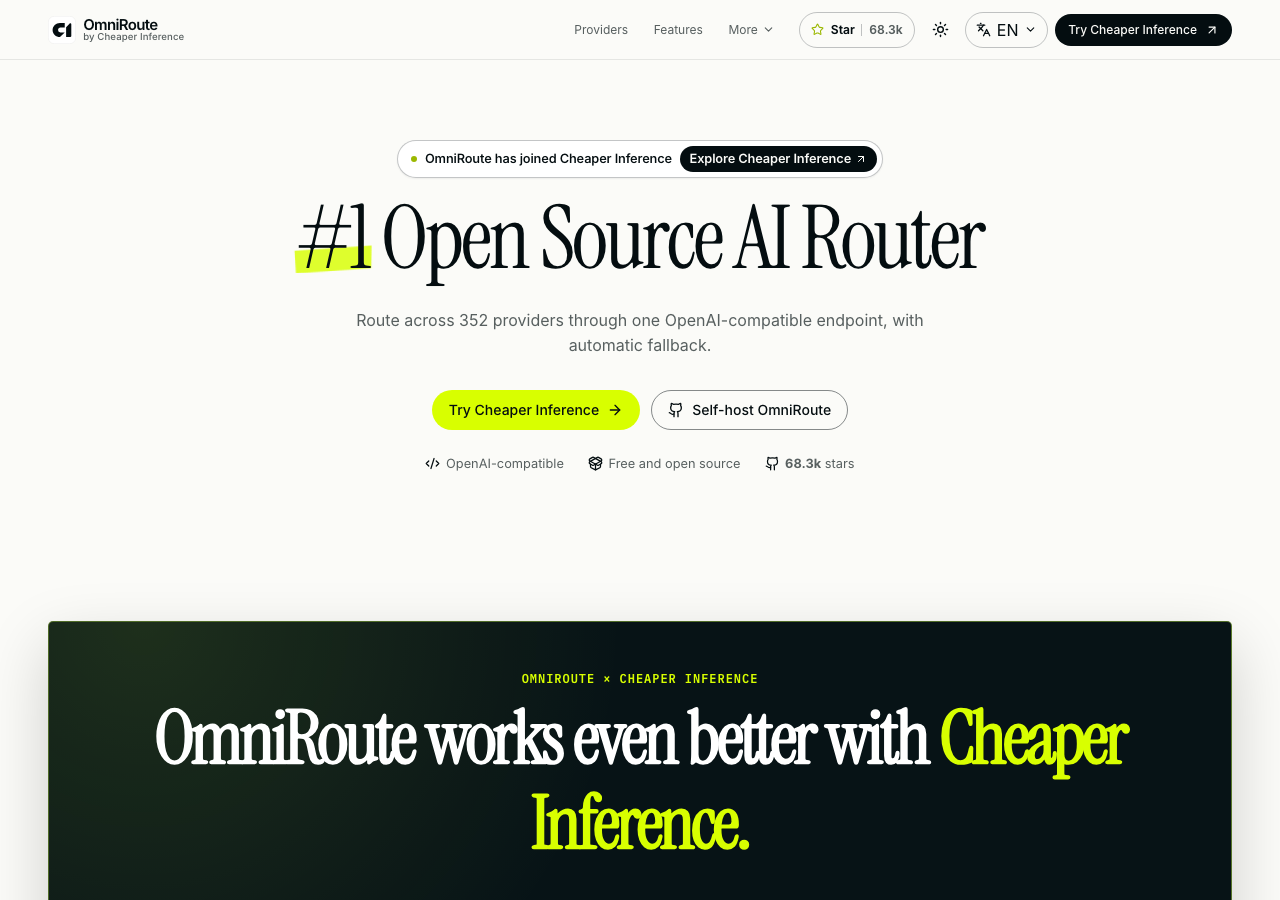
Public site of OmniRoute, an open-source AI routing gateway: model catalog with search, filters and sorting, routing presets and client examples. Tested in place.

Tested in place byDeepQA Teamatomniroute.onlineonSep 20, 2026

Run #1model gemini-balanced (vertex)took 9m

All 12 scenarios passed, no issues after the audit.

Share on X
OmniRoute in the browser during the run

By the numbers

12 of 12
scenarios passed
144
browser actions
37
screenshots
163
model calls
8.7
minutes
12
scenarios
12
passed
0
failed
0
blocked
0
issues

Walkthrough

Every scenario DeepQA drove in the browser, in plan order, with the 32 screenshots it captured along the way. A passing scenario is evidence too.

  1. S1
    Verify Model Catalog loads and displays default model list

    2 steps, 2 screenshots

    pass
    S1-3.png
    S1 · Verify Model Catalog loads and displays default model list
    S1-5.png
    S1 · Verify Model Catalog loads and displays default model list
    • Navigated to https://omniroute.online/models/ and verified the model catalog page loaded with 66 models available and 20 shown by default.
    • Expanded the model catalog to show all 66 models with list and Cheaper Inference pricing details displayed in the pricing comparison container.
    • Successfully navigated to https://omniroute.online/models/ and verified the Model Catalog loads properly.
    • Observed the model catalog displaying model count (66 models), category filters (All, Text, Image, Video), search and sort controls, and the pricing comparison container comparing direct list prices with Cheaper Inference prices.
    • Verified clicking 'Show all 66 models' expands the full catalog list properly.
  2. S2
    Search for an exact model name

    2 steps, 3 screenshots

    pass
    S2-4.png
    S2 · Search for an exact model name
    S2-7.png
    S2 · Search for an exact model name
    S2-12.png
    S2 · Search for an exact model name
    • Navigated to the models catalog page at /models/ showing initial 20 of 66 models.
    • Typed 'gpt-4' into the search box; the catalog immediately filtered to '1 matching' model.
    • Navigated to https://omniroute.online/models/ where the full catalog of 66 models is available.
    • Typed 'gpt-4' into the search input and observed real-time filtering updating the counter to '1 matching' model.
    • Verified that filtering updates dynamically upon typing.
  3. S3
    Search for a non-existent model to trigger empty state

    2 steps, 2 screenshots

    pass
    S3-4.png
    S3 · Search for a non-existent model to trigger empty state
    S3-7.png
    S3 · Search for a non-existent model to trigger empty state
    • Navigated to the models catalog page at https://omniroute.online/models/.
    • Typed 'invalidmodelnamethatdoesnotexist' into search; the model list emptied and '0 matching' was displayed.
    • Navigated to /models/ and entered 'invalidmodelnamethatdoesnotexist' into the search input.
    • The model list was completely emptied and the count updated to '0 matching' without any errors or crashes.
  4. S4
    Filter models by 'Reasoning' modality

    2 steps, 2 screenshots

    pass
    S4-4.png
    S4 · Filter models by 'Reasoning' modality
    S4-6.png
    S4 · Filter models by 'Reasoning' modality
    • Navigated to /models/ page showing the model catalog with initial 66 models and filter buttons.
    • Clicked the 'Reasoning' modality filter button, which updated the count to '52 matching' and 'Showing 20 of 52 models'.
    • Navigated to https://omniroute.online/models/ and verified initial catalog showed 66 total models.
    • Clicked the 'Reasoning' modality filter button; the catalog updated to show 52 matching reasoning models (displaying 'Showing 20 of 52 models').
  5. S5
    Filter models by 'Image' modality

    2 steps, 3 screenshots

    pass
    S5-5.png
    S5 · Filter models by 'Image' modality
    S5-7.png
    S5 · Filter models by 'Image' modality
    S5-10.png
    S5 · Filter models by 'Image' modality
    • Navigated to /models/ catalog page showing model filters and pricing comparison table.
    • Clicked 'Image5' modality filter button, which updated the results to '5 matching' image models.
    • Verified that selecting 'Image' modality filter accurately filters the catalog down to 5 matching image models.
    • Navigated to https://www.omniroute.online/models/ where the full catalog of 66 models is available.
    • Selected the 'Image5' modality filter button, and the catalog updated to show exactly 5 matching image models.
  6. S6
    Sort models by 'Model name'

    2 steps, 2 screenshots

    pass
    S6-4.png
    S6 · Sort models by 'Model name'
    S6-8.png
    S6 · Sort models by 'Model name'
    • Navigated to https://omniroute.online/models/ and viewed the models catalog with default sort 'discount-desc'.
    • Selected 'Model name' (name-asc) from the 'Sort models' dropdown, successfully updating the sort value and re-rendering the 66 models comparison grid.
    • Navigated to the models catalog at https://omniroute.online/models/.
    • Selected 'Model name' from the 'Sort models' dropdown (value 'name-asc').
    • Observed the dropdown value updated to 'name-asc' and the models catalog view re-rendered sorted alphabetically.
  7. S7
    Sort models by 'Highest discount'

    2 steps, 4 screenshots

    pass
    S7-3.png
    S7 · Sort models by 'Highest discount'
    S7-7.png
    S7 · Sort models by 'Highest discount'
    S7-10.png
    S7 · Sort models by 'Highest discount'
    S7-12.png
    S7 · Sort models by 'Highest discount'
    • Navigated to /models/ where the model pricing catalog is displayed.
    • Selected 'Highest discount' (discount-desc) from the 'Sort models' dropdown on /models/.
    • Navigated to https://omniroute.online/models/ to view the pricing and model comparison catalog.
    • Verified the 'Sort models' dropdown is present and allows selecting 'Highest discount' (discount-desc).
    • Selected 'Highest discount' and verified that the catalog updates and sorts the models accordingly.
  8. S8
    Combine search and modality filtering

    3 steps, 4 screenshots

    pass
    S8-5.png
    S8 · Combine search and modality filtering
    S8-7.png
    S8 · Combine search and modality filtering
    S8-10.png
    S8 · Combine search and modality filtering
    S8-13.png
    S8 · Combine search and modality filtering
    • Navigated to the models catalog page at https://omniroute.online/models/.
    • Selected the Text modality filter button, updating matching models to 60.
    • Clicked the 'Text' modality filter button, filtering the catalog to 60 text models.
    • Entered 'anthropic' into the 'Search models or providers' input field.
    • Observed the combined filter and search accurately narrowed the catalog to 13 matching text models from provider Anthropic.
    • Verified intersecting state filtering by switching to the Image modality filter where 0 models matched, and switching back to Text where 13 Anthropic models were displayed.
  9. S9
    Select routing strategy preset

    2 steps, 2 screenshots

    pass
    S9-4.png
    S9 · Select routing strategy preset
    S9-11.png
    S9 · Select routing strategy preset
    • Selected the cost-optimized preset (auto/cheap), and verified that the cURL command updated to use 'model: auto/cheap' and the objective updated to 'Lowest token [redacted]'.
    • On the OmniRoute page, located the 'Choose an auto route' routing strategy selector.
    • Selected the cost-optimized preset radio button (auto/cheap).
    • Observed that the displayed model updated to 'auto/cheap', the objective updated to 'Lowest token [redacted]', and the generated cURL command updated to use '\"model\":\"auto/cheap\"'.
  10. S10
    Switch API client example language

    2 steps, 2 screenshots

    pass
    S10-1.png
    S10 · Switch API client example language
    S10-3.png
    S10 · Switch API client example language
    • Navigated to homepage, API client examples tab is currently set to cURL with curl command displayed.
    • Clicked the Python tab in the API client examples section; the displayed filename changed to request.py, the copy button updated to 'Copy Python example', and the code snippet changed to Python OpenAI client syntax.
    • Navigated to the OmniRoute homepage and located the 'API client examples' tablist.
    • Initially the cURL tab was active with cURL shell syntax displayed.
    • Clicked the 'Python' tab and verified that the code snippet switched to Python syntax (using `OpenAI(...)` client and `request.py` header).
  11. S11
    Toggle site theme

    2 steps, 3 screenshots

    pass
    S11-1.png
    S11 · Toggle site theme
    S11-3.png
    S11 · Toggle site theme
    S11-5.png
    S11 · Toggle site theme
    • Loaded home page in default light theme with 'Switch theme to dark' button present.
    • Clicked 'Switch theme to dark', theme switched to dark mode and the button label changed to 'Switch theme to light'.
    • Navigated to https://www.omniroute.online/ in default light theme.
    • Clicked the 'Switch theme to dark' button in the navigation header.
    • Verified that the theme inverted to dark mode and the button label updated to 'Switch theme to light'.
    • Clicked 'Switch theme to light' to verify bidirectional theme toggling back to light mode successfully.
  12. S12
    Change site language

    2 steps, 3 screenshots

    pass
    S12-1.png
    S12 · Change site language
    S12-4.png
    S12 · Change site language
    S12-6.png
    S12 · Change site language
    • Opened language selector dropdown menu and selected 'Español'.
    • Observed URL change to /es/ and headings/content properly translated to Spanish.
    • Navigated to omniroute.online, opened the language selector dropdown menu displaying available locales, and selected 'Español'.
    • Observed the page successfully navigate to /es/ and the headings, navigation items, buttons, and content translate to Spanish (e.g. '#1 Router de IA de código abierto', 'Proveedores', 'Funciones', 'Instala, ejecuta, conecta.').

Issues

No finding survived the audit. Nothing to fix from this run.

Critic audit

An adversarial second pass over every finding before it reaches the report.

0
findings reviewed
1
re-verified live
0
withdrawn
    • All scenarios passed without reported findings, but a clear UX defect involving a visible placeholder text in the UI was observed and dismissed by the tester.
    • A possible defect in S9 ("UI displays literal '[redacted]' placeholder in the routing objective text") was not promoted: the live replay came back not-reproduced.

    Report

    QA report: external/omniroute.online at hosted

    All twelve evaluated scenarios passed with no confirmed defects found across catalog browsing, filtering, and configuration workflows.

    Testing covered core interface capabilities on the application, including loading the model catalog, searching for exact and non-existent model queries, filtering by modalities such as Reasoning and Image, and sorting by name and discount. Additional scenarios exercised combined search and filter interactions, routing strategy preset selection, code example language switching, theme toggles, and language selection.

    All 12 scenarios completed successfully with zero confirmed issues identified after audit. A potential placeholder text anomaly noted during routing strategy selection was evaluated via live re-verification and determined not to be reproducible as a defect, leaving the evaluated functionality in a stable release-ready state.

    Run summary
    MetricCount
    Scenarios executed12
    Passed12
    Failed0
    Blocked0
    Findings raised0
    Issues after the audit0
    Withdrawn by the audit0
    Critical / high / medium / low0 / 0 / 0 / 0

    Target: https://omniroute.online · Testing level: deep_feature · Stack: unknown

    Issues

    No issues survived the audit.

    Scenario results
    ScenarioPriorityResultIssues
    S1 Verify Model Catalog loads and displays default model listhighpassnone
    S2 Search for an exact model namehighpassnone
    S3 Search for a non-existent model to trigger empty statehighpassnone
    S4 Filter models by 'Reasoning' modalityhighpassnone
    S5 Filter models by 'Image' modalityhighpassnone
    S6 Sort models by 'Model name'highpassnone
    S7 Sort models by 'Highest discount'mediumpassnone
    S8 Combine search and modality filteringmediumpassnone
    S9 Select routing strategy presetmediumpassnone
    S10 Switch API client example languagemediumpassnone
    S11 Toggle site themelowpassnone
    S12 Change site languagelowpassnone
    The audit

    The Critic reviewed 0 findings and re-verified 1 of them live in the browser, replaying the reported steps on a fresh page.

    • All scenarios passed without reported findings, but a clear UX defect involving a visible placeholder text in the UI was observed and dismissed by the tester.
    • A possible defect in S9 ("UI displays literal '[redacted]' placeholder in the routing objective text") was not promoted: the live replay came back not-reproduced.
    Coverage and caveats

    In scope: Interactive model catalog and pricing comparison; Search, filter, and sort combinations on the models page; Routing strategy presets and code snippet generation; Global state controls (theme and language toggles).

    Not covered: Account creation, authentication, and billing (needs an account, out of scope for a hosted run); Direct API endpoint payload execution (Tester operates a browser, not an API client); Clipboard content verification for 'Copy command' buttons (browser sandbox limits clipboard read access).

    • The model catalog is populated dynamically on load; an empty list initially without user action is considered a defect.
    • Selecting a routing preset immediately updates the visible code snippet on the page.
    • Clicking a language in the dropdown updates the interface without requiring a page reload.
    By the numbers
    MetricValue
    Scenarios12 passed, 0 failed, 0 blocked of 12 (25 planned steps)
    Browser actions144 (28 clicks, 11 inputs, 32 navigations, 73 snapshots)
    Screenshots37 (4 explore, 32 scenario, 1 critic), 32 captioned
    Coverage11 pages, 1 forms, 3 flows, 0 console errors
    Audit0 findings, 1 re-verified live, 0 confirmed, 0 promoted, 0 withdrawn
    Model calls163
    Tokens2,055,848 input, 8,826 output, 18,075 thinking
    Time9 min
    StageCallsInputOutputThinkingSeconds
    explore19256,3732,4941,31077
    plan14,5871,8382,38331
    test1351,692,0063,8549,586357
    critique7101,4654674,41649
    report11,4171733805

    Run log

    stagecallstokenstime
    Explore19260.2k1m 17s
    Plan18.8k31s
    Test1351.7M5m 57s
    Critique7106.3k49s
    Report12k5s
    Total1632.1M8m 39s
    Intake
    Explore
    Plan
    Test
    Critique
    Report
    • 01:10:59Zexploreexplore started
    • 01:19:38ZexploreExplored / (57 controls, 0 forms)
    • 01:19:38ZexploreExplored /models/ (46 controls, 0 forms)
    • 01:19:38ZexploreExplored /providers/ (36 controls, 0 forms)
    • 01:19:38ZexploreExplored /features/ (40 controls, 0 forms)
    • 01:19:38ZexploreExplored /routing/ (50 controls, 0 forms)
    • 01:19:38ZexploreExplored /compare/ (40 controls, 0 forms)
    • 01:19:38ZexploreExplored /deploy/ (46 controls, 0 forms)
    • 01:19:38ZexploreExplored /api/ (36 controls, 0 forms)
    • 01:19:38ZexploreExplored /cli/ (48 controls, 0 forms)
    • 01:19:38ZexploreExplored /security/ (35 controls, 0 forms)
    • 01:19:38ZexploreExplored /integrations/ (40 controls, 0 forms)
    • 01:19:38ZexploreMapped 11 pages, 1 forms, 3 flows in 19 turns.
    • 01:19:38Zexploreexplore completed in 77s.
    • 01:19:38Zplanplan started
    • 01:19:38ZplanPlanned 12 scenarios (6 high, 4 medium, 2 low).
    • 01:19:38Zplanplan completed in 31s.
    • 01:19:38Ztesttest started
    • 01:19:38ZtestS1 executed (pass)
    • 01:19:38ZtestS2 executed (pass)
    • 01:19:38ZtestS3 executed (pass)
    • 01:19:38ZtestS4 executed (pass)
    • 01:19:38ZtestS5 executed (pass)
    • 01:19:38ZtestS6 executed (pass)
    • 01:19:38ZtestS7 executed (pass)
    • 01:19:38ZtestS8 executed (pass)
    • 01:19:38ZtestS9 executed (pass)
    • 01:19:38ZtestS10 executed (pass)
    • 01:19:38ZtestS11 executed (pass)
    • 01:19:38ZtestS12 executed (pass)
    • 01:19:38ZtestExecuted 12 scenarios: 12 passed, 0 failed, 0 blocked, 0 findings.
    • 01:19:38Ztesttest completed in 357s.
    • 01:19:38Zcritiquecritique started
    • 01:19:38ZcritiqueReviewed 0 findings; 1 possible defect spotted in passed scenarios.
    • 01:19:38ZcritiqueRe-verified a possible defect in S9: not-reproduced.
    • 01:19:38ZcritiqueAudit complete: 0 confirmed, 0 withdrawn, 0 promoted, 1 re-verified live.
    • 01:19:38Zcritiquecritique completed in 49s.
    • 01:19:38Zreportreport started
    • 01:19:38ZreportReported 0 issues (0 critical, 0 high, 0 medium, 0 low) from 0 findings.
    • 01:19:38Zreportreport completed in 5s.

    Put an agent team on your next pull request.

    Connect a repo, dispatch a Run, and read an audited, evidence-backed report the same day.