Hosted appAgent spending policySui Testnet ↗succeeded

Policy layer that simulates, scores and enforces spending rules on AI agent transactions before wallet signing. Tested in place on Sui Testnet.

Tested in place byDeepQA TeamonSui Testnetatpraxis.allensaji.dev/onSep 27, 2026

Run #1model gemini-balanced (vertex)took 4m

7 of 8 scenarios passed, 1 failed, 1 low UX issue after the audit.

Share on X
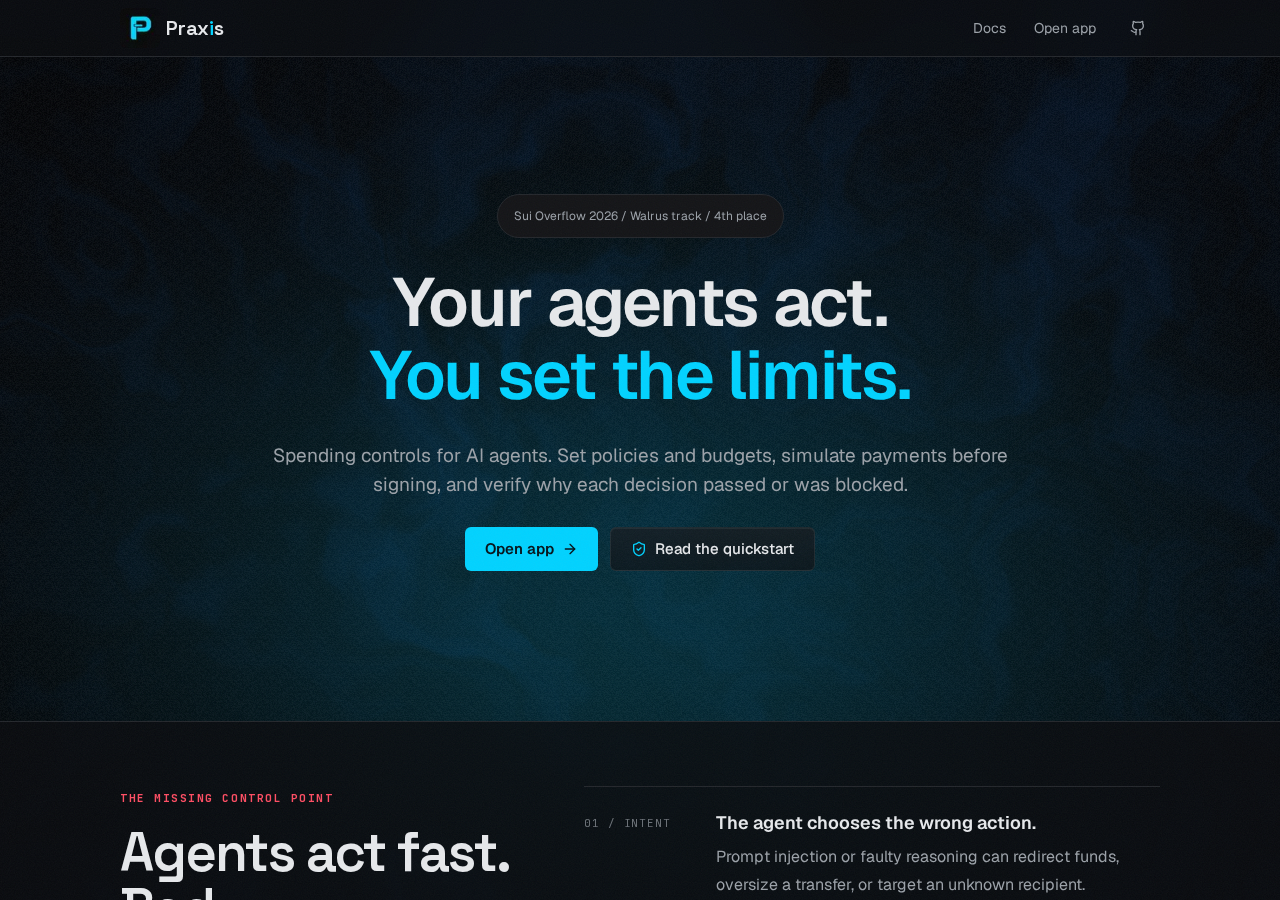
Praxis in the browser during the run

By the numbers

7 of 8
scenarios passed, 1 failed
89
browser actions
22
screenshots
86
model calls
4.4
minutes
8
scenarios
7
passed
1
failed
0
blocked
1
issues
low1

Walkthrough

Every scenario DeepQA drove in the browser, in plan order, with the 19 screenshots it captured along the way. A passing scenario is evidence too.

  1. S1
    Landing page to App navigation

    2 steps, 2 screenshots

    pass
    S1-1.png
    S1, Landing page to App navigation
    S1-4.png
    S1, Landing page to App navigation
    • Clicked 'Open app' from the landing page, which navigated to /app/workspaces where 'Connect Sui wallet' button is visible and network is Sui Testnet.
    • Landing page displays Open app link which navigates to /app/workspaces.
    • The app/workspaces page displays 'Connect Sui wallet' button and network badge 'Sui Testnet'.
  2. S2
    Landing page to Docs navigation

    2 steps, 2 screenshots

    pass
    S2-1.png
    S2, Landing page to Docs navigation
    S2-3.png
    S2, Landing page to Docs navigation
    • Landed on the Praxis home page showing Sui Testnet preview.
    • Clicked the Docs navigation link and verified navigation to /docs with full quickstart guide content displayed.
    • Navigated to https://praxis.allensaji.dev/ which displayed the landing page with 'Sui Testnet preview' badge.
    • Clicked the 'Docs' link in the primary navigation bar.
    • Verified that the browser navigated to https://praxis.allensaji.dev/docs and rendered the Quickstart documentation with sections for installation, configuration, simulation, spending/gating, and reading the audit trail.
  3. S3
    Unauthenticated redirect to login

    1 step, 2 screenshots

    pass
    S3-1.png
    S3, Unauthenticated redirect to login
    S3-3.png
    S3, Unauthenticated redirect to login
    • Navigated to https://praxis.allensaji.dev/app/agents while unauthenticated and was redirected to https://praxis.allensaji.dev/app/workspaces.
    • Navigating directly to /app/agents while unauthenticated redirected immediately to https://praxis.allensaji.dev/app/workspaces.
    • The redirected page shows 'Sign in to Praxis' with wallet connection controls and indicates 'Sui Testnet'.
  4. S4
    Wallet connection modal and selection

    3 steps, 3 screenshots

    pass
    S4-2.png
    S4, Wallet connection modal and selection
    S4-4.png
    S4, Wallet connection modal and selection
    S4-6.png
    S4, Wallet connection modal and selection
    • Navigated to /app/workspaces showing Sui Testnet and the wallet sign-in screen with 'Connect Sui wallet' button.
    • Opened the 'Connect a Wallet' modal displaying 'DeepQA Test Wallet' provider button.
    • Connected DeepQA Test Wallet provider, modal dismissed, and 'Sign in with wallet' button became enabled and visible.
    • The wallet connection modal opened successfully upon clicking 'Connect Sui wallet'.
    • Selecting 'DeepQA Test Wallet' connected the wallet, closed the dialog, and made the 'Sign in with wallet' button active and visible.
  5. S5
    Wallet signature rejection handling

    4 steps, 2 screenshots

    pass
    S5-2.png
    S5, Wallet signature rejection handling
    S5-6.png
    S5, Wallet signature rejection handling
    • Navigated to /app/workspaces; page shows Sui Testnet network and connected DeepQA Test Wallet with 'Sign in with wallet' button.
    • After rejecting the signature request, the page displayed an alert saying 'Request could not be completed' and kept the 'Sign in with wallet' button enabled and interactive.
    • The application cleanly caught the user wallet signature rejection, displayed an alert message 'Request could not be completed', and restored the interactive sign-in UI without crashing or hanging indefinitely.
  6. S6
    Documentation package manager tabs

    5 steps, 3 screenshots

    pass
    S6-2.png
    S6, Documentation package manager tabs
    S6-4.png
    S6, Documentation package manager tabs
    S6-6.png
    S6, Documentation package manager tabs
    • Navigated to /docs where the quickstart code sample initially displays pnpm installation commands.
    • Clicked the npm tab and observed the snippet visually update to 'npm install @allen-saji/praxis @mysten/sui'.
    • Clicked the pnpm tab and observed the snippet visually update back to 'pnpm add @allen-saji/praxis @mysten/sui'.
    • The documentation quickstart section at /docs correctly renders the package manager tabs for pnpm and npm.
    • Clicking the npm tab updates the installation code snippet to 'npm install @allen-saji/praxis @mysten/sui'.
    • Clicking the pnpm tab updates the installation code snippet to 'pnpm add @allen-saji/praxis @mysten/sui'.
  7. S7
    Documentation copy code button

    2 steps, 4 screenshots

    fail
    S7-2.png
    S7, Documentation copy code button
    S7-4.png
    S7, Documentation copy code button
    S7-6.png
    S7, Documentation copy code button
    S7-9.png
    S7, Documentation copy code button
    • Navigated to documentation page at /docs and found multiple code snippets with copy buttons.
    • Clicked 'Copy code' button on multiple code snippets on /docs, but no visual feedback (such as text changing to 'Copied' or a toast notification) was displayed.
    • The application shows 'Sui Testnet preview' in documentation and footer.
    • Navigated to /docs and located code snippets for Install (pnpm/npm), Configure, Simulate, Spend, and Audit.
    • Clicked 'Copy code' buttons across multiple code snippets and verified that no visual confirmation (such as a 'Copied' label change or toast notification) was rendered.
  8. S8
    Landing page loads without console errors

    2 steps, 1 screenshot

    pass
    S8-1.png
    S8, Landing page loads without console errors
    • Navigated to landing page https://praxis.allensaji.dev/ and verified page rendered cleanly showing Sui Testnet preview without runtime or network 400 errors.
    • The landing page rendered all sections including hero, features, code sample, and footer links cleanly.
    • No 400 Bad Request network errors or runtime exceptions occurred during page load.

Issues

Findings that survived the Critic's audit. Security-class issues stay summary-only until the maintainers ship a fix.

lowconfirmeduxF1 in S7

Documentation code snippets provide no visual feedback on copy

The observations confirm that clicking the 'Copy code' button provides no state change or visual feedback to the user.

Expected

A visual indicator such as text changing to 'Copied' or a toast notification should confirm that the code snippet was copied to clipboard.

Actual

The button text remains 'Copy code' and no toast notification, tooltip, or visual feedback is provided upon clicking.

3 repro steps
  1. Navigate to https://praxis.allensaji.dev/docs
  2. Locate any code snippet block (e.g., Install or Configure)
  3. Click the 'Copy code' button

Wallet activity

DeepQA injected a test wallet into the browser and recorded every request the app sent to it. Testnet funds only.

App network: Sui Testnet

address
0xca0e75…2521a7 ↗
chain
Sui Testnet
browsers opened
3
connects
7
signing requests
0

The app connected the test wallet 7 times and asked for no signature.

Critic audit

An adversarial second pass over every finding before it reaches the report.

1
findings reviewed
1
live replays
0
withdrawn
  • F1confirmed

    The observations confirm that clicking the 'Copy code' button provides no state change or visual feedback to the user.

  • The tester failed to file a defect for a 400 network error that occurred during the wallet rejection scenario in S5.
  • A possible defect in S5 ("400 Bad Request error occurs when rejecting wallet signature") was not promoted: the live replay came back inconclusive.

Report

QA report: external/praxis.allensaji.dev at hosted

The application is functional overall, with one low-severity usability issue where documentation code snippets offer no visual feedback upon copying.

Testing covered core navigation across the landing page, app, and documentation, as well as unauthenticated redirects, wallet connection modals, signature rejection handling, and package manager tabs.

Across eight scenarios, seven passed cleanly. The only failure occurred in the documentation copy functionality (scenario S7), where clicking the copy button leaves the label unchanged and provides no tooltip, toast, or other visual confirmation that the text was copied.

The core authentication flows and documentation browsing work as intended, making this application largely stable with only a minor user experience refinement required.

Run summary
MetricCount
Scenarios executed8
Passed7
Failed1
Blocked0
Findings raised1
Issues after the audit1
Withdrawn by the audit0
Critical / high / medium / low0 / 0 / 0 / 1

Target: https://praxis.allensaji.dev/ · Testing level: deep_feature · Stack: unknown

Issues
Low severity
F1 · Documentation code snippets provide no visual feedback on copy

Severity: low · Type: ux · Verdict: confirmed · Scenario: S7

The observations confirm that clicking the 'Copy code' button provides no state change or visual feedback to the user.

Expected: A visual indicator such as text changing to 'Copied' or a toast notification should confirm that the code snippet was copied to clipboard.

Actual: The button text remains 'Copy code' and no toast notification, tooltip, or visual feedback is provided upon clicking.

Steps to reproduce:

  1. Navigate to https://praxis.allensaji.dev/docs
  2. Locate any code snippet block (e.g., Install or Configure)
  3. Click the 'Copy code' button

Evidence: screenshots/S7-4.png, screenshots/S7-6.png, screenshots/S7-9.png

Scenario results
ScenarioPriorityResultIssues
S1 Landing page to App navigationhighpassnone
S2 Landing page to Docs navigationhighpassnone
S3 Unauthenticated redirect to loginhighpassnone
S4 Wallet connection modal and selectionhighpassnone
S5 Wallet signature rejection handlingmediumpassnone
S6 Documentation package manager tabsmediumpassnone
S7 Documentation copy code buttonmediumfailF1
S8 Landing page loads without console errorslowpassnone
The audit

The Critic reviewed 1 finding and ran 1 live replay in the browser, each on a fresh page.

  • The tester failed to file a defect for a 400 network error that occurred during the wallet rejection scenario in S5.
  • A possible defect in S5 ("400 Bad Request error occurs when rejecting wallet signature") was not promoted: the live replay came back inconclusive.
What to fix first
  1. F1: Add visual feedback such as a temporary label change, toast, or tooltip when users click the copy button on documentation code snippets.
Coverage and caveats

In scope: Navigation and link integrity on landing and documentation pages; Unauthenticated route redirects; Wallet connection modal and wallet selection; Documentation interactive elements (package manager tabs, copy buttons); Handling of wallet signature rejections.

Not covered: Dashboard and workspace management features: needs an account, out of scope for a hosted run..

  • The clipboard contents cannot be directly inspected by the tester, so the copy functionality is verified via UI visual feedback.
  • The injected test wallet rejects or cannot complete the specific message signature verification required for full authentication, making post-login areas unreachable.
By the numbers
MetricValue
Scenarios7 passed, 1 failed, 0 blocked of 8 (21 planned steps)
Browser actions89 (21 clicks, 0 inputs, 20 navigations, 48 snapshots)
Screenshots22 (3 explore, 19 scenario, 0 critic), 19 captioned
Coverage3 pages, 1 forms, 2 flows, 1 console errors
Audit1 findings, 1 re-verified live, 1 confirmed, 0 promoted, 0 withdrawn
Model calls86
Tokens560,718 input, 5,381 output, 9,495 thinking
Time4 min
Wallet0 transactions, 0 signatures, 0 refusals on chain sui:testnet
StageCallsInputOutputThinkingSeconds
explore1378,1031,2061,60948
plan13,4101,3522,60728
test62447,3332,1683,430149
critique930,5184561,62736
report11,3541992224

Run log

stagecallstokenstime
Explore1380.9k48s
Plan17.4k28s
Test62452.9k2m 29s
Critique932.6k36s
Report11.8k4s
Total86575.6k4m 25s
○Intake
✓Explore
✓Plan
✓Test
✓Critique
✓Report
  • 04:38:56Zexploreexplore started
  • 04:43:21ZexploreExplored / (15 controls, 0 forms)
  • 04:43:21ZexploreExplored /app/workspaces (4 controls, 0 forms)
  • 04:43:21ZexploreExplored /docs (25 controls, 0 forms)
  • 04:43:21ZexploreMapped 3 pages, 1 forms, 2 flows in 13 turns.
  • 04:43:21Zexploreexplore completed in 48s.
  • 04:43:21Zplanplan started
  • 04:43:21ZplanPlanned 8 scenarios (4 high, 3 medium, 1 low).
  • 04:43:21Zplanplan completed in 28s.
  • 04:43:21Ztesttest started
  • 04:43:21ZtestS1 executed (pass)
  • 04:43:21ZtestS2 executed (pass)
  • 04:43:21ZtestS3 executed (pass)
  • 04:43:21ZtestS4 executed (pass)
  • 04:43:21ZtestS5 executed (pass)
  • 04:43:21ZtestS6 executed (pass)
  • 04:43:21ZtestS7 executed (fail), 1 finding
  • 04:43:21ZtestS8 executed (pass)
  • 04:43:21ZtestExecuted 8 scenarios: 7 passed, 1 failed, 0 blocked, 1 finding.
  • 04:43:21Ztesttest completed in 149s.
  • 04:43:21Zcritiquecritique started
  • 04:43:21ZcritiqueReviewed 1 findings; 1 possible defect spotted in passed scenarios.
  • 04:43:21ZcritiqueRe-verified a possible defect in S5: inconclusive.
  • 04:43:21ZcritiqueAudit complete: 1 confirmed, 0 withdrawn, 0 promoted, 1 re-verified live.
  • 04:43:21Zcritiquecritique completed in 36s.
  • 04:43:21Zreportreport started
  • 04:43:21ZreportReported 1 issue (0 critical, 0 high, 0 medium, 1 low) from 1 finding.
  • 04:43:21Zreportreport completed in 4s.

Put an agent team on your next pull request.

Connect a repo, dispatch a Run, and read an audited, evidence-backed report the same day.