Explore/Arc Campaign/ProofStream
Hosted appInfrastructureArc Testnetsucceeded

USDC payroll streams on Arc, unlocked by verified work.

Tested in place byDeepQA TeamonArc Testnetatproofstream.siteonSep 17, 2026

Run #1model gemini-balanced (vertex)took 16m

9 of 12 scenarios passed, 3 failed, 2 high functional issues after the audit.

Share on X
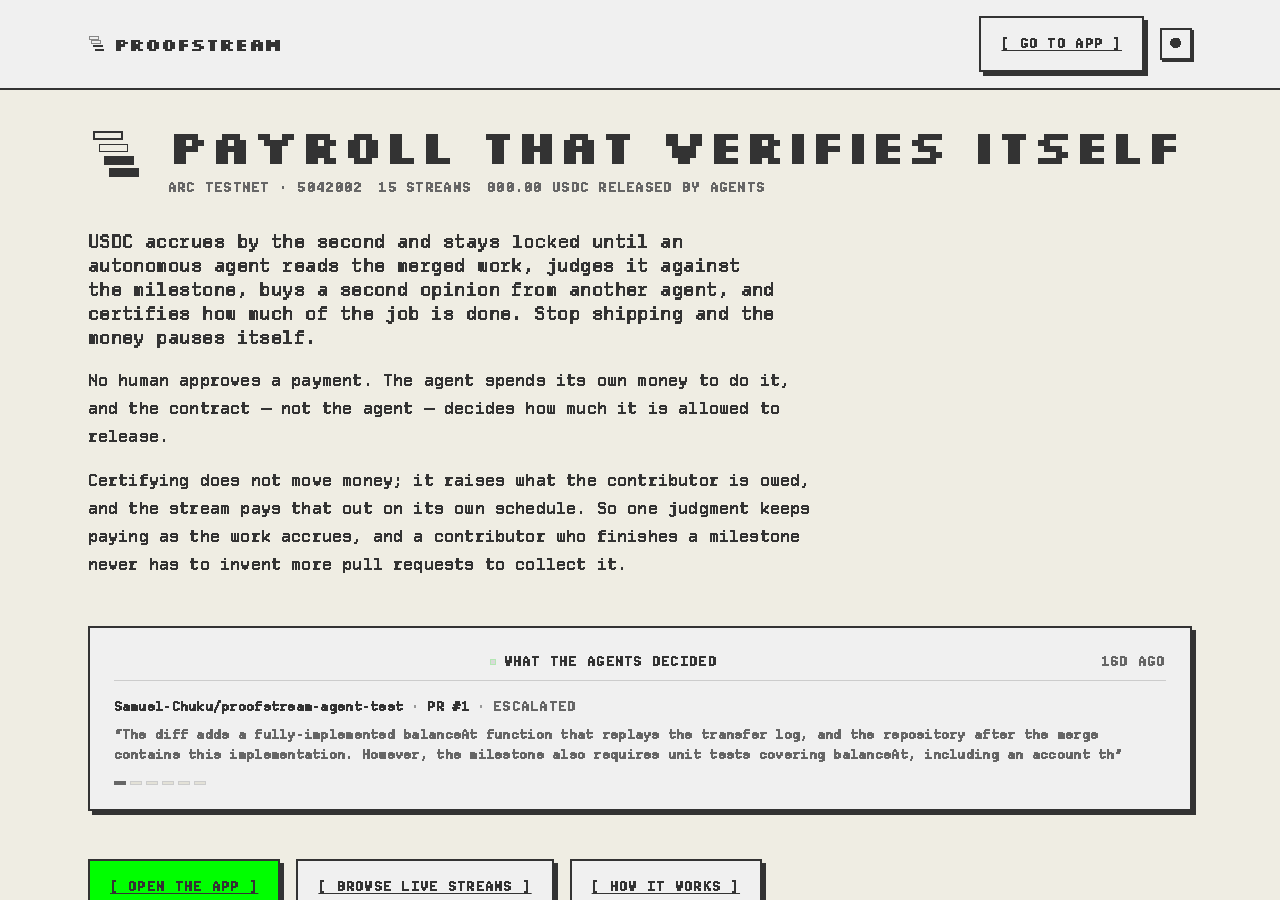
ProofStream in the browser during the run

By the numbers

9 of 12
scenarios passed, 3 failed
186
browser actions
38
screenshots
193
model calls
16
minutes
12
scenarios
9
passed
3
failed
0
blocked
2
issues
high2

Walkthrough

Every scenario DeepQA drove in the browser, in plan order, with the 30 screenshots it captured along the way. A passing scenario is evidence too.

  1. S1
    Empty Form Submission Validation

    2 steps, 2 screenshots

    pass
    S1-2.png
    S1 · Empty Form Submission Validation
    S1-7.png
    S1 · Empty Form Submission Validation
    • Loaded the new stream form; the [ CREATE STREAM ] button is disabled and a list of blocking validation reasons is displayed.
    • When required fields (milestone, repo/branch, contributor wallet, budget, duration, per-PR ceiling) are empty, the form displays explicit validation messages listing each blocking reason and keeps the [ CREATE STREAM ] button disabled.
    • Navigated to /new to test empty form submission validation on the Deploy a Stream form.
    • Observed that with empty / zeroed fields, the application explicitly lists validation errors under 'THINGS STOPPING THIS DEPLOY' (milestone cannot be empty, repository must be owner/name, branch required, contributor required, budget > 0, duration > 0, per-unlock cap > 0) and disables the [ CREATE STREAM ] button to prevent invalid deployment.
  2. S2
    Contributor Wallet Format Validation

    4 steps, 3 screenshots

    fail
    S2-2.png
    S2 · Contributor Wallet Format Validation
    S2-7.png
    S2 · Contributor Wallet Format Validation
    S2-9.png
    S2 · Contributor Wallet Format Validation
    • Navigated to /new where the stream creation form is displayed.
    • Entered 'not-an-ethereum-address' into contributor wallet field; no validation error was shown and the checklist item 'Name a contributor' was cleared as satisfied.
    • Navigated to https://app.proofstream.site/new and observed stream creation form.
    • Observed default values for budget (30) and ceilings (30.00).
    • Entered 'not-an-ethereum-address' into the contributor's wallet input field.
    • Verified that no validation error was displayed and the deploy checklist treated the invalid address as a valid contributor.
  3. S3
    Logical Constraint: Certification Ceiling Exceeds Budget

    4 steps, 2 screenshots

    fail
    S3-2.png
    S3 · Logical Constraint: Certification Ceiling Exceeds Budget
    S3-12.png
    S3 · Logical Constraint: Certification Ceiling Exceeds Budget
    • Configured Budget to 100 USDC and Agent ceiling per certification to 200 USDC on /new; no validation error is displayed and the validation list does not prevent or flag the certification ceiling exceeding the total budget.
    • Navigated to /new stream creation page.
    • Entered 100 into Budget and 200 into Agent ceiling per certification.
    • Observed that the form validation and stopping checklist did not flag the certification ceiling exceeding total budget as invalid.
  4. S4
    Logical Constraint: Daily Ceiling Exceeds Certification

    5 steps, 2 screenshots

    pass
    S4-2.png
    S4 · Logical Constraint: Daily Ceiling Exceeds Certification
    S4-10.png
    S4 · Logical Constraint: Daily Ceiling Exceeds Certification
    • Entered 500 into Budget, 100 into Agent ceiling per certification, and 200 into Daily agent ceiling.
    • With Budget=500, Agent ceiling per certification=100, and Daily agent ceiling=200, the deploy button is disabled with validation error 'The per-unlock cap cannot be below the budget'.
    • Navigated to https://app.proofstream.site/new and filled the form with Budget = 500, Agent ceiling per certification = 100, and Daily agent ceiling = 200.
    • The application immediately evaluated the constraints under 'THINGS STOPPING THIS DEPLOY' and disabled the CREATE STREAM button.
    • Validation explicitly flagged: 'The per-unlock cap cannot be below the budget, or the agent could never certify the milestone in full and the remainder would return to you instead of the contributor.'
    • The form prevented submitting the invalid configuration.
  5. S5
    Budget Boundary Values

    5 steps, 3 screenshots

    pass
    S5-2.png
    S5 · Budget Boundary Values
    S5-5.png
    S5 · Budget Boundary Values
    S5-8.png
    S5 · Budget Boundary Values
    • Entered -50 into budget field, which added 'The budget must be greater than zero.' to the blocking validation errors and disabled stream creation.
    • Entered 0 into budget field, which kept 'The budget must be greater than zero.' in the blocking validation errors list and prevented submission with a disabled button.
    • Navigated to /new and inspected the stream creation form.
    • Entering a negative value (-50) in the Budget field produces the validation error 'The budget must be greater than zero.' and disables the Create Stream button.
    • Entering zero (0) in the Budget field maintains the validation error 'The budget must be greater than zero.' and keeps the Create Stream button disabled.
    • Both negative and zero budget inputs are properly rejected before submission.
  6. S6
    Payee Mode Toggle Interaction

    4 steps, 3 screenshots

    fail
    S6-2.png
    S6 · Payee Mode Toggle Interaction
    S6-10.png
    S6 · Payee Mode Toggle Interaction
    S6-12.png
    S6 · Payee Mode Toggle Interaction
    • Navigated to /new and observed the default state showing 'The contributor\'s wallet' with a single address input [ref=e21].
    • Attempted to interact with buttons in the Terms section (including '[ ANYONE — NAME SPECIFIC ACCOUNTS ]' [ref=e137] and checking 'ADVANCED — PAYOUT ADDRESS ▾'); no toggle for payee allowlist mode is functional or rendered.
    • Navigated to https://proofstream.site/new (redirected to https://app.proofstream.site/new).
    • Observed section '3 · THE TERMS' which only presents a single input for 'The contributor's wallet. Only this address can trigger a withdrawal.'
    • Checked all controls and buttons in the payee/terms configuration area: there is no Payee Mode toggle button or functional allowlist mode switcher.
    • Clicking the '[ ANYONE — NAME SPECIFIC ACCOUNTS ]' button had no observable effect on the input fields or mode.
    • 'ADVANCED — PAYOUT ADDRESS ▾' is rendered as non-interactive static text.
  7. S7
    GitHub Authentication Flow Initiation

    3 steps, 2 screenshots

    pass
    S7-2.png
    S7 · GitHub Authentication Flow Initiation
    S7-4.png
    S7 · GitHub Authentication Flow Initiation
    • Navigated to /new and observed the 'CONNECT GITHUB' link with target /api/github/login.
    • Clicked 'CONNECT GITHUB' and observed navigation to GitHub OAuth authorization page (https://github.com/login?client_id=Iv23li16ieC0nz4vNGeG&return_to=%2Flogin%2Foauth%2Fauthorize...).
    • Successfully navigated to /new on ProofStream.
    • Observed the '[ CONNECT GITHUB ]' button linking to /api/github/login.
    • Clicking '[ CONNECT GITHUB ]' redirected through /api/github/login to GitHub's OAuth login page with the ProofStream client_id and callback redirect URI configured.
  8. S8
    Duration Field Negative Validation

    3 steps, 3 screenshots

    pass
    S8-2.png
    S8 · Duration Field Negative Validation
    S8-5.png
    S8 · Duration Field Negative Validation
    S8-10.png
    S8 · Duration Field Negative Validation
    • Navigated to /new and observed the New Stream form with duration input set to 30 minutes by default.
    • Entering -1 into Duration amount immediately triggered validation error 'The duration must be greater than zero.' and prevented form submission with disabled button.
    • Navigated to /new and inspected the stream creation form.
    • Entered '-1' into the Duration amount input field.
    • Observed that the form immediately displayed the validation error 'The duration must be greater than zero.' in the list of blocking conditions.
    • Verified that the '[ CREATE STREAM ]' submission button remained disabled while the duration amount was invalid.
  9. S9
    Milestone Prompt Whitespace Rejection

    3 steps, 2 screenshots

    pass
    S9-2.png
    S9 · Milestone Prompt Whitespace Rejection
    S9-9.png
    S9 · Milestone Prompt Whitespace Rejection
    • Entered only space characters into the milestone prompt textarea; the form validated the input as empty and kept 'The milestone cannot be empty — it is what the agent judges against.' in the blocker list while disabling creation.
    • Navigated to /new and entered whitespace-only characters into the milestone prompt field.
    • The application treated whitespace as empty, displaying the validation error 'The milestone cannot be empty — it is what the agent judges against.' and preventing stream deployment.
    • Verified that entering substantive text cleared this validation message, and replacing it with whitespace immediately restored the validation error.
  10. S10
    Stream Directory State Filtering

    5 steps, 3 screenshots

    pass
    S10-2.png
    S10 · Stream Directory State Filtering
    S10-4.png
    S10 · Stream Directory State Filtering
    S10-6.png
    S10 · Stream Directory State Filtering
    • Navigated to the streams page, showing filter tabs for ALL (15), ENDED (9), and SETTLED (6).
    • Clicked 'ENDED 9' filter tab and observed the list update to display 9 ended streams.
    • Clicked 'SETTLED 6' filter tab and observed the list update to display 6 settled streams.
    • The streams directory correctly provides filter tabs for ALL (15), ENDED (9), and SETTLED (6).
    • Clicking the ENDED filter immediately updates the list to display the 9 streams matching the ended lifecycle state.
    • Clicking the SETTLED filter immediately updates the list to display the 6 streams matching the settled lifecycle state.
  11. S11
    Stream Detail View Rendering

    2 steps, 2 screenshots

    pass
    S11-2.png
    S11 · Stream Detail View Rendering
    S11-4.png
    S11 · Stream Detail View Rendering
    • Navigated to stream 0x11370A9E34E2dcaD4eEb9433Ee8386aF168B696e and observed complete stream details including earned amounts, milestone budget, repository parameters, agent verdicts/spending sections, and human on-chain transactions.
    • Expanded transaction history to display all 4 on-chain actions with explorer links, amounts, and callers correctly rendered.
    • Stream detail view rendered successfully with all contract parameters, milestone details, status indicators, accrual breakdown, and transaction history.
    • No errors or unhandled exceptions occurred while viewing the stream details and interacting with the action history.
  12. S12
    Theme Persistence Across Navigation

    4 steps, 3 screenshots

    pass
    S12-2.png
    S12 · Theme Persistence Across Navigation
    S12-4.png
    S12 · Theme Persistence Across Navigation
    S12-7.png
    S12 · Theme Persistence Across Navigation
    • Loaded /streams page where the theme toggle button reads 'Switch to dark'.
    • Clicked 'Switch to dark' button; the theme changed to dark mode and button updated to 'Switch to light'.
    • Navigated to /docs page and verified the visual theme persisted (theme toggle still displays 'Switch to light').
    • The user's visual theme selection (dark mode) persists across SPA navigation between /streams and /docs.

Issues

Findings that survived the Critic's audit. Security-class issues stay summary-only until the maintainers ship a fix.

highconfirmed ✓functionalF1 · S2

Contributor wallet input field accepts invalid Ethereum address strings without validation

I navigated to /new and entered 'not-an-ethereum-address' in the contributor's wallet field. I observed that no validation error was displayed for the invalid Ethereum address, and the 'Name a contributor' requirement was cleared from the deployment blockers checklist, exactly as reported. The page reported 1 console error during the scenario.

Expected

The application should reject non-hex/invalid Ethereum address strings and display a validation error requiring a valid Ethereum address (0x followed by 40 hexadecimal characters).

Actual

The application accepts 'not-an-ethereum-address' without displaying any format validation error, and clears the 'Name a contributor' requirement from the deployment blockers checklist.

Repro · 3 steps
  1. Navigate to https://app.proofstream.site/new
  2. Enter 'not-an-ethereum-address' into 'The contributor\'s wallet' field under section 3.
  3. Observe field state and validation checklist under section 4.
highconfirmed ✓functionalF3 · S6

Payee mode toggle between single wallet and allowlist configuration is missing or non-functional on /new

Navigated to /new and reviewed section '3 · THE TERMS'. The payee configuration only provides a single textbox for the contributor's wallet. There is no toggle available to switch to a Payee allowlist mode, and clicking nearby buttons like '[ ANYONE — NAME SPECIFIC ACCOUNTS ]' has no effect on the payee configuration. The page reported 1 console error during the scenario.

Expected

The UI provides an interactive toggle that switches the payee configuration from a single contributor wallet to a Payee allowlist mode.

Actual

No toggle exists to enable a Payee allowlist mode; only a single wallet input is rendered, and adjacent buttons/advanced text elements have no observable effect.

Repro · 4 steps
  1. Navigate to https://app.proofstream.site/new
  2. Scroll to section '3 · THE TERMS'
  3. Observe the payee configuration inputs under 'The contributor's wallet'
  4. Attempt to click any payee mode toggle or '[ ANYONE — NAME SPECIFIC ACCOUNTS ]' / 'ADVANCED — PAYOUT ADDRESS ▾'
mediumwithdrawnfunctionalF2 · S3

Stream creation allows Agent ceiling per certification to exceed total budget without validation

Scenario S4 shows that the application explicitly enforces a rule where the per-unlock cap cannot be below the budget. Therefore, a ceiling exceeding the budget is intended behavior rather than a defect. The page reported 2 console errors during the scenario.

Expected

The application displays a validation error indicating that the ceiling per certification cannot exceed the total budget.

Actual

The application accepts Agent ceiling per certification (200 USDC) exceeding Budget (100 USDC) with no validation error or constraint check in the deployment pre-conditions.

Repro · 4 steps
  1. Navigate to https://app.proofstream.site/new
  2. Enter '100' into 'Budget'.
  3. Enter '200' into 'Agent ceiling per certification'.
  4. Observe the form validation and deployment blocker list.

Wallet activity

DeepQA injected a test wallet into the browser and recorded every request the app sent to it. Testnet funds only.

address
0x181568…0B2c27
chain
Arc Testnet
browsers opened
3
read requests forwarded
0
signing requests
0

Critic audit

An adversarial second pass over every finding before it reaches the report.

3
findings reviewed
5
re-verified live
1
withdrawn
  • F1confirmed ✓

    I navigated to /new and entered 'not-an-ethereum-address' in the contributor's wallet field. I observed that no validation error was displayed for the invalid Ethereum address, and the 'Name a contributor' requirement was cleared from the deployment blockers checklist, exactly as reported.

  • F2withdrawn

    Scenario S4 shows that the application explicitly enforces a rule where the per-unlock cap cannot be below the budget. Therefore, a ceiling exceeding the budget is intended behavior rather than a defect.

  • F3confirmed ✓

    Navigated to /new and reviewed section '3 · THE TERMS'. The payee configuration only provides a single textbox for the contributor's wallet. There is no toggle available to switch to a Payee allowlist mode, and clicking nearby buttons like '[ ANYONE — NAME SPECIFIC ACCOUNTS ]' has no effect on the payee configuration.

  • Finding F2 contradicts the constraint observed in S4, where the application explicitly requires the cap to be equal to or greater than the budget.
  • The 401 Unauthorized and 429 Too Many Requests console errors are pervasive across almost all passed scenarios but were never filed as defects.
  • React hydration mismatch errors (#418) are present on multiple pages (S10, S11, S12) but were ignored by the tester.
  • A possible defect in S10 ("React hydration mismatch error on streams directory") was not promoted: the live replay came back not-reproduced.
  • A possible defect in S1 ("Unauthorized (401) console error on stream creation form load") was not promoted: the live replay came back not-reproduced.
  • A possible defect in S4 ("Too Many Requests (429) console error during form validation") was not promoted: the live replay came back inconclusive.

Report

QA report: external/proofstream.site at hosted

The stream creation workflow accepts invalid contributor wallet addresses and lacks a functional payee allowlist configuration toggle.

Testing covered 12 deep-feature scenarios across the application, evaluating stream creation validation, parameter constraint handling, GitHub authentication initiation, stream directory state filtering, detail view rendering, and theme persistence.

Two high-severity functional issues were confirmed during stream configuration. The contributor wallet input accepts malformed address strings without validation and prematurely clears deployment blocking checks, and the payee mode toggle required to enable allowlist configurations is missing or non-functional on the creation page. A third finding concerning agent ceiling budget logic was withdrawn during audit.

While general browsing, theme persistence, and boundary checks passed across nine scenarios, the stream creation flow permits invalid wallet deployments and leaves payee allowlists inaccessible.

Run summary
MetricCount
Scenarios executed12
Passed9
Failed3
Blocked0
Findings raised3
Issues after the audit2
Withdrawn by the audit1
Critical / high / medium / low0 / 2 / 0 / 0

Target: https://proofstream.site · Testing level: deep_feature · Stack: unknown

Issues
High severity
F1 · Contributor wallet input field accepts invalid Ethereum address strings without validation

Severity: high · Type: functional · Verdict: confirmed · Scenario: S2

I navigated to /new and entered 'not-an-ethereum-address' in the contributor's wallet field. I observed that no validation error was displayed for the invalid Ethereum address, and the 'Name a contributor' requirement was cleared from the deployment blockers checklist, exactly as reported. The page reported 1 console error during the scenario.

Expected: The application should reject non-hex/invalid Ethereum address strings and display a validation error requiring a valid Ethereum address (0x followed by 40 hexadecimal characters).

Actual: The application accepts 'not-an-ethereum-address' without displaying any format validation error, and clears the 'Name a contributor' requirement from the deployment blockers checklist.

Steps to reproduce:

  1. Navigate to https://app.proofstream.site/new
  2. Enter 'not-an-ethereum-address' into 'The contributor\'s wallet' field under section 3.
  3. Observe field state and validation checklist under section 4.

Evidence: screenshots/S2-7.png, screenshots/S2-9.png

F3 · Payee mode toggle between single wallet and allowlist configuration is missing or non-functional on /new

Severity: high · Type: functional · Verdict: confirmed · Scenario: S6

Navigated to /new and reviewed section '3 · THE TERMS'. The payee configuration only provides a single textbox for the contributor's wallet. There is no toggle available to switch to a Payee allowlist mode, and clicking nearby buttons like '[ ANYONE — NAME SPECIFIC ACCOUNTS ]' has no effect on the payee configuration. The page reported 1 console error during the scenario.

Expected: The UI provides an interactive toggle that switches the payee configuration from a single contributor wallet to a Payee allowlist mode.

Actual: No toggle exists to enable a Payee allowlist mode; only a single wallet input is rendered, and adjacent buttons/advanced text elements have no observable effect.

Steps to reproduce:

  1. Navigate to https://app.proofstream.site/new
  2. Scroll to section '3 · THE TERMS'
  3. Observe the payee configuration inputs under 'The contributor's wallet'
  4. Attempt to click any payee mode toggle or '[ ANYONE — NAME SPECIFIC ACCOUNTS ]' / 'ADVANCED — PAYOUT ADDRESS ▾'

Evidence: screenshots/S6-2.png, screenshots/S6-10.png, screenshots/S6-12.png

Withdrawn findings

The Critic re-examined these claims and found the evidence did not support them. They are kept here rather than deleted.

  • Stream creation allows Agent ceiling per certification to exceed total budget without validation (S3, medium): Scenario S4 shows that the application explicitly enforces a rule where the per-unlock cap cannot be below the budget. Therefore, a ceiling exceeding the budget is intended behavior rather than a defect. The page reported 2 console errors during the scenario.
Scenario results
ScenarioPriorityResultIssues
S1 Empty Form Submission Validationhighpassnone
S2 Contributor Wallet Format ValidationhighfailF1
S3 Logical Constraint: Certification Ceiling Exceeds Budgethighfailnone
S4 Logical Constraint: Daily Ceiling Exceeds Certificationhighpassnone
S5 Budget Boundary Valueshighpassnone
S6 Payee Mode Toggle InteractionhighfailF3
S7 GitHub Authentication Flow Initiationmediumpassnone
S8 Duration Field Negative Validationmediumpassnone
S9 Milestone Prompt Whitespace Rejectionmediumpassnone
S10 Stream Directory State Filteringmediumpassnone
S11 Stream Detail View Renderinglowpassnone
S12 Theme Persistence Across Navigationlowpassnone
The audit

The Critic reviewed 3 findings and re-verified 5 of them live in the browser, replaying the reported steps on a fresh page.

  • Finding F2 contradicts the constraint observed in S4, where the application explicitly requires the cap to be equal to or greater than the budget.
  • The 401 Unauthorized and 429 Too Many Requests console errors are pervasive across almost all passed scenarios but were never filed as defects.
  • React hydration mismatch errors (#418) are present on multiple pages (S10, S11, S12) but were ignored by the tester.
  • A possible defect in S10 ("React hydration mismatch error on streams directory") was not promoted: the live replay came back not-reproduced.
  • A possible defect in S1 ("Unauthorized (401) console error on stream creation form load") was not promoted: the live replay came back not-reproduced.
  • A possible defect in S4 ("Too Many Requests (429) console error during form validation") was not promoted: the live replay came back inconclusive.
What to fix first
  1. Enforce Ethereum address format validation on the contributor wallet input before satisfying deployment checklist requirements (F1).
  2. Restore the payee mode toggle on the stream creation interface to enable switching between single wallet and allowlist configurations (F3).
Coverage and caveats

In scope: Stream creation form validation; Logical constraints between budget and agent ceilings; Payee configuration mode toggle; Stream directory status filtering; Theme persistence across routes.

Not covered: End-to-end stream contract deployment.

  • Assuming the automated tester does not have GitHub OAuth credentials, so completing the repository linkage and full on-chain deployment is impossible.
  • Assuming the test wallet is successfully pre-connected to Arc Testnet and holds sufficient native test USDC.
  • Assuming the precise constraints between budget, certification ceiling, and daily ceiling require the smaller scope to not exceed the larger scope.
By the numbers
MetricValue
Scenarios9 passed, 3 failed, 0 blocked of 12 (44 planned steps)
Browser actions186 (23 clicks, 33 inputs, 40 navigations, 90 snapshots)
Screenshots38 (4 explore, 30 scenario, 4 critic), 30 captioned
Coverage5 pages, 1 forms, 4 flows, 2 console errors
Audit3 findings, 5 re-verified live, 2 confirmed, 0 promoted, 1 withdrawn
Model calls193
Tokens1,184,018 input, 10,401 output, 34,827 thinking
Time16 min
Wallet0 transactions, 0 signatures, 0 refusals on chain 5042002
StageCallsInputOutputThinkingSeconds
explore29240,7581,9163,048137
plan13,5052,0004,86753
test137846,7424,74715,872562
critique2591,2251,49710,366187
report11,7882416747

Run log

stagecallstokenstime
Explore29245.7k2m 17s
Plan110.4k53s
Test137867.4k9m 22s
Critique25103.1k3m 7s
Report12.7k7s
Total1931.2M15m 47s
Intake
Explore
Plan
Test
Critique
Report
  • 18:58:57Zexploreexplore started
  • 19:14:44ZexploreExplored / (10 controls, 0 forms)
  • 19:14:44ZexploreExplored /streams (32 controls, 0 forms)
  • 19:14:44ZexploreExplored /stream/0x11370A9E34E2dcaD4eEb9433Ee8386aF168B696e (20 controls, 0 forms)
  • 19:14:44ZexploreExplored /new (19 controls, 0 forms)
  • 19:14:44ZexploreExplored /docs (20 controls, 0 forms)
  • 19:14:44ZexploreMapped 5 pages, 1 forms, 4 flows in 29 turns.
  • 19:14:44Zexploreexplore completed in 137s.
  • 19:14:44Zplanplan started
  • 19:14:44ZplanPlanned 12 scenarios (6 high, 4 medium, 2 low).
  • 19:14:44Zplanplan completed in 53s.
  • 19:14:44Ztesttest started
  • 19:14:44ZtestS1 executed (pass)
  • 19:14:44ZtestS2 executed (fail), 1 finding
  • 19:14:44ZtestS3 executed (fail), 1 finding
  • 19:14:44ZtestS4 executed (pass)
  • 19:14:44ZtestS5 executed (pass)
  • 19:14:44ZtestS6 executed (fail), 1 finding
  • 19:14:44ZtestS7 executed (pass)
  • 19:14:44ZtestS8 executed (pass)
  • 19:14:44ZtestS9 executed (pass)
  • 19:14:44ZtestS10 executed (pass)
  • 19:14:44ZtestS11 executed (pass)
  • 19:14:44ZtestS12 executed (pass)
  • 19:14:44ZtestExecuted 12 scenarios: 9 passed, 3 failed, 0 blocked, 3 findings.
  • 19:14:44Ztesttest completed in 562s.
  • 19:14:44Zcritiquecritique started
  • 19:14:44ZcritiqueReviewed 3 findings; 3 possible defects spotted in passed scenarios.
  • 19:14:44ZcritiqueRe-verified F1: reproduced.
  • 19:14:44ZcritiqueRe-verified F3: reproduced.
  • 19:14:44ZcritiqueRe-verified a possible defect in S4: inconclusive.
  • 19:14:44ZcritiqueRe-verified a possible defect in S10: not-reproduced.
  • 19:14:44ZcritiqueRe-verified a possible defect in S1: not-reproduced.
  • 19:14:44ZcritiqueAudit complete: 2 confirmed, 1 withdrawn, 0 promoted, 5 re-verified live.
  • 19:14:44Zcritiquecritique completed in 187s.
  • 19:14:44Zreportreport started
  • 19:14:44ZreportReported 2 issues (0 critical, 2 high, 0 medium, 0 low) from 3 findings.
  • 19:14:44Zreportreport completed in 7s.

Put an agent team on your next pull request.

Connect a repo, dispatch a Run, and read an audited, evidence-backed report the same day.