Hosted appSwap and bridgeArc Testnetsucceeded

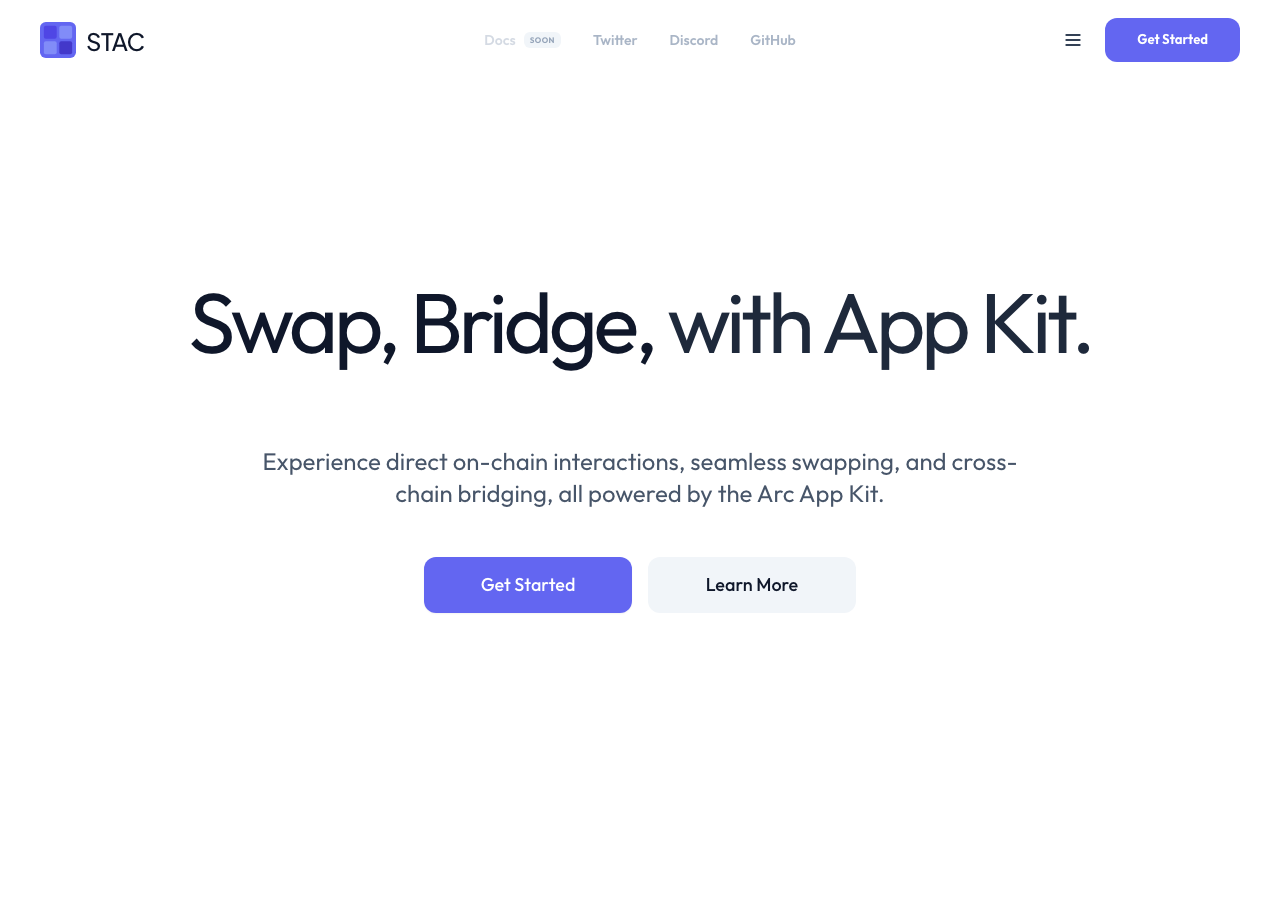
Experience direct on-chain interactions, seamless swapping, and cross-chain bridging, all powered by the Arc App Kit.

Tested in place byDeepQA TeamonArc Testnetatstacdefi.app/onSep 17, 2026

Run #1model gemini-balanced (vertex)took 12m

8 of 12 scenarios passed, 2 failed, 2 blocked, 2 medium issues after the audit.

Share on X
Stac in the browser during the run

By the numbers

8 of 12
scenarios passed, 2 failed, 2 blocked
225
browser actions
40
screenshots
212
model calls
12
minutes
1
on-chain transactions
12
scenarios
8
passed
2
failed
2
blocked
2
issues
medium2

Walkthrough

Every scenario DeepQA drove in the browser, in plan order, with the 33 screenshots it captured along the way. A passing scenario is evidence too.

  1. S1
    Connect wallet and claim test tokens

    4 steps, 4 screenshots

    pass
    S1-2.png
    S1 · Connect wallet and claim test tokens
    S1-5.png
    S1 · Connect wallet and claim test tokens
    S1-8.png
    S1 · Connect wallet and claim test tokens
    S1-11.png
    S1 · Connect wallet and claim test tokens
    • Navigated to /swap page showing disconnected state with BAL: 0.00 and Connect Wallet buttons.
    • Opened wallet connection modal showing DeepQA Test Wallet option.
    • DeepQA Test Wallet connected successfully, displaying address 0x1815...2c27 and existing balances (BAL: 2.08 USDC, BAL: 0.52 EURC).
    • Clicked the Faucet button and observed the wallet balance and address display.
    • Navigated to /swap and clicked 'Connect Wallet'.
    • Selected 'DeepQA Test Wallet' from the wallet modal.
    • Wallet connected successfully displaying address 0x1815...2c27.
    • On-screen token [redacted] displayed (BAL: 2.08 USDC, BAL: 0.52 EURC).
    • Clicked 'Faucet' button successfully.
  2. S2
    Execute standard token swap

    3 steps, 2 screenshots

    blocked
    S2-2.png
    S2 · Execute standard token swap
    S2-12.png
    S2 · Execute standard token swap
    • Navigated to /swap page; wallet is connected with initial balance of 0.00 USDC and 0.00 EURC.
    • Navigated to /swap where the wallet displays as connected (0x1815...2c27) with balances of 0.00 USDC and 0.00 EURC.
    • Clicked the Faucet button to request test tokens, but balances remained at 0.00 without any update.
    • Entered a token [redacted] (10 USDC / EURC) and observed conversion estimate calculation (9.9980) and fee details.
    • The Swap button remained disabled because the account balance is 0.00, preventing execution of the token [redacted]
  3. S3
    Swap using MAX shortcut respects native gas reservation

    3 steps, 2 screenshots

    blocked
    S3-2.png
    S3 · Swap using MAX shortcut respects native gas reservation
    S3-14.png
    S3 · Swap using MAX shortcut respects native gas reservation
    • Navigated to /swap with connected wallet 0x1815...2c27 where token [redacted] is 0.00 USDC and clicking Faucet did not fund the account, leaving Swap disabled.
    • Navigated to /swap with pre-connected wallet 0x1815...2c27.
    • Observed token [redacted] displaying 0.00 for both USDC and EURC.
    • Clicked the Faucet button multiple times to acquire test tokens, but balance remained 0.00.
    • Attempted clicking MAX button, but with 0.00 balance the Swap button remained disabled, preventing execution and verification of native gas reservation.
  4. S4
    Swap using 25% shortcut calculates correctly

    2 steps, 2 screenshots

    fail
    S4-2.png
    S4 · Swap using 25% shortcut calculates correctly
    S4-11.png
    S4 · Swap using 25% shortcut calculates correctly
    • When the USDC balance is 0.00 and an existing amount is entered in the swap input, clicking the '25%' (as well as 50% or MAX) shortcut button does not update the input field to 25% of the balance (0.00).
    • Navigated to /swap with the connected wallet (0x1815...2c27).
    • USDC balance displayed as 0.00.
    • Entered '100' in the USDC swap amount input.
    • Clicked the '25%' shortcut button.
    • The input field failed to update to 25% of the balance (0.00) and retained the previously entered value of 100 (and later 99.9600).
  5. S5
    Toggle and view Swap Details

    3 steps, 4 screenshots

    pass
    S5-2.png
    S5 · Toggle and view Swap Details
    S5-5.png
    S5 · Toggle and view Swap Details
    S5-8.png
    S5 · Toggle and view Swap Details
    S5-11.png
    S5 · Toggle and view Swap Details
    • Entered 10 USDC to swap, which populated the estimated EURC output (9.9980) and displayed the 'Swap Details' button.
    • Clicked 'Swap Details' toggle which expanded to show Stac Fee (Free), Price Impact (0.00 %), and Slippage Tolerance (0.5%).
    • Navigated to /swap page successfully.
    • Entered 10 USDC into the swap input which calculated an estimated 9.9980 EURC output and displayed the 'Swap Details' toggle button.
    • Clicked 'Swap Details', which expanded the details section displaying Stac Fee ('Free'), Price Impact ('0.00 %'), and Slippage Tolerance ('0.5%').
    • Toggled the 'Swap Details' button to confirm collapse and expansion behavior work seamlessly.
  6. S6
    Validation of insufficient balance on Swap

    2 steps, 3 screenshots

    fail
    S6-2.png
    S6 · Validation of insufficient balance on Swap
    S6-5.png
    S6 · Validation of insufficient balance on Swap
    S6-12.png
    S6 · Validation of insufficient balance on Swap
    • Navigated to /swap page showing wallet 0x1815...2c27 with 0.00 USDC balance.
    • Entered 1000 USDC with 0.00 balance; the Swap button is disabled, but no 'Insufficient balance' warning is displayed.
    • The Swap button correctly disables when entering an amount greater than the balance, but does not provide visual feedback or warning indicating insufficient balance.
  7. S7
    Validation of zero or empty amount on Swap

    2 steps, 2 screenshots

    pass
    S7-2.png
    S7 · Validation of zero or empty amount on Swap
    S7-5.png
    S7 · Validation of zero or empty amount on Swap
    • Navigated to /swap where the Swap button is initially disabled when inputs are empty.
    • Entered '0' in the Swap amount input and observed that the Swap button remains disabled.
    • The Swap execute button is disabled by default when the input is empty.
    • When entering '0' or '0.00' in the Swap amount input, the Swap execute button remains disabled.
  8. S8
    Bridge direction switch handles network constraint gracefully

    3 steps, 4 screenshots

    pass
    S8-2.png
    S8 · Bridge direction switch handles network constraint gracefully
    S8-4.png
    S8 · Bridge direction switch handles network constraint gracefully
    S8-6.png
    S8 · Bridge direction switch handles network constraint gracefully
    S8-10.png
    S8 · Bridge direction switch handles network constraint gracefully
    • Navigated to /bridge; initial layout displays Sepolia and Arc Testnet chains with a switch direction button between them.
    • Set source network to Arc Testnet and destination network to Sepolia.
    • Switching bridge direction between Arc Testnet and Sepolia updates the fees and estimated received amounts smoothly without hanging, crashing, or displaying false connection states.
    • Navigated to /bridge and verified bidirectional chain selection between Arc Testnet and Sepolia.
    • Toggled bridge direction so Sepolia became the source network and Arc Testnet the destination network.
    • The application recalculated relayer execution fees and estimated received amounts without crashing, hanging, or throwing unhandled errors.
    • Toggled bridge direction back to Arc Testnet source and confirmed smooth UI updates.
  9. S9
    Search transactions by token or hash

    2 steps, 4 screenshots

    pass
    S9-2.png
    S9 · Search transactions by token or hash
    S9-5.png
    S9 · Search transactions by token or hash
    S9-7.png
    S9 · Search transactions by token or hash
    S9-10.png
    S9 · Search transactions by token or hash
    • Navigated to /transactions page showing 0 transactions, search input, status and time filters.
    • Entered 'USDC' into search input; the page displays 'No Activity Found' with empty state guidance.
    • Clicked clear button next to search box to reset search input.
    • Entered wallet hash '0x1815' into search input; the transactions list correctly queries and displays empty state when no matching transactions exist.
    • Transactions search input is present and accepts token [redacted], hashes, and wallet addresses.
    • Empty states and filter criteria behave dynamically and responsively without errors.
  10. S10
    Filter transactions by status

    3 steps, 3 screenshots

    pass
    S10-2.png
    S10 · Filter transactions by status
    S10-4.png
    S10 · Filter transactions by status
    S10-6.png
    S10 · Filter transactions by status
    • Navigated to /transactions page showing 0 transactions, search bar, and filter buttons for All Status and All Time.
    • Clicked the All Status button ref e25; no dropdown menu opened and snapshot remained unchanged.
    • The status filter dropdown opened showing options: All Status, Success, Pending, and Failed.
    • Navigated to /transactions page which loaded the Transactions view.
    • Observed status filter dropdown displaying 'All Status' by default and options 'All Status', 'Success', 'Pending', and 'Failed' when triggered.
    • Selecting filter options correctly updates the active filter state without breaking list rendering or producing errors.
  11. S11
    Transaction search empty state

    2 steps, 2 screenshots

    pass
    S11-2.png
    S11 · Transaction search empty state
    S11-5.png
    S11 · Transaction search empty state
    • Navigated to /transactions page showing 0 transactions initially.
    • Entered '0x00000000000' into the search input and verified that the empty state heading 'No Activity Found' and message 'Try adjusting your search criteria or filters to discover other transactions.' are displayed.
    • Navigated to /transactions and inspected the transactions search bar.
    • Entered non-existent transaction hash '0x00000000000' into the search input.
    • Confirmed that the list displays a clear empty state with 'No Activity Found' and description 'Try adjusting your search criteria or filters to discover other transactions.'.
  12. S12
    Liquidity placeholder page rendering

    1 step, 1 screenshot

    pass
    S12-2.png
    S12 · Liquidity placeholder page rendering
    • Navigated to /liquidity and verified the page rendered heading 'Liquidity pools are launching shortly.' without errors.
    • The /liquidity page loaded cleanly without errors and displayed the placeholder announcement 'Liquidity pools are launching shortly.' along with feature tags (Yield, Liquidity, Farming, Governance).

Issues

Findings that survived the Critic's audit. Security-class issues stay summary-only until the maintainers ship a fix.

mediumconfirmed ✓functionalF1 · S4

Percentage shortcut buttons (25%, 50%, MAX) fail to update the swap amount input

The evidence supports the claim that clicking the percentage button fails to update the input to 0.00 when the balance is empty, leaving the previously entered value intact. The page reported 1 console error during the scenario.

Expected

The swap amount input should populate with 25% of the total balance (0.00).

Actual

Clicking the '25%' button has no effect on the input field; the existing input value remains unchanged.

Repro · 3 steps
  1. Navigate to https://stacdefi.app/swap with a connected wallet
  2. Enter an amount into the swap input textbox (e.g. 100)
  3. Click the '25%' button next to the token balance
mediumconfirmed ✓uxF2 · S6

Missing 'Insufficient balance' warning when swap amount exceeds wallet balance

The evidence confirms that no explicit insufficient balance text warning appears, although the button correctly disables. The reporter may choose to adjust the severity as a medium UX defect could overstate the impact. The page reported 1 console error during the scenario.

Expected

The interface should display an 'Insufficient balance' warning or update the button text to 'Insufficient balance' when the entered swap amount exceeds the wallet balance.

Actual

The Swap button is disabled, but no 'Insufficient balance' warning or message is displayed on the interface or button text.

Repro · 4 steps
  1. Navigate to https://stacdefi.app/swap
  2. Observe the wallet balance is 0.00 USDC
  3. Enter 1000 in the swap input field
  4. Check the page for an 'Insufficient balance' warning or message

Wallet activity

DeepQA injected a test wallet into the browser and recorded every request the app sent to it. Testnet funds only.

address
0x181568…0B2c27
chain
Arc Testnet
browsers opened
3
read requests forwarded
0
signing requests
2
time (UTC)methodsummaryresult
17:37:32eth_signTypedData_v4Permit for USDCsigned
17:37:32eth_sendTransactionto 0xBBD70b01a1CAbc96d5b7b129Ae1AAabdf50dd40b value 0 data 2820 bytestx 0x7a481b…d2104a

Critic audit

An adversarial second pass over every finding before it reaches the report.

2
findings reviewed
3
re-verified live
0
withdrawn
  • F1confirmed ✓

    The evidence supports the claim that clicking the percentage button fails to update the input to 0.00 when the balance is empty, leaving the previously entered value intact.

  • F2confirmed ✓

    The evidence confirms that no explicit insufficient balance text warning appears, although the button correctly disables. The reporter may choose to adjust the severity as a medium UX defect could overstate the impact.

  • Scenarios S2 and S3 were correctly blocked due to the faucet failing to fund the wallet, which is explained by the unfiled CORS error on the RPC endpoint observed in S1.
  • Scenario S10 contains a contradictory observation, claiming both that no dropdown menu opened and that the status filter dropdown opened showing options.
  • A possible defect in S1 ("RPC endpoint fetch blocked by CORS policy") was not promoted: the live replay came back inconclusive.
  • A possible defect in S5 ("Font stylesheet blocked by Content Security Policy") was not promoted: the live replay came back inconclusive.
  • A possible defect in S9 ("Supabase WebSocket connection fails due to unresolvable domain") was not promoted: the live replay came back inconclusive.

Report

QA report: external/stacdefi.app at hosted

Token swap percentage shortcuts fail to update inputs and balance validation lacks user feedback, while full swap execution was blocked by faucet funding failures.

Deep feature testing evaluated twelve scenarios covering wallet connection, token swapping controls, bridge direction handling, transaction search and filtering, and liquidity placeholder views. Eight scenarios passed, two failed on input interaction and validation messaging, and two end-to-end swap execution scenarios were blocked because the faucet did not fund the test wallet.

On the swap interface, percentage shortcut buttons including 25%, 50%, and MAX fail to alter or populate the swap amount input field. Furthermore, when an entered amount exceeds the wallet balance, the interface disables the swap action without displaying an explicit insufficient balance warning or explanatory feedback.

Core browsing, transaction searching, and bridge toggling behaved properly, but actual on-chain swap completion and native gas reservation logic could not be verified during this run due to the zero-balance test environment.

Run summary
MetricCount
Scenarios executed12
Passed8
Failed2
Blocked2
Findings raised2
Issues after the audit2
Withdrawn by the audit0
Critical / high / medium / low0 / 0 / 2 / 0

Target: https://stacdefi.app/ · Testing level: deep_feature · Stack: unknown

Issues
Medium severity
F1 · Percentage shortcut buttons (25%, 50%, MAX) fail to update the swap amount input

Severity: medium · Type: functional · Verdict: confirmed · Scenario: S4

The evidence supports the claim that clicking the percentage button fails to update the input to 0.00 when the balance is empty, leaving the previously entered value intact. The page reported 1 console error during the scenario.

Expected: The swap amount input should populate with 25% of the total balance (0.00).

Actual: Clicking the '25%' button has no effect on the input field; the existing input value remains unchanged.

Steps to reproduce:

  1. Navigate to https://stacdefi.app/swap with a connected wallet
  2. Enter an amount into the swap input textbox (e.g. 100)
  3. Click the '25%' button next to the token balance

Evidence: screenshots/S4-2.png, screenshots/S4-11.png

F2 · Missing 'Insufficient balance' warning when swap amount exceeds wallet balance

Severity: medium · Type: ux · Verdict: confirmed · Scenario: S6

The evidence confirms that no explicit insufficient balance text warning appears, although the button correctly disables. The reporter may choose to adjust the severity as a medium UX defect could overstate the impact. The page reported 1 console error during the scenario.

Expected: The interface should display an 'Insufficient balance' warning or update the button text to 'Insufficient balance' when the entered swap amount exceeds the wallet balance.

Actual: The Swap button is disabled, but no 'Insufficient balance' warning or message is displayed on the interface or button text.

Steps to reproduce:

  1. Navigate to https://stacdefi.app/swap
  2. Observe the wallet balance is 0.00 USDC
  3. Enter 1000 in the swap input field
  4. Check the page for an 'Insufficient balance' warning or message

Evidence: screenshots/S6-12.png

Scenario results
ScenarioPriorityResultIssues
S1 Connect wallet and claim test tokenshighpassnone
S2 Execute standard token swaphighblocked (The connected wallet has 0.00 balance and the Faucet button does not fund the wallet in this environment, leaving the Swap button disabled due to insufficient balance.)none
S3 Swap using MAX shortcut respects native gas reservationhighblocked (The connected wallet balance is 0.00 and the faucet does not dispense tokens, preventing the MAX swap execution from being tested.)none
S4 Swap using 25% shortcut calculates correctlymediumfailF1
S5 Toggle and view Swap Detailsmediumpassnone
S6 Validation of insufficient balance on SwapmediumfailF2
S7 Validation of zero or empty amount on Swapmediumpassnone
S8 Bridge direction switch handles network constraint gracefullymediumpassnone
S9 Search transactions by token or hashmediumpassnone
S10 Filter transactions by statusmediumpassnone
S11 Transaction search empty statelowpassnone
S12 Liquidity placeholder page renderinglowpassnone
The audit

The Critic reviewed 2 findings and re-verified 3 of them live in the browser, replaying the reported steps on a fresh page.

  • Scenarios S2 and S3 were correctly blocked due to the faucet failing to fund the wallet, which is explained by the unfiled CORS error on the RPC endpoint observed in S1.
  • Scenario S10 contains a contradictory observation, claiming both that no dropdown menu opened and that the status filter dropdown opened showing options.
  • A possible defect in S1 ("RPC endpoint fetch blocked by CORS policy") was not promoted: the live replay came back inconclusive.
  • A possible defect in S5 ("Font stylesheet blocked by Content Security Policy") was not promoted: the live replay came back inconclusive.
  • A possible defect in S9 ("Supabase WebSocket connection fails due to unresolvable domain") was not promoted: the live replay came back inconclusive.
What to fix first
  1. Restore functionality to the 25%, 50%, and MAX percentage shortcut buttons so they correctly calculate and update the swap amount input (F1).
  2. Display a visible 'Insufficient balance' warning message or button label when the requested swap amount exceeds the available wallet balance (F2).
Coverage and caveats

In scope: Wallet connection and Faucet usage; End-to-end token swapping; Gas reservation via MAX balance calculations; Bridge network change constraints; Transaction history search and filtering.

Not covered: Full cross-chain bridging execution to Arc (test wallet restricted to Arc testnet); Liquidity provision (feature not yet launched).

  • The injected test wallet automatically approves connection requests on the Arc testnet
  • The test wallet automatically rejects prompts to switch the network to Sepolia
  • Console errors regarding Fontshare CSP, CORS, and Websocket do not block core navigation
  • S2 could not be executed: The connected wallet has 0.00 balance and the Faucet button does not fund the wallet in this environment, leaving the Swap button disabled due to insufficient balance..
  • S3 could not be executed: The connected wallet balance is 0.00 and the faucet does not dispense tokens, preventing the MAX swap execution from being tested..
By the numbers
MetricValue
Scenarios8 passed, 2 failed, 2 blocked of 12 (30 planned steps)
Browser actions225 (53 clicks, 14 inputs, 36 navigations, 122 snapshots)
Screenshots40 (4 explore, 33 scenario, 3 critic), 33 captioned
Coverage5 pages, 3 forms, 5 flows, 7 console errors
Audit2 findings, 3 re-verified live, 2 confirmed, 0 promoted, 0 withdrawn
Model calls212
Tokens892,711 input, 10,183 output, 20,561 thinking
Time12 min
Wallet1 transactions, 1 signatures, 0 refusals on chain 5042002
StageCallsInputOutputThinkingSeconds
explore32162,0702,1851,508124
plan14,2231,8103,14241
test162669,9424,6767,217412
critique1654,7751,2238,046161
report11,7012896488

Run log

stagecallstokenstime
Explore32165.8k2m 4s
Plan19.2k41s
Test162681.8k6m 52s
Critique1664k2m 41s
Report12.6k8s
Total212923.5k12m 26s
Intake
Explore
Plan
Test
Critique
Report
  • 17:36:34Zexploreexplore started
  • 17:49:00ZexploreExplored / (24 controls, 0 forms)
  • 17:49:00ZexploreExplored /swap (12 controls, 0 forms)
  • 17:49:00ZexploreExplored /bridge (9 controls, 0 forms)
  • 17:49:00ZexploreExplored /liquidity (0 controls, 0 forms)
  • 17:49:00ZexploreExplored /transactions (5 controls, 0 forms)
  • 17:49:00ZexploreMapped 5 pages, 3 forms, 5 flows in 32 turns.
  • 17:49:00Zexploreexplore completed in 124s.
  • 17:49:00Zplanplan started
  • 17:49:00ZplanPlanned 12 scenarios (3 high, 7 medium, 2 low).
  • 17:49:00Zplanplan completed in 41s.
  • 17:49:00Ztesttest started
  • 17:49:00ZtestS1 executed (pass)
  • 17:49:00ZtestS2 executed (blocked)
  • 17:49:00ZtestS3 executed (blocked)
  • 17:49:00ZtestS4 executed (fail), 1 finding
  • 17:49:00ZtestS5 executed (pass)
  • 17:49:00ZtestS6 executed (fail), 1 finding
  • 17:49:00ZtestS7 executed (pass)
  • 17:49:00ZtestS8 executed (pass)
  • 17:49:00ZtestS9 executed (pass)
  • 17:49:00ZtestS10 executed (pass)
  • 17:49:00ZtestS11 executed (pass)
  • 17:49:00ZtestS12 executed (pass)
  • 17:49:00ZtestExecuted 12 scenarios: 8 passed, 2 failed, 2 blocked, 2 findings.
  • 17:49:00Ztesttest completed in 412s.
  • 17:49:00Zcritiquecritique started
  • 17:49:00ZcritiqueReviewed 2 findings; 3 possible defects spotted in passed scenarios.
  • 17:49:00ZcritiqueRe-verified a possible defect in S1: inconclusive.
  • 17:49:00ZcritiqueRe-verified a possible defect in S9: inconclusive.
  • 17:49:00ZcritiqueRe-verified a possible defect in S5: inconclusive.
  • 17:49:00ZcritiqueAudit complete: 2 confirmed, 0 withdrawn, 0 promoted, 3 re-verified live.
  • 17:49:00Zcritiquecritique completed in 161s.
  • 17:49:00Zreportreport started
  • 17:49:00ZreportReported 2 issues (0 critical, 0 high, 2 medium, 0 low) from 2 findings.
  • 17:49:00Zreportreport completed in 8s.

Put an agent team on your next pull request.

Connect a repo, dispatch a Run, and read an audited, evidence-backed report the same day.