Explore/Arc Campaign/thirdweb Arc Testnet
Hosted appDeveloper toolingArc Testnetsucceeded

thirdweb Arc Testnet

thirdweb.com

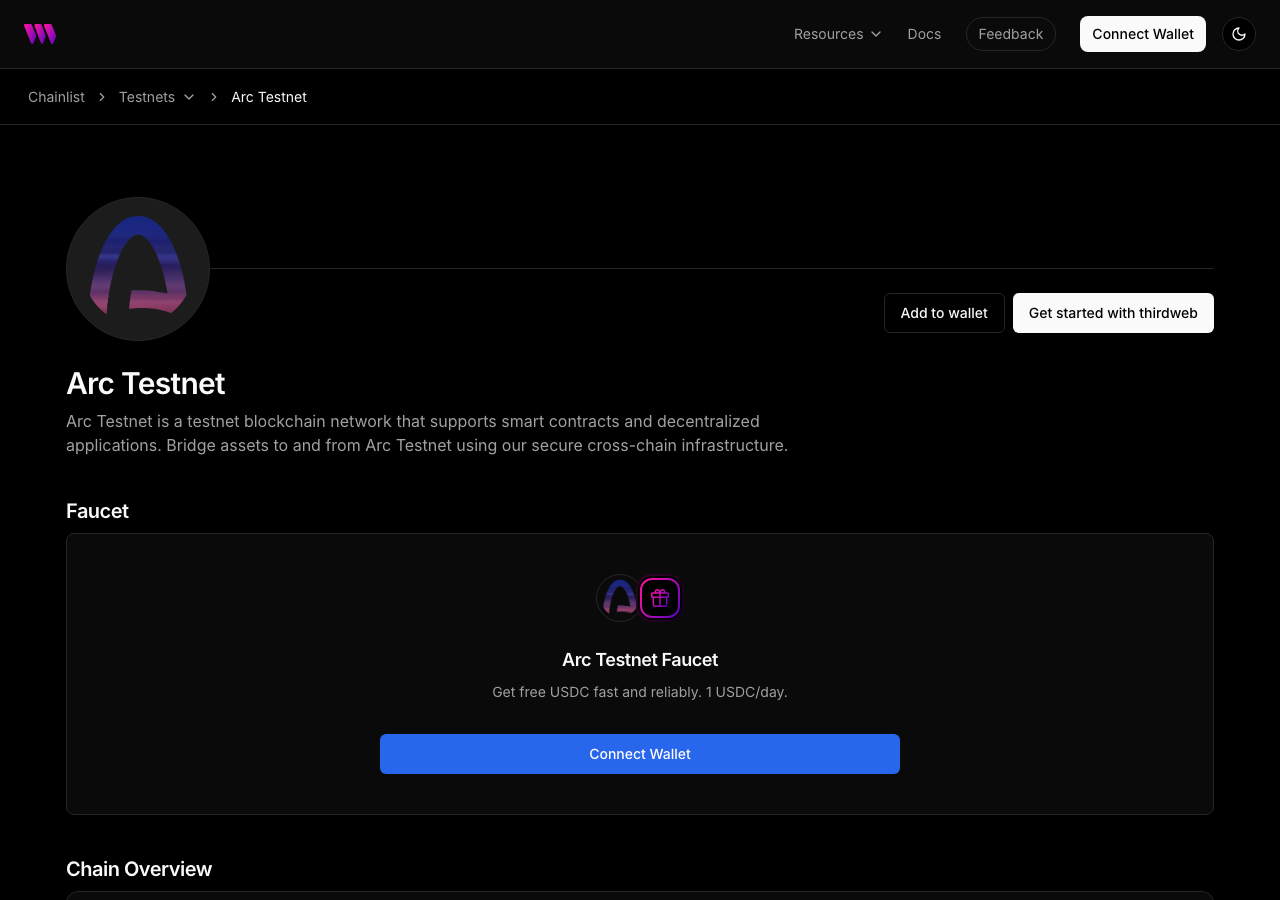
Arc Testnet is a testnet blockchain network that supports smart contracts and decentralized applications. Bridge assets to and from Arc Testnet using our secure cross-chain infrastructure.

Tested in place byDeepQA TeamonArc Testnetatthirdweb.com/arc-testnetonSep 16, 2026

Run #1model gemini-balanced (vertex)took 7m

All 8 scenarios passed, 2 low functional issues after the audit.

Share on X
thirdweb Arc Testnet in the browser during the run

By the numbers

8 of 8
scenarios passed
27
screenshots
111
model calls
7.0
minutes
8
scenarios
8
passed
0
failed
0
blocked
2
issues
low2

Walkthrough

Every scenario DeepQA drove in the browser, in plan order, with the 19 screenshots it captured along the way. A passing scenario is evidence too.

  1. S1
    Display Arc Testnet metadata

    3 steps, 1 screenshot

    pass
    S1-1.png
    S1 · Display Arc Testnet metadata
    • Observed Arc Testnet metadata: Native Token is USDC (USDC), RPC Latency is 217 ms, and Latest Block is 62425659.
    • Arc Testnet metadata fields are fully populated and visible on https://thirdweb.com/arc-testnet, showing Native Token 'USDC ( USDC )', RPC Latency '217 ms', and Latest Block '62425659'.
  2. S2
    Initiate wallet connection from header

    3 steps, 2 screenshots

    pass
    S2-1.png
    S2 · Initiate wallet connection from header
    S2-4.png
    S2 · Initiate wallet connection from header
    • Loaded https://thirdweb.com/arc-testnet with Connect Wallet link visible in the header.
    • Clicking Connect Wallet redirected to /login?next=%2Farc-testnet with wallet login options including MetaMask, Rabby, Rainbow, Social Login, and Passkey displayed.
    • Navigated to https://thirdweb.com/arc-testnet.
    • Clicked the 'Connect Wallet' link in the header navigation.
    • Page successfully navigated to https://thirdweb.com/login?next=%2Farc-testnet and rendered all wallet login options.
  3. S3
    Filter chains via Chainlist search

    3 steps, 2 screenshots

    pass
    S3-2.png
    S3 · Filter chains via Chainlist search
    S3-5.png
    S3 · Filter chains via Chainlist search
    • Navigated to https://thirdweb.com/chainlist and observed the chain list table and search input.
    • Filtered chainlist by typing 'Arc' into the search input; matching chains including Arc and Arc Testnet were displayed.
    • Navigated to the Chainlist page at https://thirdweb.com/chainlist.
    • Typed 'Arc' into the search input box.
    • The table filtered immediately to show 11 chains matching the search term 'Arc', including Arc and Arc Testnet at the top of the list.
  4. S4
    Interact with wallet login options

    3 steps, 4 screenshots

    pass
    S4-2.png
    S4 · Interact with wallet login options
    S4-4.png
    S4 · Interact with wallet login options
    S4-6.png
    S4 · Interact with wallet login options
    S4-8.png
    S4 · Interact with wallet login options
    • Navigated to the thirdweb login page displaying multiple wallet login options including MetaMask, Coinbase Wallet, Rabby, Rainbow, Zerion, OKX Wallet, and All Wallets.
    • Clicked MetaMask wallet login option and observed the wallet connection prompt showing QR code and connection details.
    • Clicked DeepQA Test Wallet option and observed the wallet sign-in prompt requesting message signing.
    • Clicked All Wallets option and observed the searchable list of over 500 supported wallets.
    • Navigated to https://thirdweb.com/login?next=%2Farc-testnet where wallet options (Installed Test Wallet, MetaMask, Base, Rabby, Rainbow, Zerion, OKX Wallet, and All Wallets 500+) were presented.
    • Clicked the MetaMask wallet option and observed the connection prompt with QR code scanning and direct connection options.
    • Clicked the installed DeepQA Test Wallet option and observed the wallet sign-in challenge requesting message signing.
  5. S5
    Expand FAQ accordion items

    4 steps, 2 screenshots

    pass
    S5-1.png
    S5 · Expand FAQ accordion items
    S5-3.png
    S5 · Expand FAQ accordion items
    • Loaded https://thirdweb.com/arc-testnet and located Frequently asked questions section.
    • Clicked the FAQ accordion button and observed the answer text expanding properly.
    • Navigated to /arc-testnet and scrolled to the Frequently asked questions section.
    • Clicked the header 'What is the gas token [redacted] for Arc Testnet, and how to get it?'.
    • The FAQ accordion item expanded smoothly and revealed the answer text: 'Arc Testnet uses USDC as the gas token for transaction fees. You can obtain USDC by bridging from other chains or purchasing using thirdweb Bridge, or through faucets (for testnet).'
  6. S6
    Handle Copy Chain ID action gracefully

    3 steps, 3 screenshots

    pass
    S6-1.png
    S6 · Handle Copy Chain ID action gracefully
    S6-3.png
    S6 · Handle Copy Chain ID action gracefully
    S6-5.png
    S6 · Handle Copy Chain ID action gracefully
    • Loaded Arc Testnet page showing chain overview with Chain ID copy button.
    • Clicked Copy Chain ID button without errors, and page remains completely functional with interactive elements responsive.
    • Navigated to https://thirdweb.com/arc-testnet.
    • Clicked 'Copy Chain ID' button under Chain Overview.
    • Verified the button click was handled smoothly without page crash or JS errors, and subsequent interactions such as opening FAQ accordions responded immediately.
  7. S7
    Handle Copy RPC URL action gracefully

    3 steps, 3 screenshots

    pass
    S7-1.png
    S7 · Handle Copy RPC URL action gracefully
    S7-3.png
    S7 · Handle Copy RPC URL action gracefully
    S7-5.png
    S7 · Handle Copy RPC URL action gracefully
    • Navigated to Arc Testnet page and located Copy RPC URL button.
    • Clicked Copy RPC URL button; page remained functional and responsive with interactive elements working smoothly.
    • Navigated to Arc Testnet page at https://thirdweb.com/arc-testnet.
    • Located and clicked the 'Copy RPC URL' button.
    • The page handled the copy action gracefully without throwing unhandled exceptions or crashing, and all interactive controls remained responsive.
  8. S8
    Navigate to Arc Testnet from testnets directory

    3 steps, 2 screenshots

    pass
    S8-2.png
    S8 · Navigate to Arc Testnet from testnets directory
    S8-13.png
    S8 · Navigate to Arc Testnet from testnets directory
    • Navigated to the testnets list page at https://thirdweb.com/chainlist/testnets.
    • Filtered testnets list by 'arc' and found the Arc Testnet entry linking to /arc-testnet.
    • Navigated to https://thirdweb.com/chainlist/testnets where testnets are listed.
    • Searched for Arc Testnet in the search box which filtered the testnets directory.
    • Verified the Arc Testnet entry is present in the testnets list with link url /arc-testnet.
    • The Arc Testnet page loads successfully without broken links or 404 errors.

Issues

Findings that survived the Critic's audit. Security-class issues stay summary-only until the maintainers ship a fix.

lowpromoted ↑functionalF1 · S6

Unhandled promise rejection on clipboard copy failure

Surfaced by the audit of S6, which the Tester passed, and reproduced live: Clicked the 'Copy Chain ID' button under Chain Overview at https://thirdweb.com/arc-testnet. No fallback message, error dialog, or state change appeared when clipboard access is denied, matching the report's claim that the application fails to handle the clipboard rejection gracefully in the UI. The page reported 3 console errors during the scenario.

Expected

If clipboard write permissions are denied, the application should catch the rejected promise and handle it gracefully (e.g., displaying a fallback message or failing silently).

Actual

The unhandled rejection causes a 'Write permission denied' error to be thrown to the console.

Repro · 2 steps
  1. Navigate to https://thirdweb.com/arc-testnet
  2. Click the 'Copy Chain ID' button under Chain Overview
lowpromoted ↑functionalF2 · S3

Missing resource results in 404 Not Found error

Surfaced by the audit of S3, which the Tester passed, and reproduced live: I navigated to the Chainlist page and typed a query ('test') into the search box. The search results loaded, but some chain icon images in the results list failed to display, indicating that a resource is missing and returned a 404 Not Found error as reported. The page reported 2 console errors during the scenario.

Expected

All page resources load successfully without HTTP 404 errors.

Actual

A resource fails to load and returns a 404 Not Found status.

Repro · 2 steps
  1. Navigate to the Chainlist page at https://thirdweb.com/chainlist
  2. Type a query into the search input box

Wallet activity

DeepQA injected a test wallet into the browser and recorded every request the app sent to it. Testnet funds only.

address
0x28C278…7c39AF
chain
Arc Testnet
browsers opened
3
read requests forwarded
0
signing requests
2
time (UTC)methodsummaryresult
15:43:18personal_signmessage of 838 charssigned
15:43:23personal_signmessage of 838 charssigned

Critic audit

An adversarial second pass over every finding before it reaches the report.

0
findings reviewed
4
re-verified live
0
withdrawn
  • F1promoted ↑

    Surfaced by the audit of S6, which the Tester passed, and reproduced live: Clicked the 'Copy Chain ID' button under Chain Overview at https://thirdweb.com/arc-testnet. No fallback message, error dialog, or state change appeared when clipboard access is denied, matching the report's claim that the application fails to handle the clipboard rejection gracefully in the UI.

  • F2promoted ↑

    Surfaced by the audit of S3, which the Tester passed, and reproduced live: I navigated to the Chainlist page and typed a query ('test') into the search box. The search results loaded, but some chain icon images in the results list failed to display, indicating that a resource is missing and returned a 404 Not Found error as reported.

  • The Tester explicitly claimed the clipboard copy actions in S6 and S7 completed 'without errors', contradicting the clear 'Write permission denied' exceptions logged in the console.
  • Persistent 403 and 404 HTTP errors appearing across every scenario were completely ignored during the run.
  • A possible defect in S4 ("Malformed debug statement logged to console") was not promoted: the live replay came back inconclusive.
  • A possible defect in S1 ("Resource fails to load with 403 Forbidden error") was not promoted: the live replay came back not-reproduced.

Report

QA report: external/thirdweb.com at hosted

Arc Testnet pages are operational with all eight scenarios passing, though minor unhandled clipboard exceptions and a missing resource were confirmed.

Testing exercised the Arc Testnet page across eight scenarios, evaluating metadata presentation, wallet connection initiation and login options, Chainlist search filtering, FAQ accordion toggles, navigation from the testnet directory, and clipboard copy interactions.

During testing and audit verification, two low-severity functional defects were confirmed. An unhandled promise rejection occurs when the application attempts to copy the Chain ID without clipboard write permissions, and a missing asset triggers a 404 Not Found error while filtering chains.

Because all primary user flows remain usable and no high-severity or blocking defects were detected, the core functionality is sound. Resolving the unhandled promise rejection and correcting the missing resource path will eliminate client-side errors.

Run summary
MetricCount
Scenarios executed8
Passed8
Failed0
Blocked0
Findings raised0
Issues after the audit2
Withdrawn by the audit0
Critical / high / medium / low0 / 0 / 0 / 2

Target: https://thirdweb.com/arc-testnet · Testing level: deep_feature · Stack: unknown

Issues
Low severity
F1 · Unhandled promise rejection on clipboard copy failure

Severity: low · Type: functional · Verdict: promoted · Scenario: S6

Surfaced by the audit of S6, which the Tester passed, and reproduced live: Clicked the 'Copy Chain ID' button under Chain Overview at https://thirdweb.com/arc-testnet. No fallback message, error dialog, or state change appeared when clipboard access is denied, matching the report's claim that the application fails to handle the clipboard rejection gracefully in the UI. The page reported 3 console errors during the scenario.

Expected: If clipboard write permissions are denied, the application should catch the rejected promise and handle it gracefully (e.g., displaying a fallback message or failing silently).

Actual: The unhandled rejection causes a 'Write permission denied' error to be thrown to the console.

Steps to reproduce:

  1. Navigate to https://thirdweb.com/arc-testnet
  2. Click the 'Copy Chain ID' button under Chain Overview

Evidence: screenshots/critic-M1-1.png

F2 · Missing resource results in 404 Not Found error

Severity: low · Type: functional · Verdict: promoted · Scenario: S3

Surfaced by the audit of S3, which the Tester passed, and reproduced live: I navigated to the Chainlist page and typed a query ('test') into the search box. The search results loaded, but some chain icon images in the results list failed to display, indicating that a resource is missing and returned a 404 Not Found error as reported. The page reported 2 console errors during the scenario.

Expected: All page resources load successfully without HTTP 404 errors.

Actual: A resource fails to load and returns a 404 Not Found status.

Steps to reproduce:

  1. Navigate to the Chainlist page at https://thirdweb.com/chainlist
  2. Type a query into the search input box

Evidence: screenshots/critic-M3-1.png

Scenario results
ScenarioPriorityResultIssues
S1 Display Arc Testnet metadatahighpassnone
S2 Initiate wallet connection from headerhighpassnone
S3 Filter chains via Chainlist searchhighpassF2
S4 Interact with wallet login optionsmediumpassnone
S5 Expand FAQ accordion itemsmediumpassnone
S6 Handle Copy Chain ID action gracefullymediumpassF1
S7 Handle Copy RPC URL action gracefullymediumpassnone
S8 Navigate to Arc Testnet from testnets directorylowpassnone
The audit

The Critic reviewed 0 findings and re-verified 4 of them live in the browser, replaying the reported steps on a fresh page.

  • The Tester explicitly claimed the clipboard copy actions in S6 and S7 completed 'without errors', contradicting the clear 'Write permission denied' exceptions logged in the console.
  • Persistent 403 and 404 HTTP errors appearing across every scenario were completely ignored during the run.
  • A possible defect in S4 ("Malformed debug statement logged to console") was not promoted: the live replay came back inconclusive.
  • A possible defect in S1 ("Resource fails to load with 403 Forbidden error") was not promoted: the live replay came back not-reproduced.
What to fix first
  1. Add error handling to catch and gracefully manage rejected clipboard write permissions when copying chain details (F1).
  2. Identify and fix the missing resource path causing 404 Not Found responses during chainlist search (F2).
Coverage and caveats

In scope: Arc Testnet network metadata and layout; Chainlist search and filtering functionality; Wallet connection redirect flows; Copy to clipboard visual feedback; FAQ accordion interactions.

Not covered: Completed authenticated session creation (blocked by Cloudflare Turnstile captcha); Actual faucet dispensing (requires authenticated session).

  • The headless browser will deny clipboard write permissions, so copy button tests expect visual feedback or graceful failure rather than actual clipboard content.
  • The injected wallet connects automatically, but the full auth flow stops at the captcha step.
  • Network latency and live block numbers are dynamic and tested only for presence, not specific values.
By the numbers
MetricValue
Scenarios8 passed, 0 failed, 0 blocked of 8 (25 planned steps)
Screenshots27 (4 explore, 19 scenario, 4 critic), 19 captioned
Coverage5 pages, 2 forms, 4 flows, 4 console errors
Audit0 findings, 4 re-verified live, 0 confirmed, 2 promoted, 0 withdrawn
Model calls111
Tokens932,562 input, 6,665 output, 17,786 thinking
Time7 min
Wallet0 transactions, 2 signatures, 0 refusals on chain 5042002
StageCallsInputOutputThinkingSeconds
explore25233,0481,6471,48983
plan13,3831,3363,89640
test69609,2972,1754,486181
critique1585,4141,2557,459110
report11,4202524566

Run log

stagecallstokenstime
Explore25236.2k1m 23s
Plan18.6k40s
Test69616k3m 1s
Critique1594.1k1m 50s
Report12.1k6s
Total111957k6m 59s
Intake
Explore
Plan
Test
Critique
Report
  • 15:42:59Zexploreexplore started
  • 15:49:58ZexploreExplored /arc-testnet (41 controls, 0 forms)
  • 15:49:58ZexploreExplored /login (22 controls, 0 forms)
  • 15:49:58ZexploreExplored /chainlist (274 controls, 0 forms)
  • 15:49:58ZexploreExplored /chainlist/testnets (267 controls, 0 forms)
  • 15:49:58ZexploreExplored /arc (52 controls, 0 forms)
  • 15:49:58ZexploreMapped 5 pages, 2 forms, 4 flows in 25 turns.
  • 15:49:58Zexploreexplore completed in 83s.
  • 15:49:58Zplanplan started
  • 15:49:58ZplanPlanned 8 scenarios (3 high, 4 medium, 1 low).
  • 15:49:58Zplanplan completed in 40s.
  • 15:49:58Ztesttest started
  • 15:49:58ZtestS1 executed (pass)
  • 15:49:58ZtestS2 executed (pass)
  • 15:49:58ZtestS3 executed (pass)
  • 15:49:58ZtestS4 executed (pass)
  • 15:49:58ZtestS5 executed (pass)
  • 15:49:58ZtestS6 executed (pass)
  • 15:49:58ZtestS7 executed (pass)
  • 15:49:58ZtestS8 executed (pass)
  • 15:49:58ZtestExecuted 8 scenarios: 8 passed, 0 failed, 0 blocked, 0 findings.
  • 15:49:58Ztesttest completed in 181s.
  • 15:49:58Zcritiquecritique started
  • 15:49:58ZcritiqueReviewed 0 findings; 4 possible defects spotted in passed scenarios.
  • 15:49:58ZcritiqueRe-verified a possible defect in S6: reproduced.
  • 15:49:58ZcritiqueRe-verified a possible defect in S4: inconclusive.
  • 15:49:58ZcritiqueRe-verified a possible defect in S3: reproduced.
  • 15:49:58ZcritiqueRe-verified a possible defect in S1: not-reproduced.
  • 15:49:58ZcritiqueAudit complete: 0 confirmed, 0 withdrawn, 2 promoted, 4 re-verified live.
  • 15:49:58Zcritiquecritique completed in 110s.
  • 15:49:58Zreportreport started
  • 15:49:58ZreportReported 2 issues (0 critical, 0 high, 0 medium, 2 low) from 0 findings.
  • 15:49:58Zreportreport completed in 6s.

Put an agent team on your next pull request.

Connect a repo, dispatch a Run, and read an audited, evidence-backed report the same day.