Hosted appStableSwap and bridgeArc Mainnet, read onlysucceeded

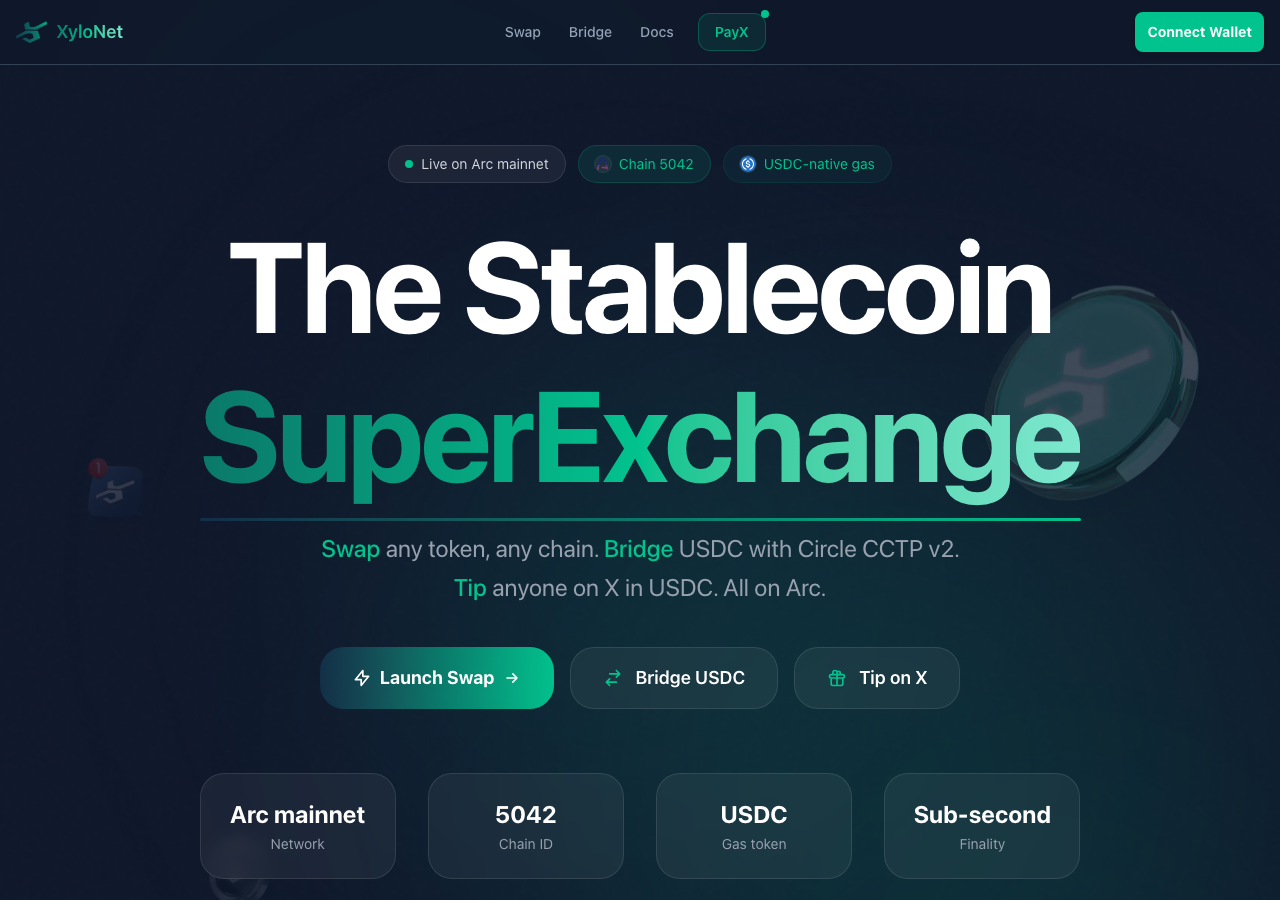
Swap any token, bridge USDC with Circle CCTP v2, and tip anyone on X with PayX — all on Arc mainnet (chain 5042), settled in USDC with sub-second finality.

Tested in place byDeepQA TeamonArc Mainnet, read onlyatxylonet.xyz/onSep 17, 2026

Run #1model gemini-balanced (vertex)took 15m

9 of 12 scenarios passed, 3 failed, 1 medium functional issue after the audit.

Share on X
XyloNet in the browser during the run

By the numbers

9 of 12
scenarios passed, 3 failed
214
browser actions
32
screenshots
207
model calls
15
minutes
12
scenarios
9
passed
3
failed
0
blocked
1
issues
medium1

Walkthrough

Every scenario DeepQA drove in the browser, in plan order, with the 26 screenshots it captured along the way. A passing scenario is evidence too.

  1. S1
    PayX Tip form validation for missing X handle

    4 steps, 3 screenshots

    fail
    S1-5.png
    S1 · PayX Tip form validation for missing X handle
    S1-8.png
    S1 · PayX Tip form validation for missing X handle
    S1-11.png
    S1 · PayX Tip form validation for missing X handle
    • Navigated to PayX tip page showing the tip form with recipient handle, amount, and connect wallet button.
    • Clicking Connect Wallet with an empty recipient X handle and amount 10 opened the Connect a Wallet dialog instead of displaying a validation error for the missing X handle.
    • Navigated to /payx/tip and observed the PayX tip form.
    • Entered 10 in Amount (USDC) while leaving the recipient X username empty.
    • Clicked Connect Wallet and observed that the 'Connect a Wallet' dialog opened immediately without any validation error for the missing recipient handle.
  2. S2
    PayX Tip form validation for missing amount

    4 steps, 4 screenshots

    fail
    S2-5.png
    S2 · PayX Tip form validation for missing amount
    S2-8.png
    S2 · PayX Tip form validation for missing amount
    S2-11.png
    S2 · PayX Tip form validation for missing amount
    S2-13.png
    S2 · PayX Tip form validation for missing amount
    • Entered elonmusk into the X username field, which loaded recipient stats and escrow breakdown.
    • Clicked Connect Wallet with empty USDC amount; the application did not display any validation error for the missing amount.
    • Navigated to https://www.xylonet.xyz/payx/tip.
    • Entered 'elonmusk' into the recipient X handle input, which loaded recipient stats and escrow information.
    • Cleared the Amount (USDC) field so it was empty.
    • Observed that the Breakdown recalculated to $0.00 USDC without showing any required field validation or warning.
    • Clicked 'Connect Wallet' while the amount was empty, and no validation error was displayed to prevent or flag the missing amount.
  3. S3
    PayX Tip form triggers wallet connection on valid input

    5 steps, 2 screenshots

    pass
    S3-5.png
    S3 · PayX Tip form triggers wallet connection on valid input
    S3-10.png
    S3 · PayX Tip form triggers wallet connection on valid input
    • Navigated to the PayX Tip page at /payx/tip.
    • Entered handle elonmusk, amount 10, and message 'Keep building!' into the tip form.
    • Navigated to the PayX tip form at /payx/tip.
    • Entered recipient X handle 'elonmusk', tip amount '10' USDC, and message 'Keep building!'.
    • Clicked 'Connect Wallet' button on the tip form.
    • Observed the 'Connect a Wallet' modal dialog appear with wallet connection options as expected.
  4. S4
    PayX Claim initiates X OAuth redirect

    2 steps, 2 screenshots

    pass
    S4-4.png
    S4 · PayX Claim initiates X OAuth redirect
    S4-6.png
    S4 · PayX Claim initiates X OAuth redirect
    • Navigated to /payx/claim where the 'Sign in with X' button is displayed under 'Claim your tips'.
    • Clicked 'Sign in with X' and the browser successfully redirected to https://x.com/i/oauth2/authorize with expected OAuth parameters (client_id, redirect_uri, scope).
    • The PayX Claim page renders the 'Sign in with X' button cleanly.
    • Clicking 'Sign in with X' initiates the OAuth 2.0 flow and redirects directly to Twitter/X authorization endpoint (https://x.com/i/oauth2/authorize).
  5. S5
    Swap form validation for missing input amount

    3 steps, 2 screenshots

    pass
    S5-5.png
    S5 · Swap form validation for missing input amount
    S5-10.png
    S5 · Swap form validation for missing input amount
    • Navigated to Swap page and observed the LI.FI swap widget with empty/0 input amount.
    • Clicked Connect Wallet in Swap widget with empty amount; the wallet connect modal opened and no swap execution occurred.
    • Navigated to /swap page where the LI.FI widget is embedded.
    • Ensured the You pay amount input was cleared/empty.
    • Clicked Connect wallet button in the Swap widget; the app did not process a swap with an empty amount and properly opened the wallet connect modal.
  6. S6
    Bridge form validation for missing amount

    4 steps, 1 screenshot

    pass
    S6-5.png
    S6 · Bridge form validation for missing amount
    • Navigated to the Bridge page at /bridge.
    • On the CCTP bridge interface, when no amount is entered or wallet is not connected, the submit button remains disabled and prevents transfer initiation without a valid amount.
    • On the LI.FI bridge tab, the amount field is explicitly marked as required (HTML5 required validation).
    • No bridge transfer can be submitted or initiated without specifying an amount.
  7. S7
    Bridge form validation for missing recipient address

    4 steps, 1 screenshot

    pass
    S7-3.png
    S7 · Bridge form validation for missing recipient address
    • Navigated to https://www.xylonet.xyz/bridge.
    • Entered 100 into the Amount USDC input on the Circle CCTP bridge form.
    • Observed that the bridge submit button is disabled as 'Connect Wallet' and does not allow submitting or bridging without a connected wallet and valid address.
    • The application does not permit proceeding without a valid destination wallet address.
  8. S8
    Swap UI token direction switch

    4 steps, 1 screenshot

    fail
    S8-5.png
    S8 · Swap UI token direction switch
    • Navigated to https://www.xylonet.xyz/swap where the embedded LI.FI swap widget is loaded.
    • Observed the default token [redacted]: From token is set to USDC on Arc ('FromUSDCArc') and To token is set to EURC on Arc ('ToEURCArc').
    • Checked the swap widget UI for a Swap Token [redacted] switch button / invert pair control between input and output tokens.
    • No token [redacted] switch button is present or available in the embedded LI.FI widget configuration, preventing users from quickly inverting their swap pairs without manually selecting each token [redacted]
  9. S9
    Swap UI output token selection modal

    2 steps, 2 screenshots

    pass
    S9-4.png
    S9 · Swap UI output token selection modal
    S9-7.png
    S9 · Swap UI output token selection modal
    • Navigated to /swap page and observed the swap widget with From and To token [redacted] buttons.
    • Clicked the output token [redacted] button and observed the token [redacted] view with network filters, search input, and token [redacted]
    • Navigated to /swap and located the Swap interface powered by LI.FI.
    • Clicked the output token [redacted] button (To EURC Arc).
    • Observed the token [redacted] interface opening with 'Exchange to' header, network filters (All networks, Arc, Ethereum, Arbitrum, Base, Monad, etc.), search bar ('Search by token or address'), and a list of selectable tokens.
  10. S10
    Swap Settings configuration modal

    2 steps, 3 screenshots

    pass
    S10-5.png
    S10 · Swap Settings configuration modal
    S10-7.png
    S10 · Swap Settings configuration modal
    S10-9.png
    S10 · Swap Settings configuration modal
    • Navigated to /swap and located the Settings button in the Swap interface.
    • Clicked Settings button on the Swap widget; the settings panel opened displaying Route priority, Gas price, Max slippage (with custom input), Bridges, and Exchanges options.
    • Navigated to the swap page at https://www.xylonet.xyz/swap.
    • Clicked the Settings button on the Swap interface.
    • Verified that the settings interface successfully opened, presenting options for Route priority, Gas price, Max slippage (with custom percentage input), Bridges, and Exchanges.
  11. S11
    Bridge protocol routing toggle

    2 steps, 2 screenshots

    pass
    S11-4.png
    S11 · Bridge protocol routing toggle
    S11-7.png
    S11 · Bridge protocol routing toggle
    • Navigated to /bridge where Circle CCTP v2 tab is selected by default showing USDC burn and mint interface.
    • Clicked the 'Any token · LI.FI' tab and observed the bridge interface immediately switch from CCTP v2 to the LI.FI multi-token [redacted] and route widget.
    • Navigated to the bridge page and verified the default Circle CCTP v2 interface was active.
    • Clicked the LI.FI bridge tab and confirmed that the interface smoothly updated to display the LI.FI multi-token [redacted] parameters and widget.
  12. S12
    Global page load error resilience

    2 steps, 3 screenshots

    pass
    S12-1.png
    S12 · Global page load error resilience
    S12-7.png
    S12 · Global page load error resilience
    S12-9.png
    S12 · Global page load error resilience
    • Navigated to the home landing page and verified that the header, hero section, CTA buttons, stats, and footer render completely without any fatal errors or blank screen.
    • The landing page renders completely with all headers, hero elements, CTA buttons, metrics, and footer links intact.
    • Interactive elements such as the Connect Wallet modal trigger and dismiss smoothly without errors.
    • Navigation links across the interface function properly without application crashes or blank page issues.

Issues

Findings that survived the Critic's audit. Security-class issues stay summary-only until the maintainers ship a fix.

mediumconfirmed ✓functionalF3 · S8

Missing token direction switch button in Swap UI

The lack of an invert button is a UX inconvenience rather than a functional failure, so this should be categorized as UX with a low severity. The page reported 1 console error during the scenario.

Expected

A direction switch button is available between or near the input and output token fields that swaps their positions when clicked.

Actual

No direction switch button exists in the widget UI, requiring the user to reselect both tokens manually to invert the pair.

Repro · 3 steps
  1. Navigate to https://www.xylonet.xyz/swap
  2. Inspect the Swap UI widget displaying 'From USDC Arc' and 'To EURC Arc'
  3. Attempt to locate and click a swap token direction / pair inversion button
mediumwithdrawnfunctionalF1 · S1

PayX tip form prompts for wallet connection without validating missing recipient X handle

The 'Connect Wallet' button is intended to authenticate the user's wallet, a preliminary step that does not and should not require form fields to be valid.

Expected

The application should prevent submission/wallet connect prompt and display a validation error requiring an X handle.

Actual

The application opened the 'Connect a Wallet' modal without validating that the recipient X handle was empty.

Repro · 4 steps
  1. Navigate to /payx/tip
  2. Type '10' into Amount (USDC) input
  3. Leave 'X username' input empty
  4. Click 'Connect Wallet' button
mediumwithdrawnfunctionalF2 · S2

PayX Tip form lacks validation for missing or empty USDC amount before wallet connection/submission

Clicking 'Connect Wallet' initiates authentication rather than form submission; validation is typically enforced after a wallet is connected.

Expected

The form should validate the amount field and display a validation error message indicating a valid USDC amount (minimum 0.10 USDC) is required before proceeding.

Actual

No validation error is displayed; the form accepts an empty amount, updates breakdown to $0.00, and allows clicking 'Connect Wallet' without any error feedback.

Repro · 4 steps
  1. Navigate to https://www.xylonet.xyz/payx/tip
  2. Enter 'elonmusk' in the 'X username' field
  3. Clear the 'Amount (USDC)' input field so it remains empty
  4. Click the 'Connect Wallet' button

Critic audit

An adversarial second pass over every finding before it reaches the report.

3
findings reviewed
2
re-verified live
2
withdrawn
  • F1withdrawn

    The 'Connect Wallet' button is intended to authenticate the user's wallet, a preliminary step that does not and should not require form fields to be valid.

  • F2withdrawn

    Clicking 'Connect Wallet' initiates authentication rather than form submission; validation is typically enforced after a wallet is connected.

  • F3confirmed ✓

    The lack of an invert button is a UX inconvenience rather than a functional failure, so this should be categorized as UX with a low severity.

  • The tester mistakenly treated the 'Connect Wallet' button as a form submission trigger in F1 and F2, failing to recognize standard dApp behavior where wallet connection precedes validation.
  • Multiple passed scenarios contained unfiled console errors, including 401/403 errors in S4 and CORS/CORP issues in S9.
  • A possible defect in S4 ("401 and 403 HTTP errors during PayX Claim OAuth flow") was not promoted: the live replay came back not-reproduced.
  • A possible defect in S9 ("Resource blocked by NotSameOrigin policy in Swap UI") was not promoted: the live replay came back inconclusive.

Report

QA report: external/xylonet.xyz at hosted

The application's core PayX, Swap, and Bridge interfaces are functional, but the Swap widget lacks a direction switch control to invert token pairs.

Testing covered 12 deep-feature scenarios across the PayX tipping and claiming flows, token Swap configurations and validations, Bridge form controls, and overall page resilience. Nine scenarios passed without issue.

A single medium-severity functional issue was confirmed (F3), where the Swap interface lacks a button to invert input and output tokens, forcing users to reselect both assets manually. Two initial findings concerning input validation prior to wallet connection in PayX were reviewed by the Critic and withdrawn as standard decentralized application behavior.

Testing focused on client-side interface validation, modal interactions, and routing flows; live on-chain transactions and signed wallet submissions were not exercised during this run.

Run summary
MetricCount
Scenarios executed12
Passed9
Failed3
Blocked0
Findings raised3
Issues after the audit1
Withdrawn by the audit2
Critical / high / medium / low0 / 0 / 1 / 0

Target: https://xylonet.xyz/ · Testing level: deep_feature · Stack: unknown

Issues
Medium severity
F3 · Missing token direction switch button in Swap UI

Severity: medium · Type: functional · Verdict: confirmed · Scenario: S8

The lack of an invert button is a UX inconvenience rather than a functional failure, so this should be categorized as UX with a low severity. The page reported 1 console error during the scenario.

Expected: A direction switch button is available between or near the input and output token fields that swaps their positions when clicked.

Actual: No direction switch button exists in the widget UI, requiring the user to reselect both tokens manually to invert the pair.

Steps to reproduce:

  1. Navigate to https://www.xylonet.xyz/swap
  2. Inspect the Swap UI widget displaying 'From USDC Arc' and 'To EURC Arc'
  3. Attempt to locate and click a swap token direction / pair inversion button

Evidence: screenshots/S8-5.png

Withdrawn findings

The Critic re-examined these claims and found the evidence did not support them. They are kept here rather than deleted.

  • PayX tip form prompts for wallet connection without validating missing recipient X handle (S1, medium): The 'Connect Wallet' button is intended to authenticate the user's wallet, a preliminary step that does not and should not require form fields to be valid.
  • PayX Tip form lacks validation for missing or empty USDC amount before wallet connection/submission (S2, medium): Clicking 'Connect Wallet' initiates authentication rather than form submission; validation is typically enforced after a wallet is connected.
Scenario results
ScenarioPriorityResultIssues
S1 PayX Tip form validation for missing X handlehighfailnone
S2 PayX Tip form validation for missing amounthighfailnone
S3 PayX Tip form triggers wallet connection on valid inputhighpassnone
S4 PayX Claim initiates X OAuth redirecthighpassnone
S5 Swap form validation for missing input amounthighpassnone
S6 Bridge form validation for missing amounthighpassnone
S7 Bridge form validation for missing recipient addresshighpassnone
S8 Swap UI token direction switchmediumfailF3
S9 Swap UI output token selection modalmediumpassnone
S10 Swap Settings configuration modalmediumpassnone
S11 Bridge protocol routing togglemediumpassnone
S12 Global page load error resiliencelowpassnone
The audit

The Critic reviewed 3 findings and re-verified 2 of them live in the browser, replaying the reported steps on a fresh page.

  • The tester mistakenly treated the 'Connect Wallet' button as a form submission trigger in F1 and F2, failing to recognize standard dApp behavior where wallet connection precedes validation.
  • Multiple passed scenarios contained unfiled console errors, including 401/403 errors in S4 and CORS/CORP issues in S9.
  • A possible defect in S4 ("401 and 403 HTTP errors during PayX Claim OAuth flow") was not promoted: the live replay came back not-reproduced.
  • A possible defect in S9 ("Resource blocked by NotSameOrigin policy in Swap UI") was not promoted: the live replay came back inconclusive.
What to fix first
  1. Add a token pair direction switch button to the Swap widget UI to allow quick inversion of selected assets (F3).
Coverage and caveats

In scope: PayX tip form input validation; PayX OAuth claim redirection; Swap form validation and UI state toggles; Bridge form validation and protocol toggles.

Not covered: On-chain transaction execution (requires Web3 wallet extension); X OAuth completion (requires external Twitter credentials and redirection back).

  • The Tester does not have a Web3 provider like MetaMask installed.
  • Form submission attempts will either show client-side validation errors or trigger a wallet connection modal.
  • Buttons referenced in flows (like 'Connect wallet & tip') are present on the page even if not explicitly listed in the interactive elements array.
By the numbers
MetricValue
Scenarios9 passed, 3 failed, 0 blocked of 12 (38 planned steps)
Browser actions214 (48 clicks, 13 inputs, 40 navigations, 113 snapshots)
Screenshots32 (4 explore, 26 scenario, 2 critic), 26 captioned
Coverage19 pages, 3 forms, 5 flows, 1 console errors
Audit3 findings, 2 re-verified live, 1 confirmed, 0 promoted, 2 withdrawn
Model calls207
Tokens1,176,056 input, 11,632 output, 19,862 thinking
Time15 min
StageCallsInputOutputThinkingSeconds
explore29226,6883,8441,886124
plan15,7021,9593,15941
test162883,0364,70910,052641
critique1458,9108944,21069
report11,7202265558

Run log

stagecallstokenstime
Explore29232.4k2m 4s
Plan110.8k41s
Test162897.8k10m 41s
Critique1464k1m 9s
Report12.5k8s
Total2071.2M14m 43s
Intake
Explore
Plan
Test
Critique
Report
  • 16:56:04Zexploreexplore started
  • 17:10:47ZexploreExplored / (28 controls, 0 forms)
  • 17:10:47ZexploreExplored /swap (26 controls, 0 forms)
  • 17:10:47ZexploreExplored /bridge (20 controls, 0 forms)
  • 17:10:47ZexploreExplored /payx (33 controls, 0 forms)
  • 17:10:47ZexploreExplored /payx/tip (19 controls, 0 forms)
  • 17:10:47ZexploreExplored /payx/claim (6 controls, 0 forms)
  • 17:10:47ZexploreExplored /docs (35 controls, 0 forms)
  • 17:10:47ZexploreExplored /docs/quickstart (41 controls, 0 forms)
  • 17:10:47ZexploreExplored /docs/network (40 controls, 0 forms)
  • 17:10:47ZexploreExplored /docs/swap (37 controls, 0 forms)
  • 17:10:47ZexploreExplored /docs/bridge (36 controls, 0 forms)
  • 17:10:47ZexploreExplored /payx/docs (20 controls, 0 forms)
  • 17:10:47ZexploreExplored /docs/contracts (48 controls, 0 forms)
  • 17:10:47ZexploreExplored /docs/architecture (34 controls, 0 forms)
  • 17:10:47ZexploreExplored /docs/integration (38 controls, 0 forms)
  • 17:10:47ZexploreExplored /docs/security (35 controls, 0 forms)
  • 17:10:47ZexploreExplored /docs/faq (31 controls, 0 forms)
  • 17:10:47ZexploreExplored /privacy (14 controls, 0 forms)
  • 17:10:47ZexploreExplored /terms (14 controls, 0 forms)
  • 17:10:47ZexploreMapped 19 pages, 3 forms, 5 flows in 29 turns.
  • 17:10:47Zexploreexplore completed in 124s.
  • 17:10:47Zplanplan started
  • 17:10:47ZplanPlanned 12 scenarios (7 high, 4 medium, 1 low).
  • 17:10:47Zplanplan completed in 41s.
  • 17:10:47Ztesttest started
  • 17:10:47ZtestS1 executed (fail), 1 finding
  • 17:10:47ZtestS2 executed (fail), 1 finding
  • 17:10:47ZtestS3 executed (pass)
  • 17:10:47ZtestS4 executed (pass)
  • 17:10:47ZtestS5 executed (pass)
  • 17:10:47ZtestS6 executed (pass)
  • 17:10:47ZtestS7 executed (pass)
  • 17:10:47ZtestS8 executed (fail), 1 finding
  • 17:10:47ZtestS9 executed (pass)
  • 17:10:47ZtestS10 executed (pass)
  • 17:10:47ZtestS11 executed (pass)
  • 17:10:47ZtestS12 executed (pass)
  • 17:10:47ZtestExecuted 12 scenarios: 9 passed, 3 failed, 0 blocked, 3 findings.
  • 17:10:47Ztesttest completed in 641s.
  • 17:10:47Zcritiquecritique started
  • 17:10:47ZcritiqueReviewed 3 findings; 2 possible defects spotted in passed scenarios.
  • 17:10:47ZcritiqueRe-verified a possible defect in S4: not-reproduced.
  • 17:10:47ZcritiqueRe-verified a possible defect in S9: inconclusive.
  • 17:10:47ZcritiqueAudit complete: 1 confirmed, 2 withdrawn, 0 promoted, 2 re-verified live.
  • 17:10:47Zcritiquecritique completed in 69s.
  • 17:10:47Zreportreport started
  • 17:10:47ZreportReported 1 issue (0 critical, 0 high, 1 medium, 0 low) from 3 findings.
  • 17:10:47Zreportreport completed in 8s.

Put an agent team on your next pull request.

Connect a repo, dispatch a Run, and read an audited, evidence-backed report the same day.