MCP server hubSandbox, from sourcesucceeded

Open-source hub to manage and route Model Context Protocol servers from one dashboard: servers, resources, users, logs and settings. Run from its repository in the DeepQA sandbox.

Tested byDeepQA Teamfromsamanhappy/mcphubat 1db0aa7onSep 20, 2026

Run #1model gemini-balanced (vertex)took 10m

11 of 12 scenarios passed, 1 blocked, no issues after the audit.

Share on X
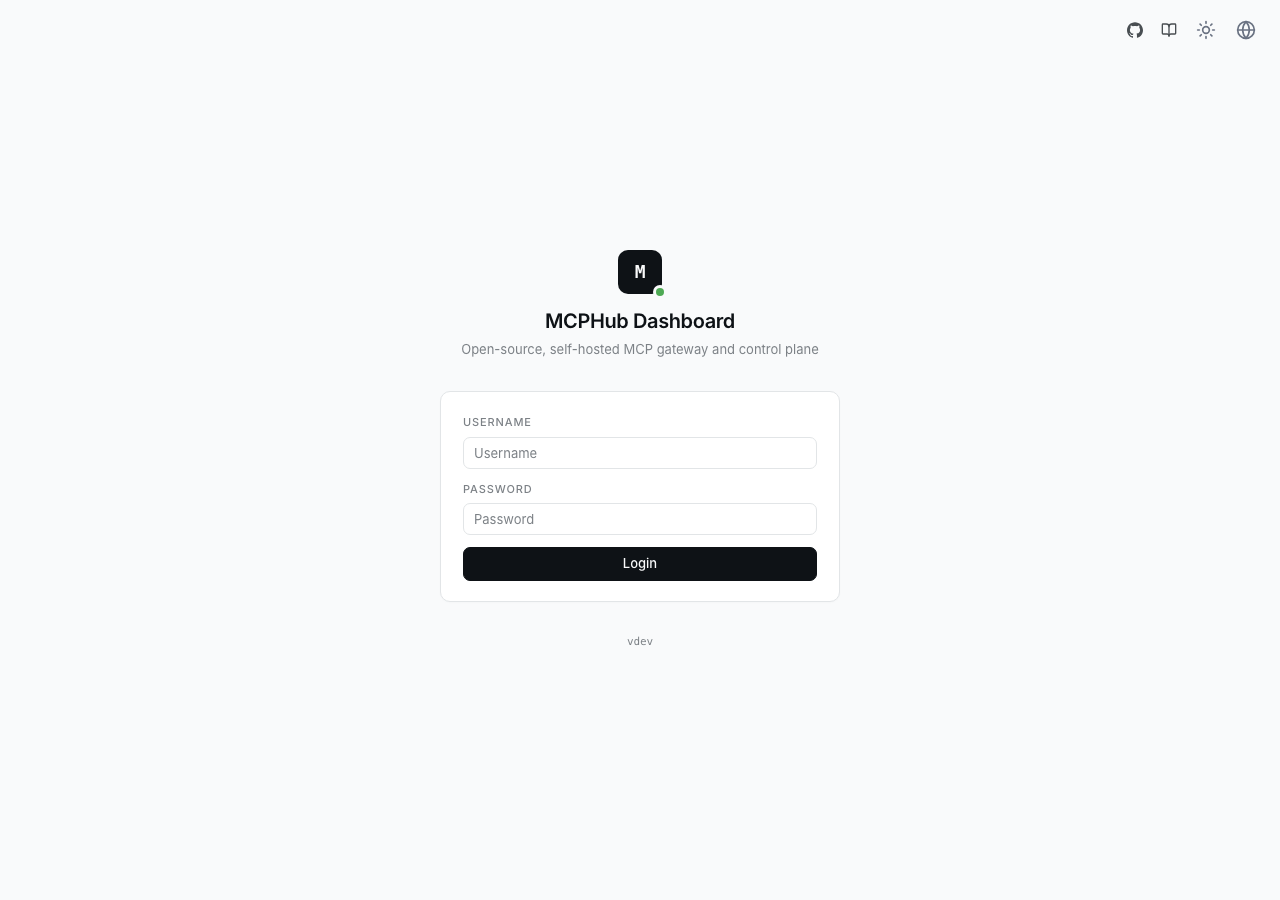
samanhappy/mcphub in the browser during the run

By the numbers

11 of 12
scenarios passed, 1 blocked
275
browser actions
47
screenshots
227
model calls
9.9
minutes
12
scenarios
11
passed
0
failed
1
blocked
0
issues

Walkthrough

Every scenario DeepQA drove in the browser, in plan order, with the 42 screenshots it captured along the way. A passing scenario is evidence too.

  1. S1
    Primary Resource Creation

    12 steps, 4 screenshots

    pass
    S1-3.png
    S1 · Primary Resource Creation
    S1-8.png
    S1 · Primary Resource Creation
    S1-15.png
    S1 · Primary Resource Creation
    S1-18.png
    S1 · Primary Resource Creation
    • Logged in successfully as admin and arrived at Dashboard.
    • Saved the new resource file:///app/config.json with name App Config, and verified it appears in the resources list with Active status.
    • Navigated to /login and authenticated as admin.
    • Navigated to /resources and clicked Add Resource.
    • Filled out the modal form with Resource URI 'file:///app/config.json', Name 'App Config', Description 'Main application configuration', MIME Type 'application/json', Content '{}', and Enabled checked.
    • Clicked Save, observed modal close, and verified the resource appeared in the list with URI, Name, Description, MIME type, and Active status.
  2. S2
    Resource Creation - Required Fields Only

    9 steps, 3 screenshots

    pass
    S2-3.png
    S2 · Resource Creation - Required Fields Only
    S2-5.png
    S2 · Resource Creation - Required Fields Only
    S2-10.png
    S2 · Resource Creation - Required Fields Only
    • Navigated to Resources page showing 1 built-in resource.
    • Opened the Add New Resource dialog.
    • Filled URI with 'file:///app/minimal.txt' and content with 'Minimal content', leaving name, description, and mime type empty.
    • Navigated to the /resources page which initially contained 1 resource.
    • Clicked Add Resource and opened the creation modal.
    • Provided the mandatory URI 'file:///app/minimal.txt' and Content 'Minimal content' while leaving Name, Description, and MIME Type empty.
    • Submitted the form with Save button; the resource saved cleanly without validation errors on the optional fields.
    • The new resource 'file:///app/minimal.txt' appeared in the Built-in Resources list with Active status, incrementing total resource count to 2.
  3. S3
    Form Validation - Missing Resource URI

    8 steps, 4 screenshots

    pass
    S3-2.png
    S3 · Form Validation - Missing Resource URI
    S3-4.png
    S3 · Form Validation - Missing Resource URI
    S3-7.png
    S3 · Form Validation - Missing Resource URI
    S3-9.png
    S3 · Form Validation - Missing Resource URI
    • Navigated to /resources and observed the Built-in Resources page with an Add Resource button.
    • Opened Add New Resource modal with required Resource URI and Content fields.
    • Clicked Save with empty Resource URI; form submission was prevented by required field validation and modal remained open.
    • Navigated to /resources and opened the 'Add Resource' modal.
    • Left Resource URI empty while filling 'Content without URI' into Resource Content.
    • Clicked Save button; HTML form validation required the Resource URI field, preventing form submission.
    • Verified that no invalid resource was created and the resource list remained unchanged.
  4. S4
    Form Validation - Missing Resource Content

    8 steps, 4 screenshots

    pass
    S4-3.png
    S4 · Form Validation - Missing Resource Content
    S4-5.png
    S4 · Form Validation - Missing Resource Content
    S4-7.png
    S4 · Form Validation - Missing Resource Content
    S4-9.png
    S4 · Form Validation - Missing Resource Content
    • Navigated to Resources page showing existing built-in resources.
    • Opened Add New Resource modal form.
    • Entered URI 'file:///app/no-content.txt' and left Resource Content empty.
    • Clicking Save with empty content field prevented submission; modal remains open and required validation triggered.
    • Navigated to the /resources page while signed in as admin.
    • Clicked Add Resource to open the modal creation form.
    • Entered 'file:///app/no-content.txt' in the Resource URI field and left Resource Content empty.
    • Attempted to submit the form by clicking Save.
    • Observed that the form was not submitted: the required validation on the Resource Content field blocked submission and kept the dialog open without creating the resource.
  5. S5
    Security - Unauthenticated Access to Resources

    2 steps, 2 screenshots

    pass
    S5-4.png
    S5 · Security - Unauthenticated Access to Resources
    S5-6.png
    S5 · Security - Unauthenticated Access to Resources
    • Navigated directly to /resources while unauthenticated; the application redirected to /login and did not expose the resources interface or any data.
    • Logged out of the current session to ensure the visitor is unauthenticated.
    • Attempted direct navigation to /resources without an active session.
    • The application immediately redirected unauthenticated requests from /resources to /login, preventing unauthorized access to system resources and controls.
  6. S6
    Record Lifecycle - Edit Built-in Resource

    7 steps, 4 screenshots

    pass
    S6-5.png
    S6 · Record Lifecycle - Edit Built-in Resource
    S6-8.png
    S6 · Record Lifecycle - Edit Built-in Resource
    S6-10.png
    S6 · Record Lifecycle - Edit Built-in Resource
    S6-15.png
    S6 · Record Lifecycle - Edit Built-in Resource
    • Logged into MCPHub dashboard as admin.
    • Navigated to Built-in Resources page showing two existing resources.
    • Updated Resource Content field with new JSON content.
    • Verified that the resource content modification persisted correctly upon reopening the edit dialog.
    • Successfully navigated to /resources and identified existing resource 'App Config'.
    • Opened edit modal, changed Resource Content from '{}' to '{"version": "1.1", "updated": true}', and saved.
    • Reopened the resource edit modal and verified that the updated content was persisted accurately.
  7. S7
    Record Lifecycle - Delete Built-in Resource

    6 steps, 3 screenshots

    pass
    S7-3.png
    S7 · Record Lifecycle - Delete Built-in Resource
    S7-5.png
    S7 · Record Lifecycle - Delete Built-in Resource
    S7-7.png
    S7 · Record Lifecycle - Delete Built-in Resource
    • Navigated to /resources and observed 2 built-in resources in the list: 'App Config' (file:///app/config.json) and 'file:///app/minimal.txt'.
    • Clicked the Delete button for resource 'file:///app/minimal.txt', opening the 'Delete Resource' confirmation modal.
    • Confirmed deletion in the modal; the resource 'file:///app/minimal.txt' was removed from the list and the resource count updated to 1.
    • Built-in resource list displayed existing resources properly.
    • Clicking the Delete button triggered a confirmation modal displaying the resource name and a warning that the action cannot be undone.
    • Confirming deletion successfully removed the resource 'file:///app/minimal.txt' permanently, with count decreasing from 2 to 1 and persisting across page reload.
  8. S8
    Validation - Duplicate Resource URI

    9 steps, 3 screenshots

    blocked
    S8-3.png
    S8 · Validation - Duplicate Resource URI
    S8-8.png
    S8 · Validation - Duplicate Resource URI
    S8-11.png
    S8 · Validation - Duplicate Resource URI
    • Navigated to /resources page where existing built-in resources are displayed.
    • Created first resource with URI file:///app/duplicate.txt successfully.
    • Navigated to /resources and created a new built-in resource with URI file:///app/duplicate.txt and initial content.
    • Verified that the first resource saved successfully and appeared in the resources list.
    • Reopened the Add Resource modal to submit a duplicate resource with the exact same URI file:///app/duplicate.txt.
    • The scenario reached the tool call limit before submitting the duplicate form to observe whether the backend validates or rejects duplicate URIs.
  9. S9
    Persistence - State Survives Reload

    6 steps, 4 screenshots

    pass
    S9-3.png
    S9 · Persistence - State Survives Reload
    S9-7.png
    S9 · Persistence - State Survives Reload
    S9-10.png
    S9 · Persistence - State Survives Reload
    S9-12.png
    S9 · Persistence - State Survives Reload
    • The resource file:///app/persist.txt persists and remains visible in the resource list after page reload.
    • Logged in as admin and navigated to /resources.
    • Created a new resource with URI file:///app/persist.txt and verified it was added to the list.
    • Reloaded the page at /resources and verified the newly created resource remained visible with URI file:///app/persist.txt, Active status, and text/plain MIME type.
  10. S10
    State Control - Disabled Resource Handling

    9 steps, 3 screenshots

    pass
    S10-2.png
    S10 · State Control - Disabled Resource Handling
    S10-7.png
    S10 · State Control - Disabled Resource Handling
    S10-10.png
    S10 · State Control - Disabled Resource Handling
    • Created resource with URI file:///app/disabled.txt and unchecked Enabled status; the resource was successfully added with an 'Inactive' status indicator in the UI list.
    • Navigated to /resources and opened Add Resource dialog.
    • Filled URI file:///app/disabled.txt, content 'Disabled test', and unchecked the Enabled checkbox.
    • Saved the resource and observed the new item displayed with an 'Inactive' status indicator badge in the resources list.
  11. S11
    Validation - Whitespace-only values

    8 steps, 4 screenshots

    pass
    S11-3.png
    S11 · Validation - Whitespace-only values
    S11-5.png
    S11 · Validation - Whitespace-only values
    S11-9.png
    S11 · Validation - Whitespace-only values
    S11-11.png
    S11 · Validation - Whitespace-only values
    • Navigated to the Built-in Resources page with 4 existing resources.
    • Opened the Add New Resource dialog showing required URI and Content fields.
    • Clicked Save with whitespace-only values; form displayed validation error 'URI is required' and refused submission.
    • Navigated to /resources and opened the 'Add New Resource' dialog modal.
    • Entered whitespace-only strings into the Resource URI and Resource Content fields.
    • Attempted to save the form, and the application rejected the input, displaying the validation error 'URI is required' without persisting any blank resource.
  12. S12
    Form Boundary - Large Resource Content

    8 steps, 4 screenshots

    pass
    S12-3.png
    S12 · Form Boundary - Large Resource Content
    S12-5.png
    S12 · Form Boundary - Large Resource Content
    S12-9.png
    S12 · Form Boundary - Large Resource Content
    S12-12.png
    S12 · Form Boundary - Large Resource Content
    • Navigated to /resources page showing list of built-in resources.
    • Opened the Add New Resource modal.
    • Filled in Resource URI with 'file:///app/large.txt' and Resource Content with 5,330 characters of text.
    • Navigated to the /resources page where 4 initial built-in resources were listed.
    • Opened the Add New Resource modal and filled URI with 'file:///app/large.txt' and content with 5,330 characters.
    • Submitted the form by clicking Save; the modal closed properly after saving.
    • The new resource 'file:///app/large.txt' appeared in the resources list, increasing total resources count to 5.
    • The resource list layout remained completely intact, usable, and gracefully rendered.

Issues

No finding survived the audit. Nothing to fix from this run.

Critic audit

An adversarial second pass over every finding before it reaches the report.

0
findings reviewed
3
re-verified live
0
withdrawn
    • The tester reported no findings in this run, but several scenarios passed despite logging 401 and 404 console errors.
    • Scenario S8 was blocked due to reaching the tool call limit, leaving duplicate URI validation untested.
    • A possible defect in S1 ("Console error: 401 Unauthorized logged during resource creation") was not promoted: the live replay came back inconclusive.
    • A possible defect in S5 ("Console error: 404 Not Found logged on unauthenticated redirect") was not promoted: the live replay came back not-reproduced.
    • A possible defect in S6 ("Console error: 401 Unauthorized logged during resource editing") was not promoted: the live replay came back inconclusive.

    Report

    QA report: samanhappy/mcphub at 1db0aa7

    All evaluated resource lifecycle workflows functioned as expected with zero confirmed defects.

    The test suite exercised core resource management features across twelve scenarios, including resource creation, field validation, boundary limits with large payloads, state persistence across reloads, and record editing and deletion.

    Eleven scenarios completed successfully with no confirmed issues. Three potential console error anomalies examined during the audit were either not reproduced or remained inconclusive, resulting in zero logged defects for this build.

    The only gap in coverage is duplicate resource URI validation, which was blocked when the scenario reached its step budget before completing the final submission.

    Run summary
    MetricCount
    Scenarios executed12
    Passed11
    Failed0
    Blocked1
    Findings raised0
    Issues after the audit0
    Withdrawn by the audit0
    Critical / high / medium / low0 / 0 / 0 / 0

    Target: http://localhost:5173 · Testing level: deep_feature · Stack: node / pnpm (vite)

    Issues

    No issues survived the audit.

    Scenario results
    ScenarioPriorityResultIssues
    S1 Primary Resource Creationhighpassnone
    S2 Resource Creation - Required Fields Onlyhighpassnone
    S3 Form Validation - Missing Resource URIhighpassnone
    S4 Form Validation - Missing Resource Contenthighpassnone
    S5 Security - Unauthenticated Access to Resourceshighpassnone
    S6 Record Lifecycle - Edit Built-in Resourcemediumpassnone
    S7 Record Lifecycle - Delete Built-in Resourcemediumpassnone
    S8 Validation - Duplicate Resource URImediumblocked (Scenario budget reached before completing the final submission and observing duplicate URI validation behavior.)none
    S9 Persistence - State Survives Reloadmediumpassnone
    S10 State Control - Disabled Resource Handlingmediumpassnone
    S11 Validation - Whitespace-only valuesmediumpassnone
    S12 Form Boundary - Large Resource Contentlowpassnone
    The audit

    The Critic reviewed 0 findings and re-verified 3 of them live in the browser, replaying the reported steps on a fresh page.

    • The tester reported no findings in this run, but several scenarios passed despite logging 401 and 404 console errors.
    • Scenario S8 was blocked due to reaching the tool call limit, leaving duplicate URI validation untested.
    • A possible defect in S1 ("Console error: 401 Unauthorized logged during resource creation") was not promoted: the live replay came back inconclusive.
    • A possible defect in S5 ("Console error: 404 Not Found logged on unauthenticated redirect") was not promoted: the live replay came back not-reproduced.
    • A possible defect in S6 ("Console error: 401 Unauthorized logged during resource editing") was not promoted: the live replay came back inconclusive.
    Coverage and caveats

    In scope: Built-in Resource Management lifecycle; Form validation for the Add New Resource Form; Authentication boundaries for the resources control plane; Persistence and duplicate handling of resource records.

    Not covered: Server management (/servers): Dropped to focus the 12-scenario cap deeply on the resources feature.; Prompt and group management (/prompts, /groups): Dropped for deep feature focus on resources.; Market extensions (/market): Dropped to focus entirely on core resource configurations..

    • Assumed the application provides standard edit and delete affordances for resources in the list view, even though not explicitly clicked during exploration. If absent, this will be reported as a defect.
    • Assumed the login process completes quickly enough without needing explicit wait steps.
    • S8 could not be executed: Scenario budget reached before completing the final submission and observing duplicate URI validation behavior..
    By the numbers
    MetricValue
    Scenarios11 passed, 0 failed, 1 blocked of 12 (92 planned steps)
    Browser actions275 (70 clicks, 48 inputs, 25 navigations, 132 snapshots)
    Screenshots47 (4 explore, 42 scenario, 1 critic), 42 captioned
    Coverage7 pages, 2 forms, 3 flows, 1 console errors
    Audit0 findings, 3 re-verified live, 0 confirmed, 0 promoted, 0 withdrawn
    Model calls227
    Tokens1,211,410 input, 11,426 output, 17,621 thinking
    Time10 min
    StageCallsInputOutputThinkingSeconds
    explore41217,4581,9271,048113
    plan13,2432,5684,40148
    test164942,3065,5236,641341
    critique2046,8611,2625,08586
    report11,5421464465

    Run log

    stagecallstokenstime
    Explore41220.4k1m 53s
    Plan110.2k48s
    Test164954.5k5m 41s
    Critique2053.2k1m 26s
    Report12.1k5s
    Total2271.2M9m 53s
    Intake
    Explore
    Plan
    Test
    Critique
    Report
    • 01:42:42Zexploreexplore started
    • 01:52:42ZexploreExplored /login (7 controls, 1 forms)
    • 01:52:42ZexploreExplored / (23 controls, 0 forms)
    • 01:52:42ZexploreExplored /servers (23 controls, 0 forms)
    • 01:52:42ZexploreExplored /groups (39 controls, 0 forms)
    • 01:52:42ZexploreExplored /prompts (20 controls, 0 forms)
    • 01:52:42ZexploreExplored /resources (18 controls, 0 forms)
    • 01:52:42ZexploreExplored /market (18 controls, 0 forms)
    • 01:52:42ZexploreMapped 7 pages, 2 forms, 3 flows in 40 turns.
    • 01:52:42Zexploreexplore completed in 113s.
    • 01:52:42Zplanplan started
    • 01:52:42ZplanPlanned 12 scenarios (5 high, 6 medium, 1 low).
    • 01:52:42Zplanplan completed in 48s.
    • 01:52:42Ztesttest started
    • 01:52:42ZtestS1 executed (pass)
    • 01:52:42ZtestS2 executed (pass)
    • 01:52:42ZtestS3 executed (pass)
    • 01:52:42ZtestS4 executed (pass)
    • 01:52:42ZtestS5 executed (pass)
    • 01:52:42ZtestS6 executed (pass)
    • 01:52:42ZtestS7 executed (pass)
    • 01:52:42ZtestS8 executed (blocked)
    • 01:52:42ZtestS9 executed (pass)
    • 01:52:42ZtestS10 executed (pass)
    • 01:52:42ZtestS11 executed (pass)
    • 01:52:42ZtestS12 executed (pass)
    • 01:52:42ZtestExecuted 12 scenarios: 11 passed, 0 failed, 1 blocked, 0 findings.
    • 01:52:42Ztesttest completed in 341s.
    • 01:52:42Zcritiquecritique started
    • 01:52:42ZcritiqueReviewed 0 findings; 3 possible defects spotted in passed scenarios.
    • 01:52:42ZcritiqueRe-verified a possible defect in S1: inconclusive.
    • 01:52:42ZcritiqueRe-verified a possible defect in S5: not-reproduced.
    • 01:52:42ZcritiqueRe-verified a possible defect in S6: inconclusive.
    • 01:52:42ZcritiqueAudit complete: 0 confirmed, 0 withdrawn, 0 promoted, 3 re-verified live.
    • 01:52:42Zcritiquecritique completed in 86s.
    • 01:52:42Zreportreport started
    • 01:52:42ZreportReported 0 issues (0 critical, 0 high, 0 medium, 0 low) from 0 findings.
    • 01:52:42Zreportreport completed in 5s.

    Put an agent team on your next pull request.

    Connect a repo, dispatch a Run, and read an audited, evidence-backed report the same day.